
All features
Vedic Suite
Dasha Timelines
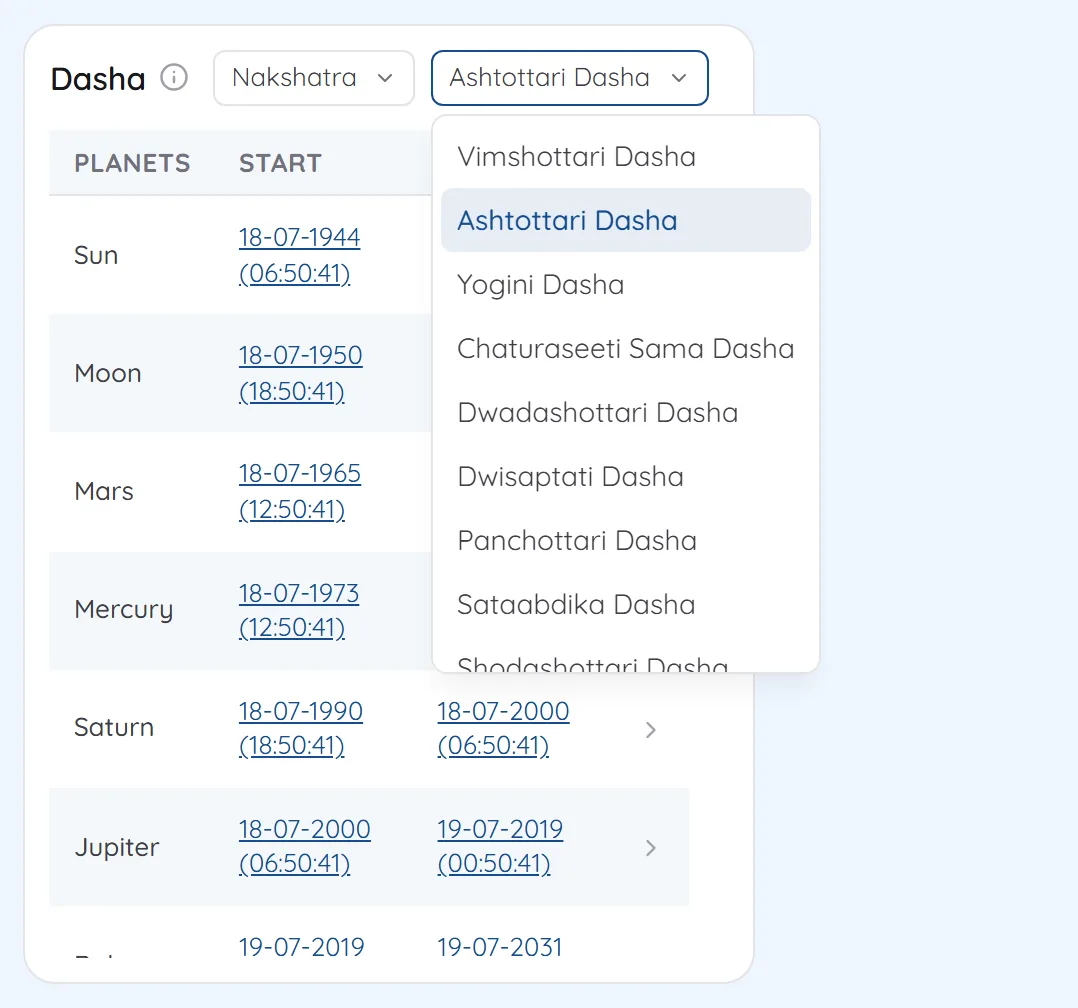
Nakshatra, rashi and annual dashas from one menu, opened period by period.
What you get
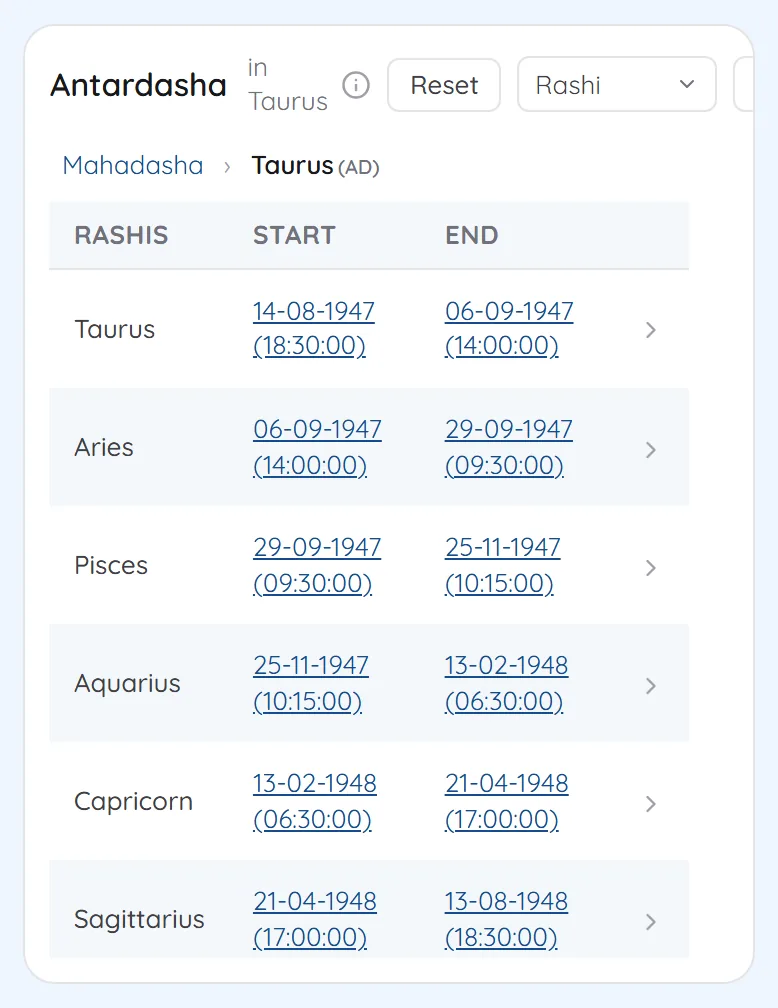
Switch the dasha system and the timeline is recast from the same chart. Click any period to open its sub-periods with their exact dates.
- Nakshatra dashas, including Vimshottari, Ashtottari, Yogini, Chaturaseeti Sama, Dwadashottari and Shodashottari
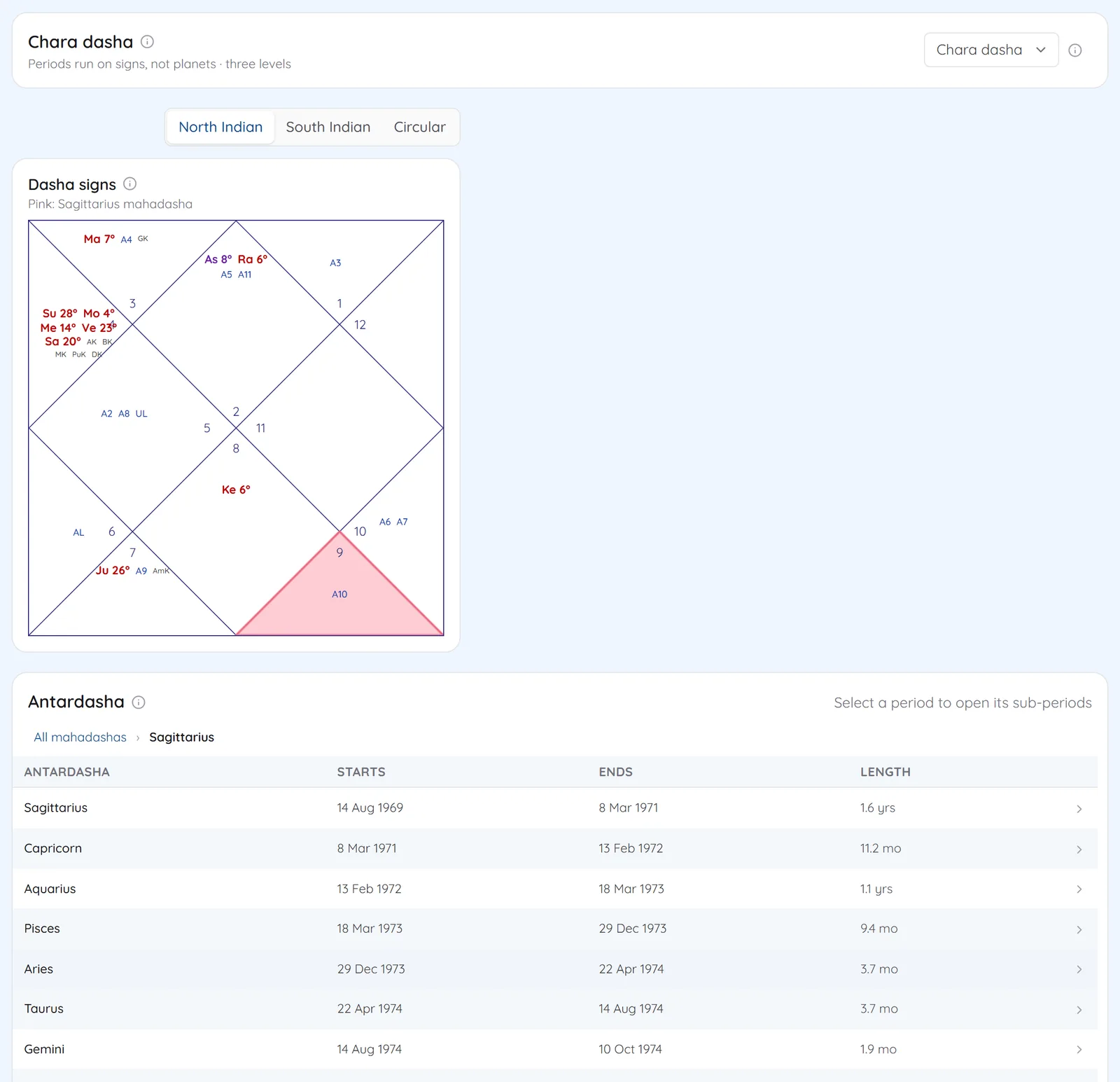
- Jaimini rashi dashas: Chara, Narayana, Shoola, Trikona, Kendradhi and Yogardha
- Natal dashas open from mahadasha to antardasha, pratyantar, sookshma and prana
- Mudda and Patyayini dashas for the annual chart, in Tajak mode
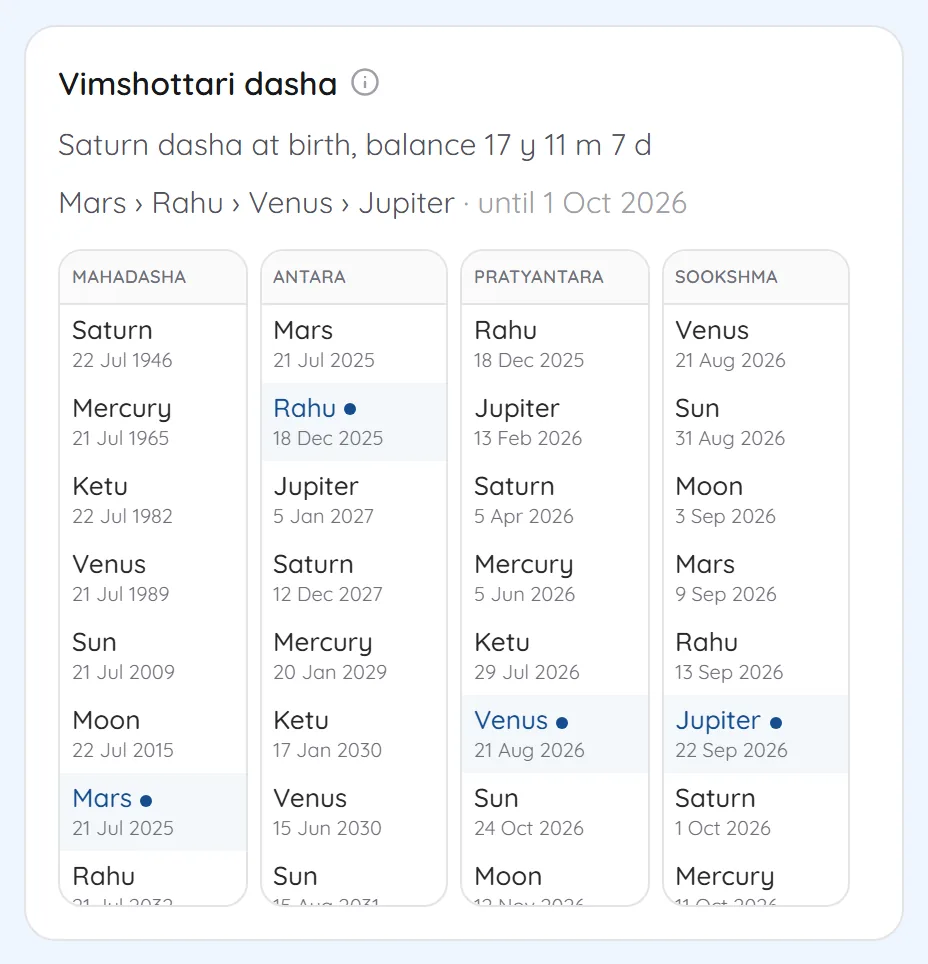
- In KP mode, the Vimshottari view marks the running period at four levels
- Dasha year length, start and direction set in your settings
Screens
1Nakshatra dashasVimshottari, Ashtottari, Yogini and the other nakshatra systems, one menu away on the dashboard. 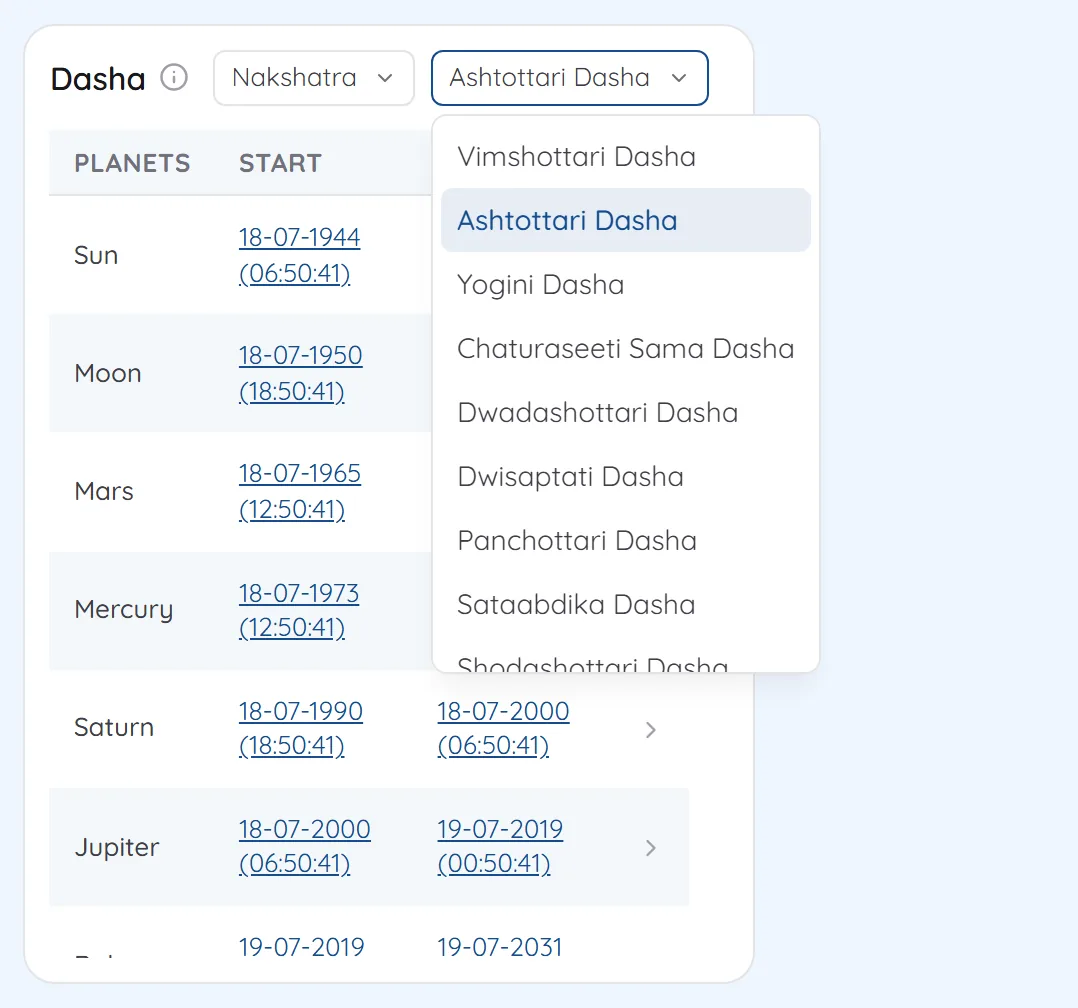
2Click a period to go deeperOpening a mahadasha lists its antardashas with exact dates, and each of those opens in turn. 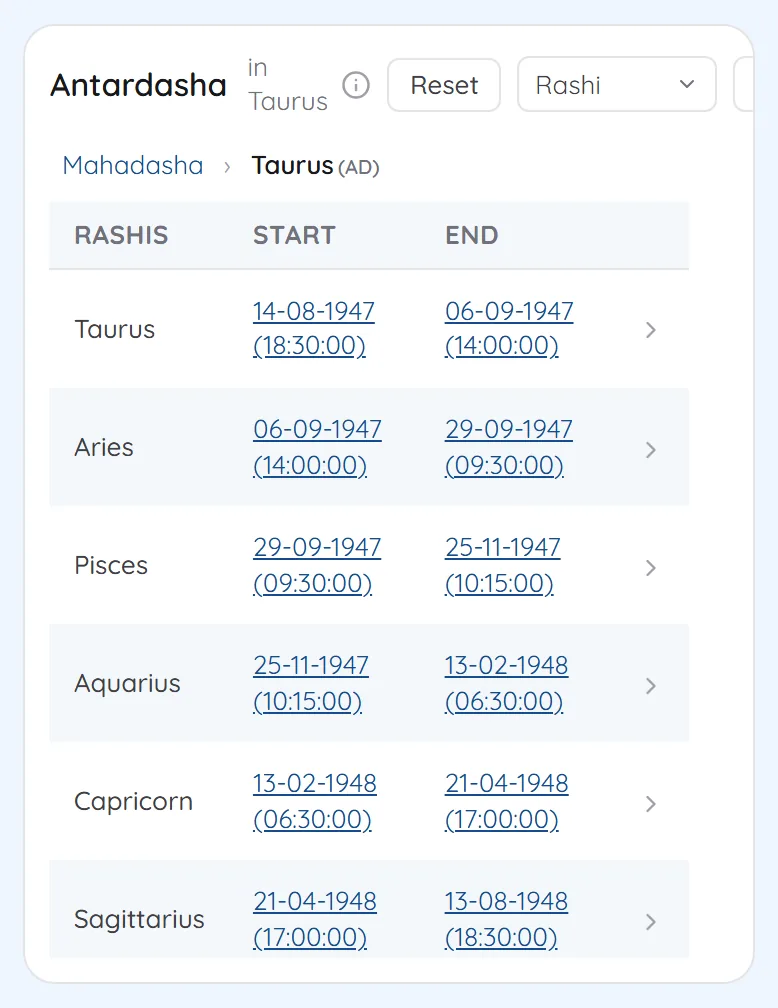
3Four levels side by sideThe Vimshottari view in KP mode shows mahadasha, antara, pratyantara and sookshma together, with today marked in each. 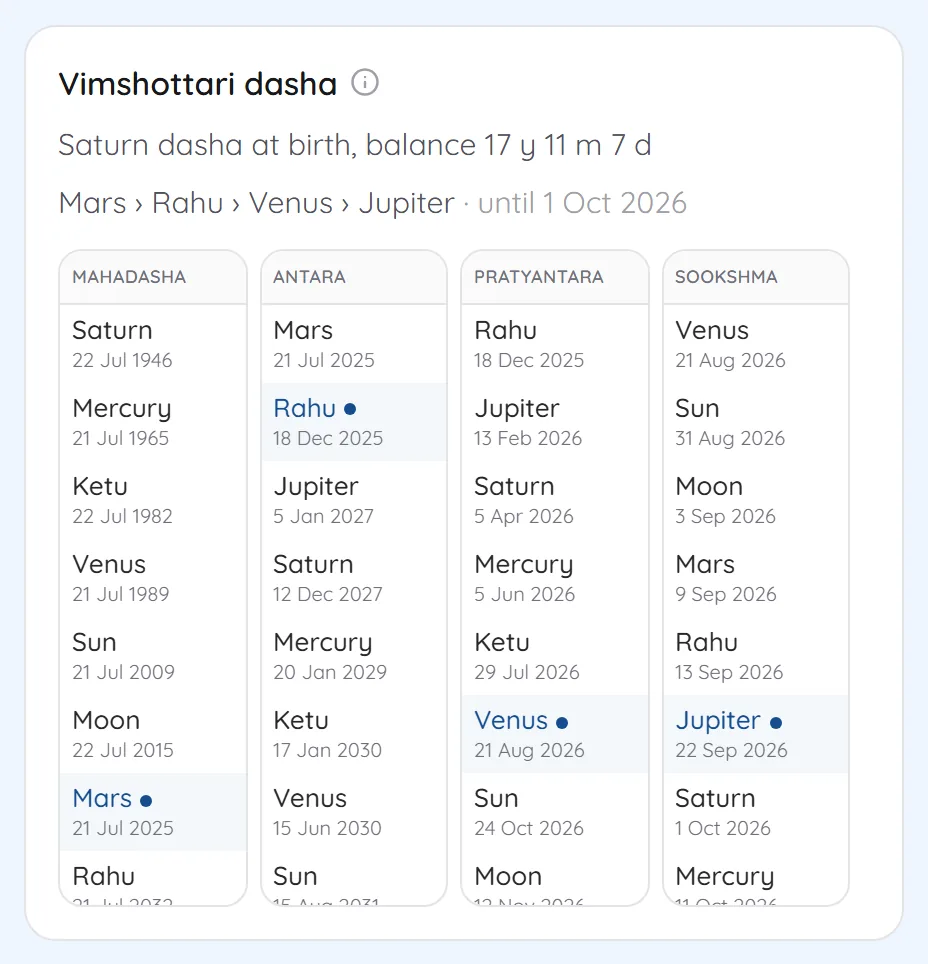
4Rashi dashas on the chartIn Jaimini mode the dasha sign you select is highlighted on the chart, with its antardashas listed below. 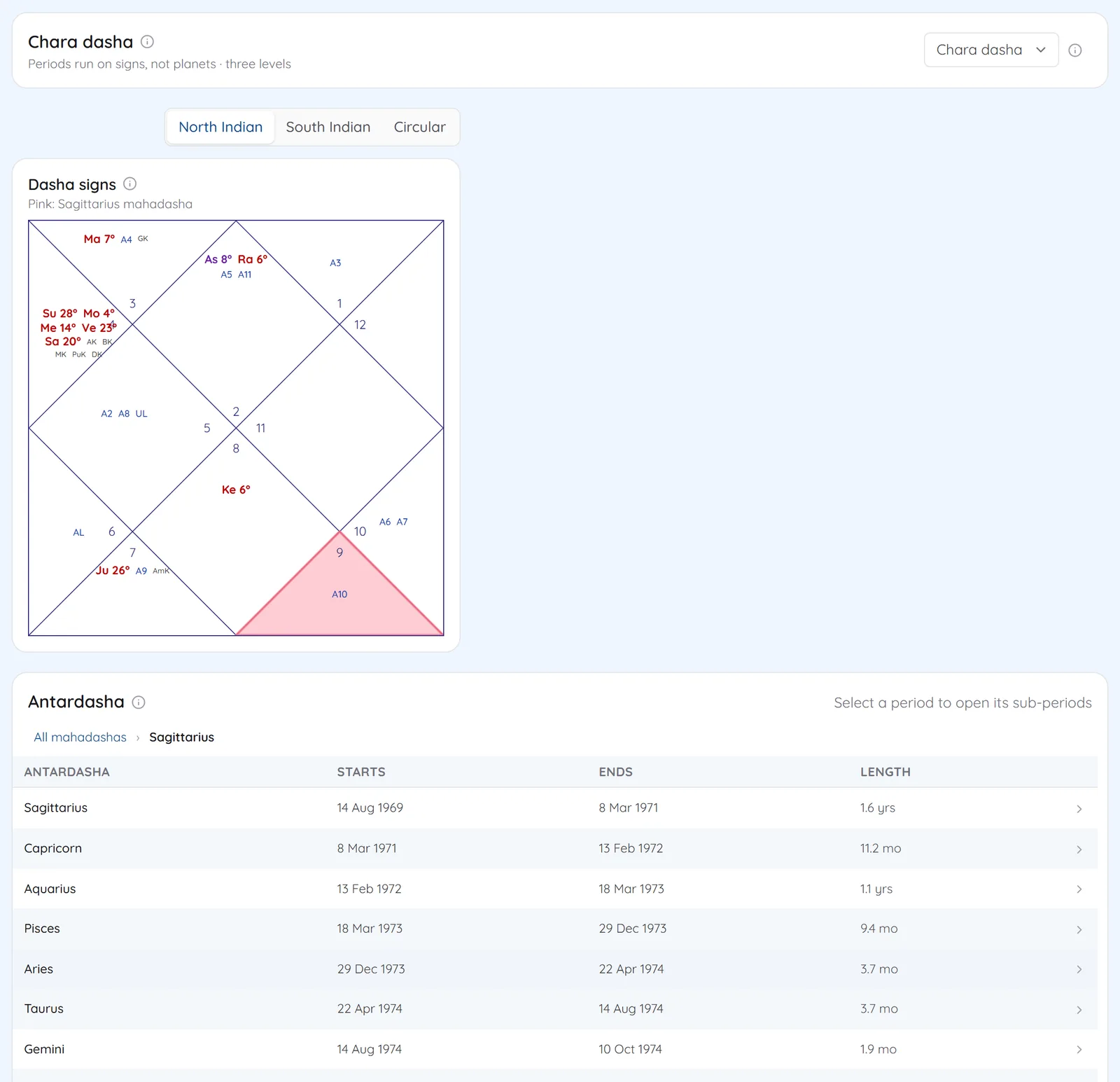
See Dasha Timelines on your own chart
7 days free on any plan. Cancel before the trial ends and you pay nothing.