
All features
Vedic Suite
Vargas
The rashi chart and every divisional chart to D144, in the style you read.
What you get
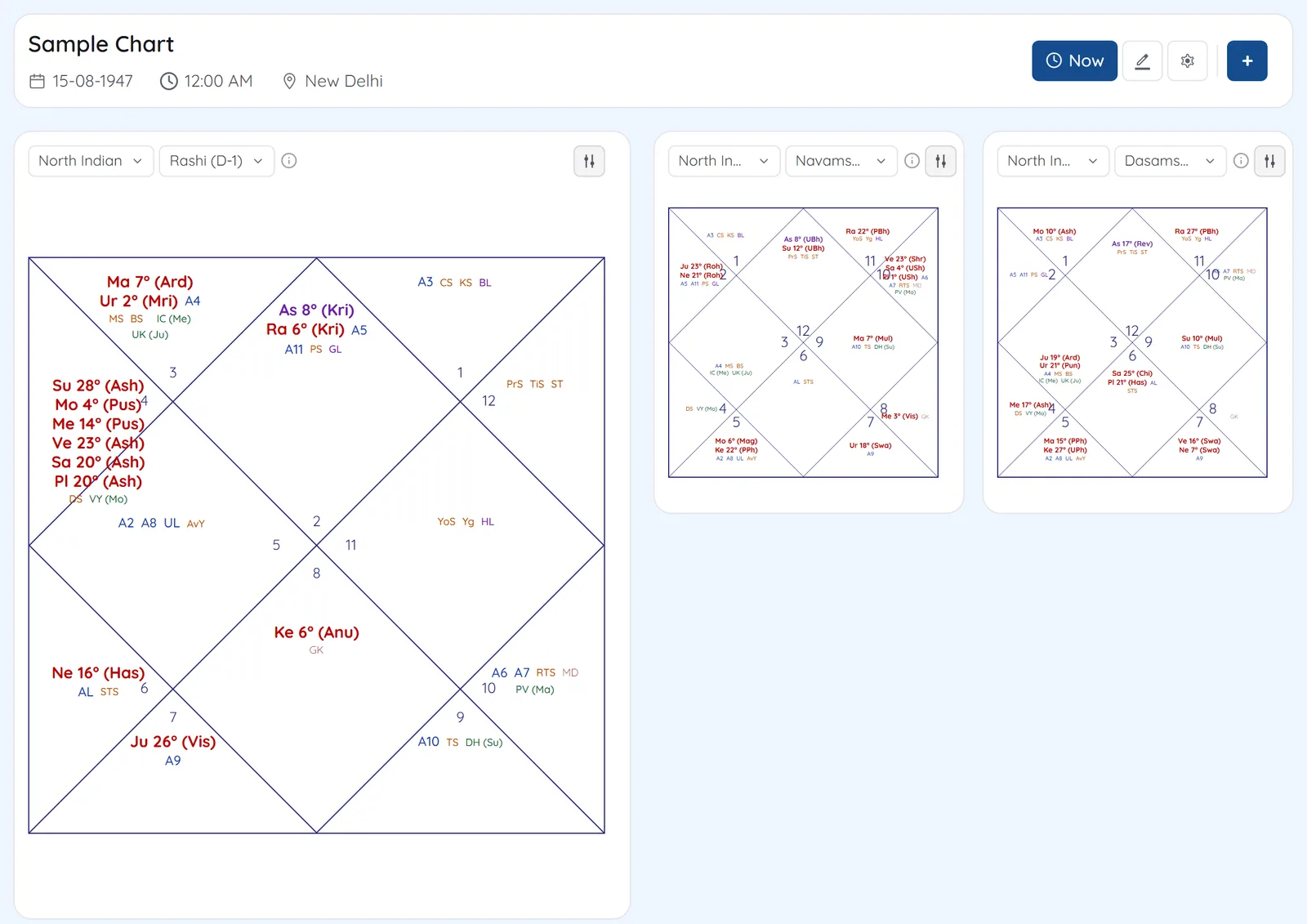
Enter a birth time once and the dashboard opens the rashi chart beside two more divisional charts, with the planet table, strengths, dashas and panchang on the same screen. Any of the three chart slots can show any varga.
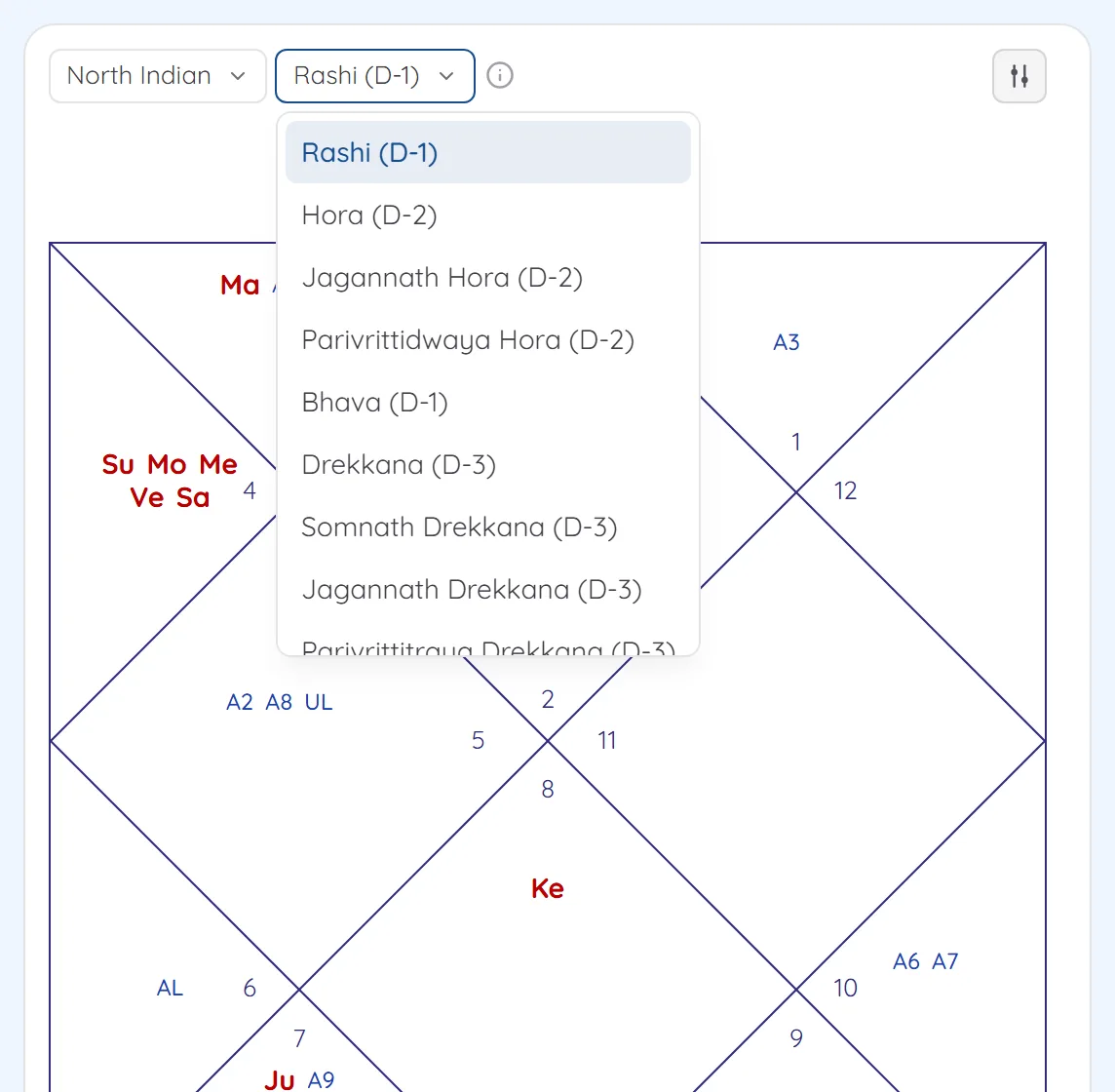
- 29 divisional charts from D1 to D144, including Bhava, Jagannath, Somnath and Parivritti variants
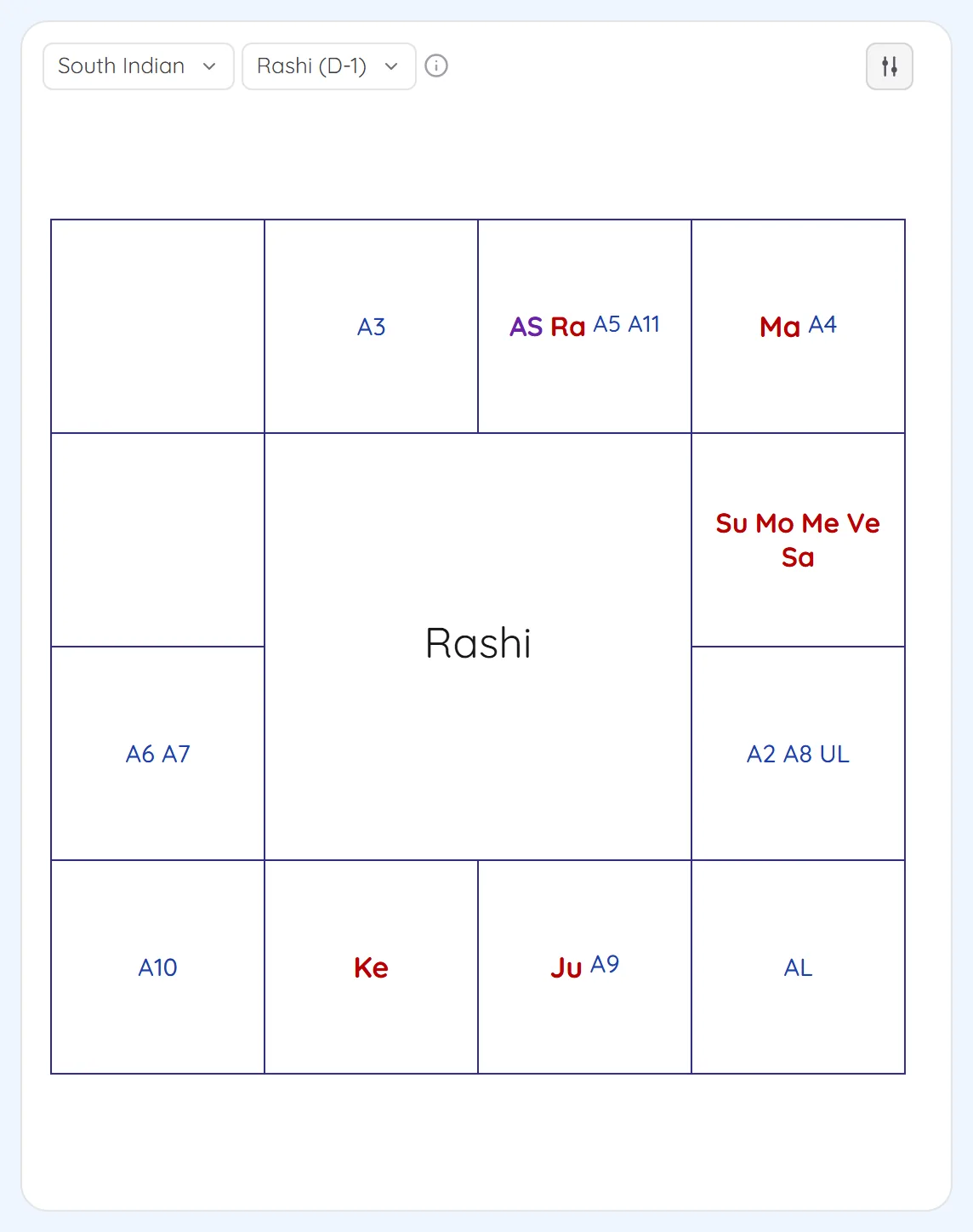
- North Indian, South Indian and East Indian chart styles
- Arudhas, special lagnas, upagrahas and sphutas marked on the chart
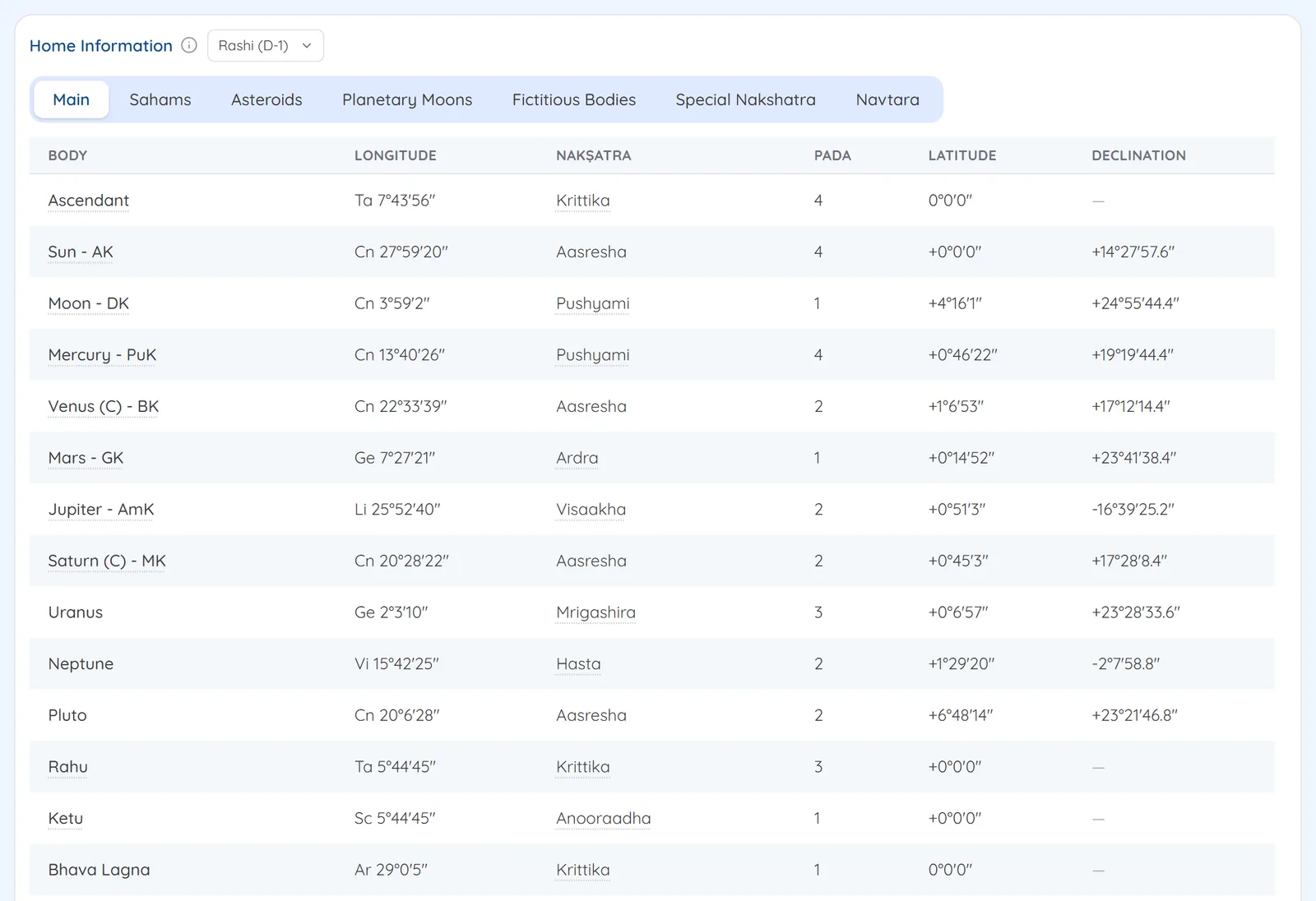
- Planet table with chara karakas, nakshatra, pada, latitude and declination, for whichever varga you pick
- Sahams, asteroids, planetary moons and fictitious bodies in their own tabs
- Ayanamsa, true or mean node and ascendant position chosen per chart, with a correction offset in Settings
Screens
1Three charts on one screenThe rashi chart sits beside the navamsa and dasamsa. Each chart has its own style and varga menu. 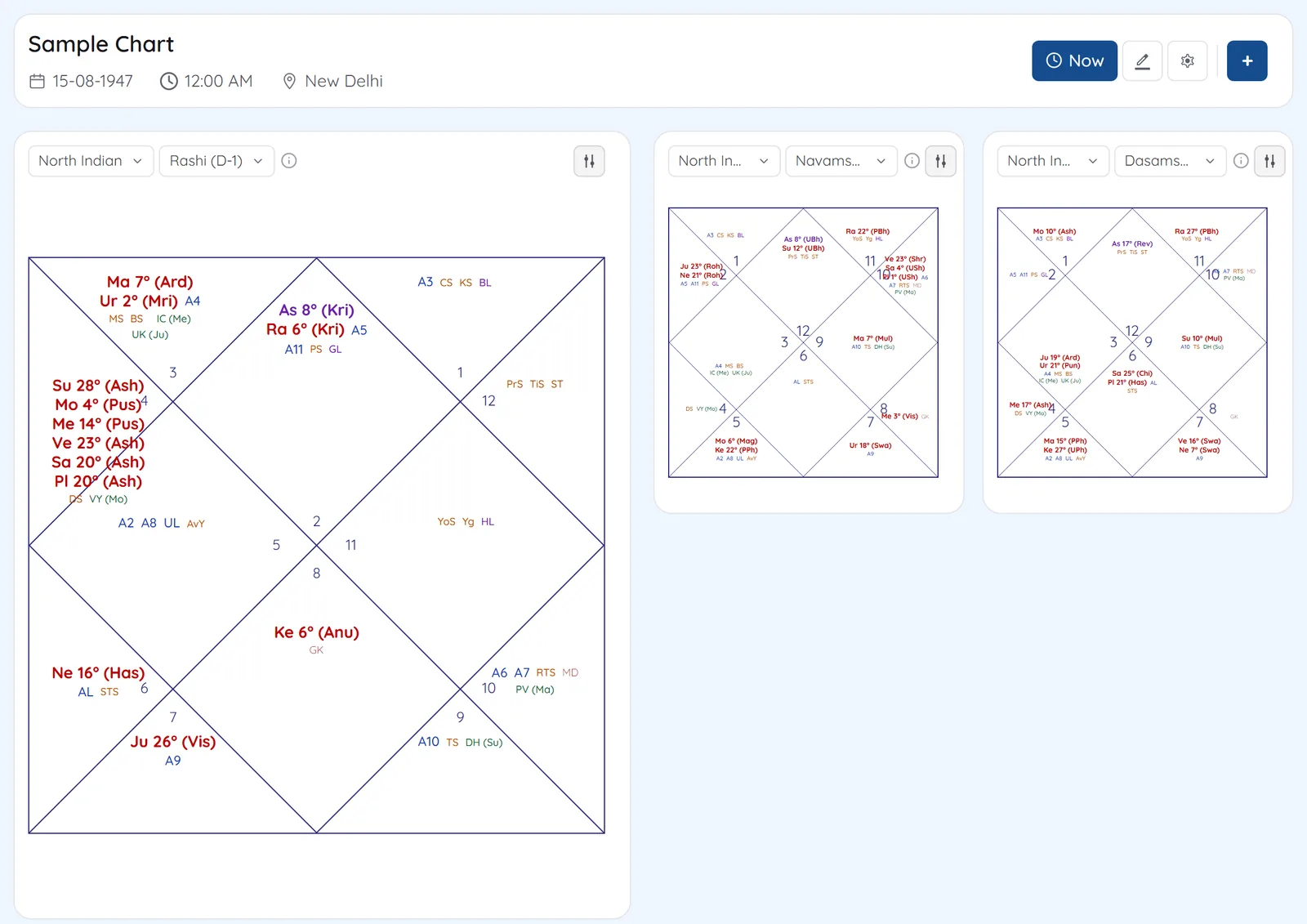
2Every varga from one menuPick any divisional chart, including the Jagannath, Somnath and Parivritti forms of the same varga. 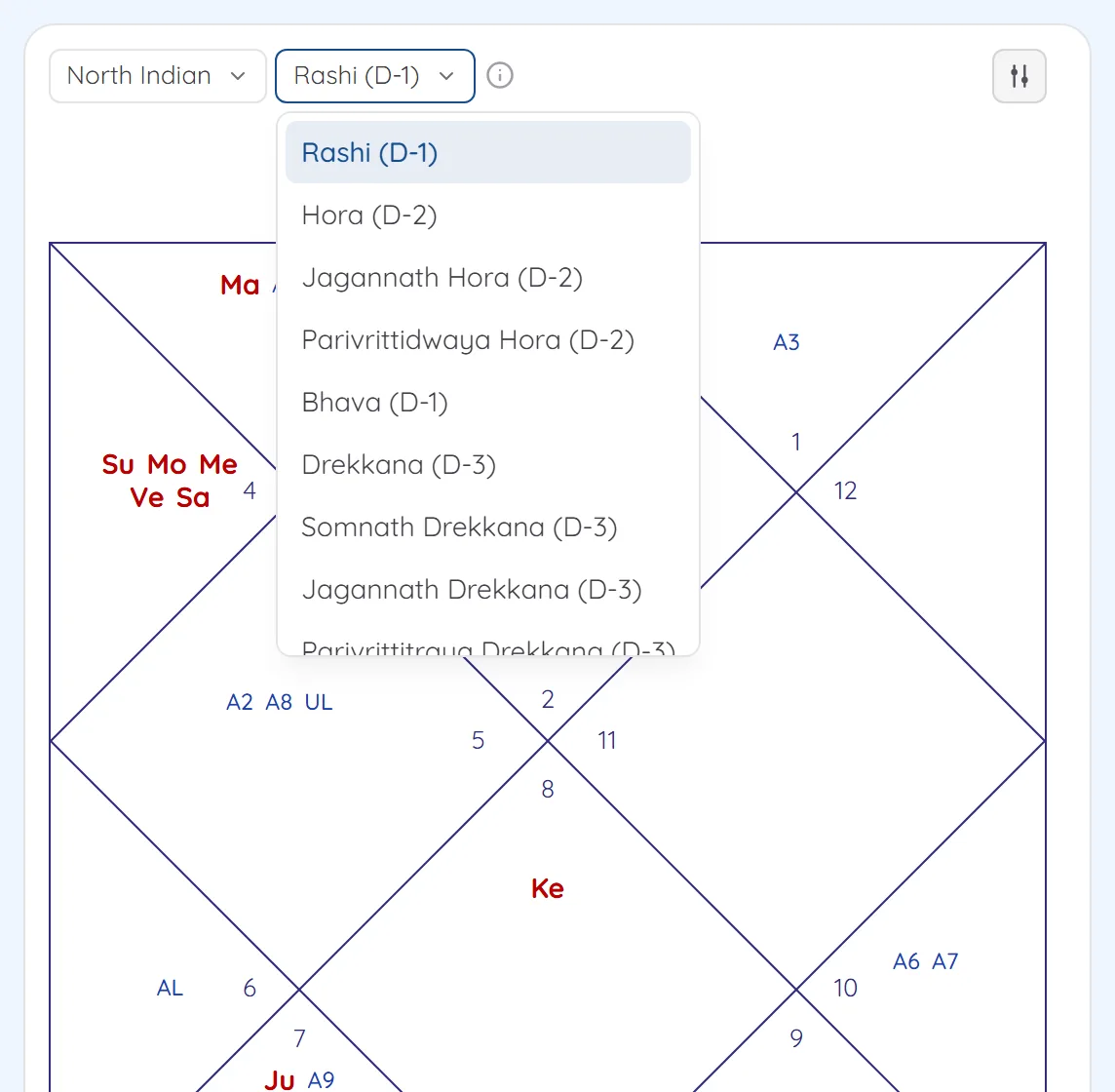
3South Indian styleSwitch a chart to the South Indian square. Arudha padas and special lagnas are marked in their signs. 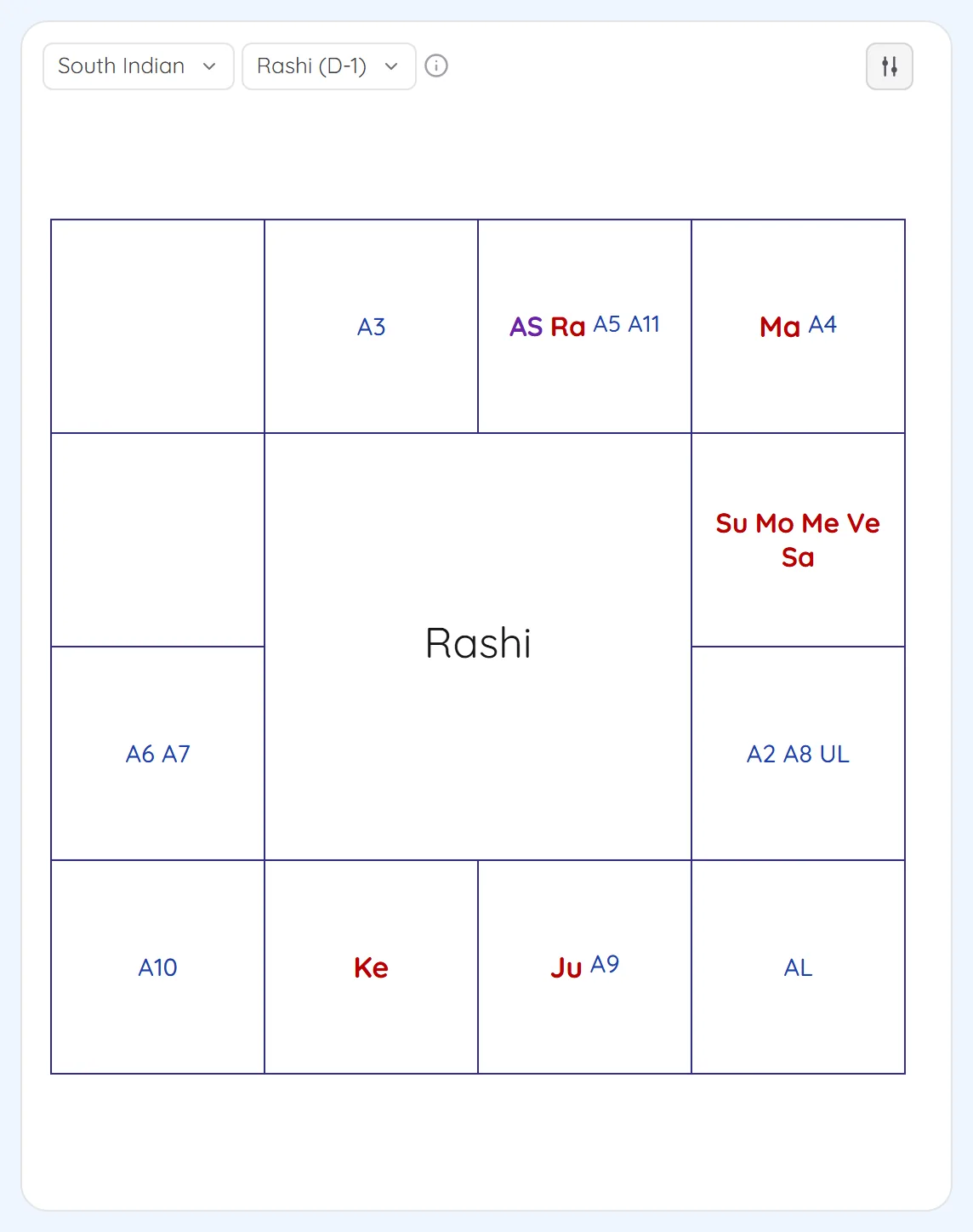
4The planet tableLongitude, nakshatra, pada, latitude and declination for each planet, with its chara karaka beside the name. 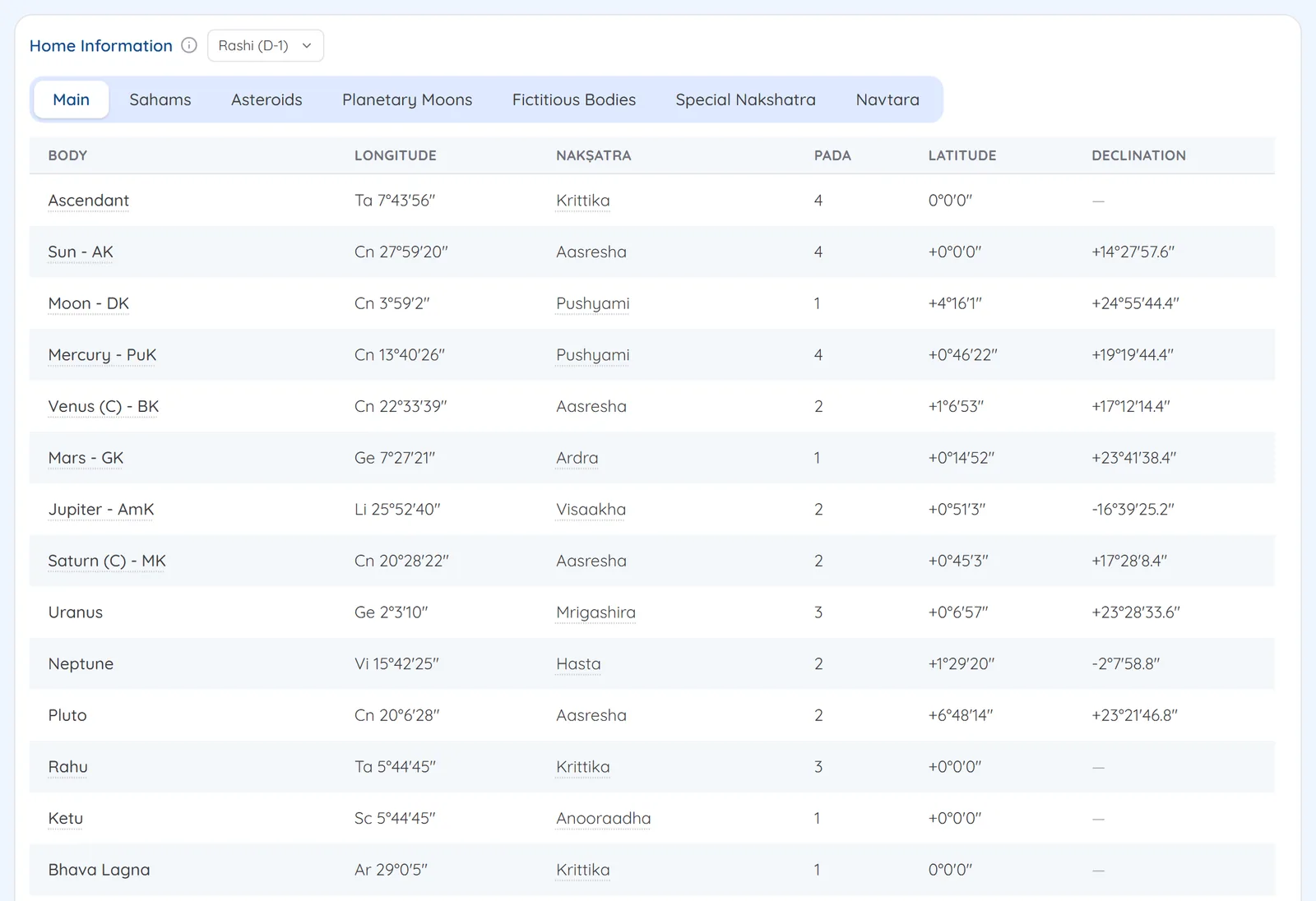
See Vargas on your own chart
7 days free on any plan. Cancel before the trial ends and you pay nothing.