
Open a chakra, natal and transit
Draw any of 30+ chakras from the chart, compare natal with transit, and step through time.
2 min · 3 steps
- 1
Pick a chakra
Go to Tools → Chakras. The tabs group the chakras: General, War/Political, Muhurta, Agriculture, Individual, Prashna and Map.
The first menu chooses the chakra and the second shows natal, transit or both. Expand opens it full size.
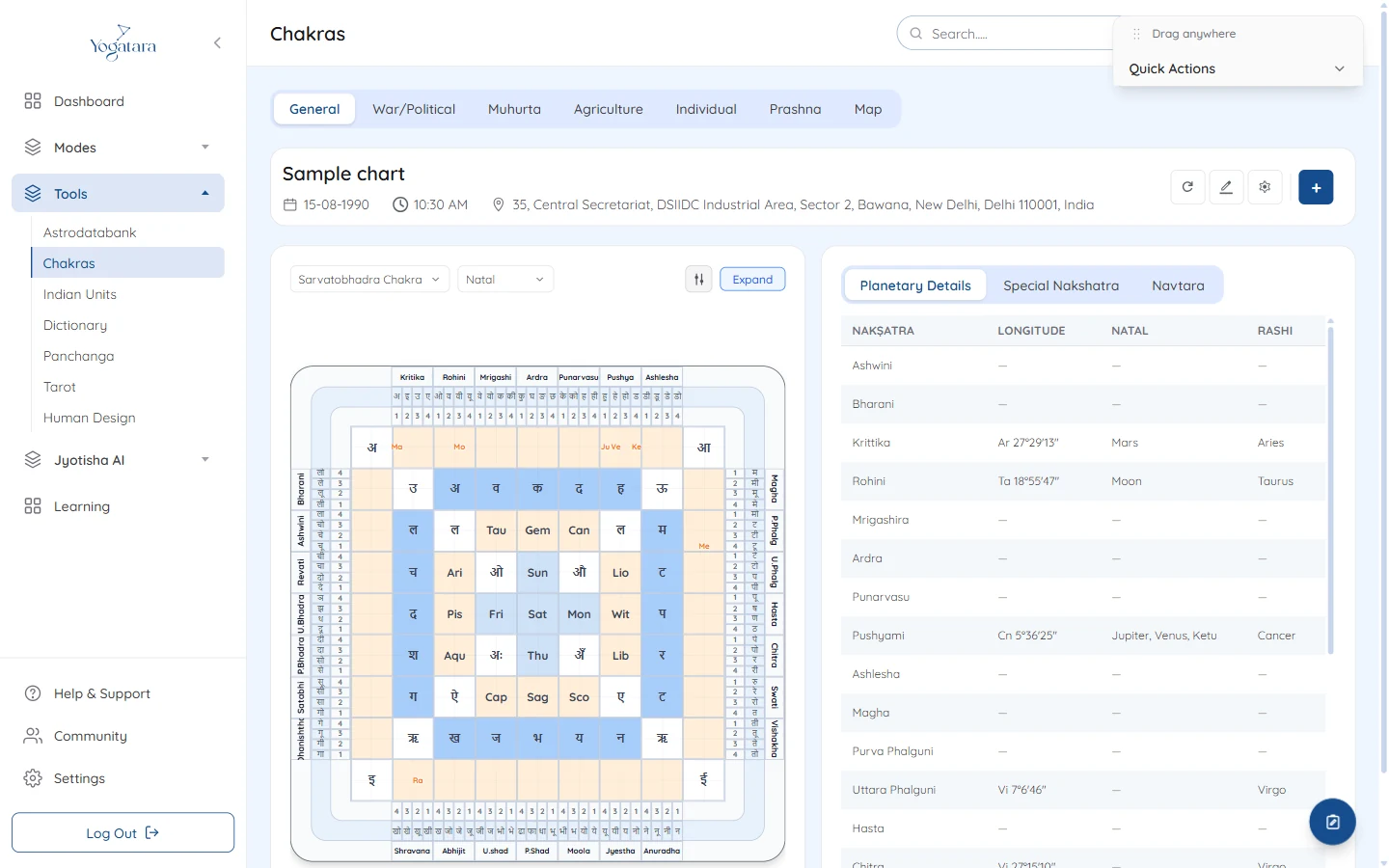
The Sarvatobhadra chakra with the planetary details table - 2
Read the tables
Beside the chakra, Planetary Details, Special Nakshatra and Navtara list where each body falls.
- 3
Move the transit
The Quick Actions panel at the top right steps the transit time forward or back by ten years, a year, a month, a week, a day, an ascendant, a navamsha, an hour, down to a second. Switch to Realtime to follow the sky live, or Reset to Birth Date.
Try it on your own chart
7 days free on any plan. Cancel before the trial ends and you pay nothing.