
Enter a birth chart and read the dashboard
Create a chart from birth details and find your way around everything the dashboard shows.
4 min · 4 steps
- 1
Open Create New
Select the blue + button at the right of the chart header, then choose Create New.
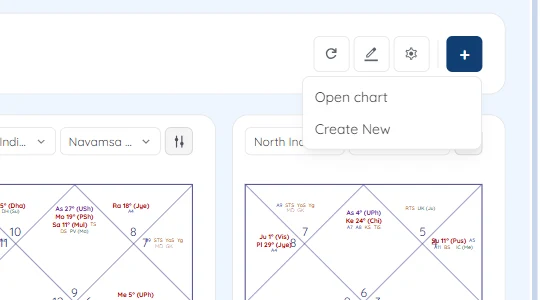
The + menu with Open chart and Create New - 2
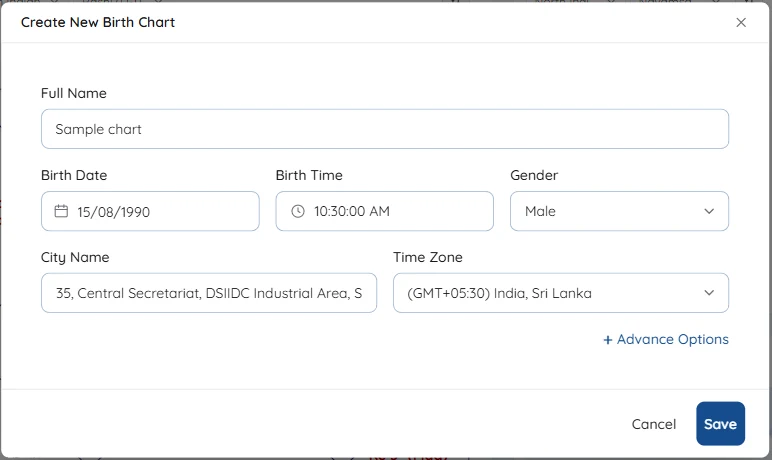
Enter the birth details
Type the full name and the birth date as DD/MM/YYYY. Open Birth Time, set the hour, minute and second, choose AM or PM and select Done.
Start typing the city and pick it from the suggestions; the latitude and longitude are filled in for you. Check the time zone matches the place of birth. Advance Options holds the ayanamsa, ascendant position, node and a correction offset for this chart.
Select Save. The chart is saved to your account and opens straight away.
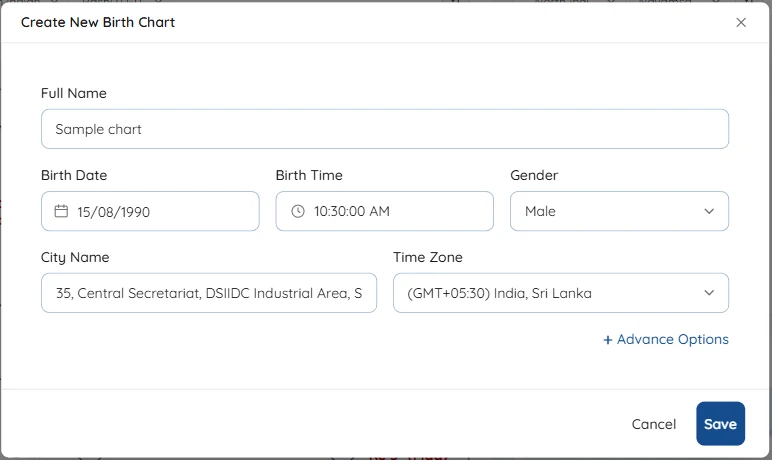
The Create New Birth Chart form filled in - 3
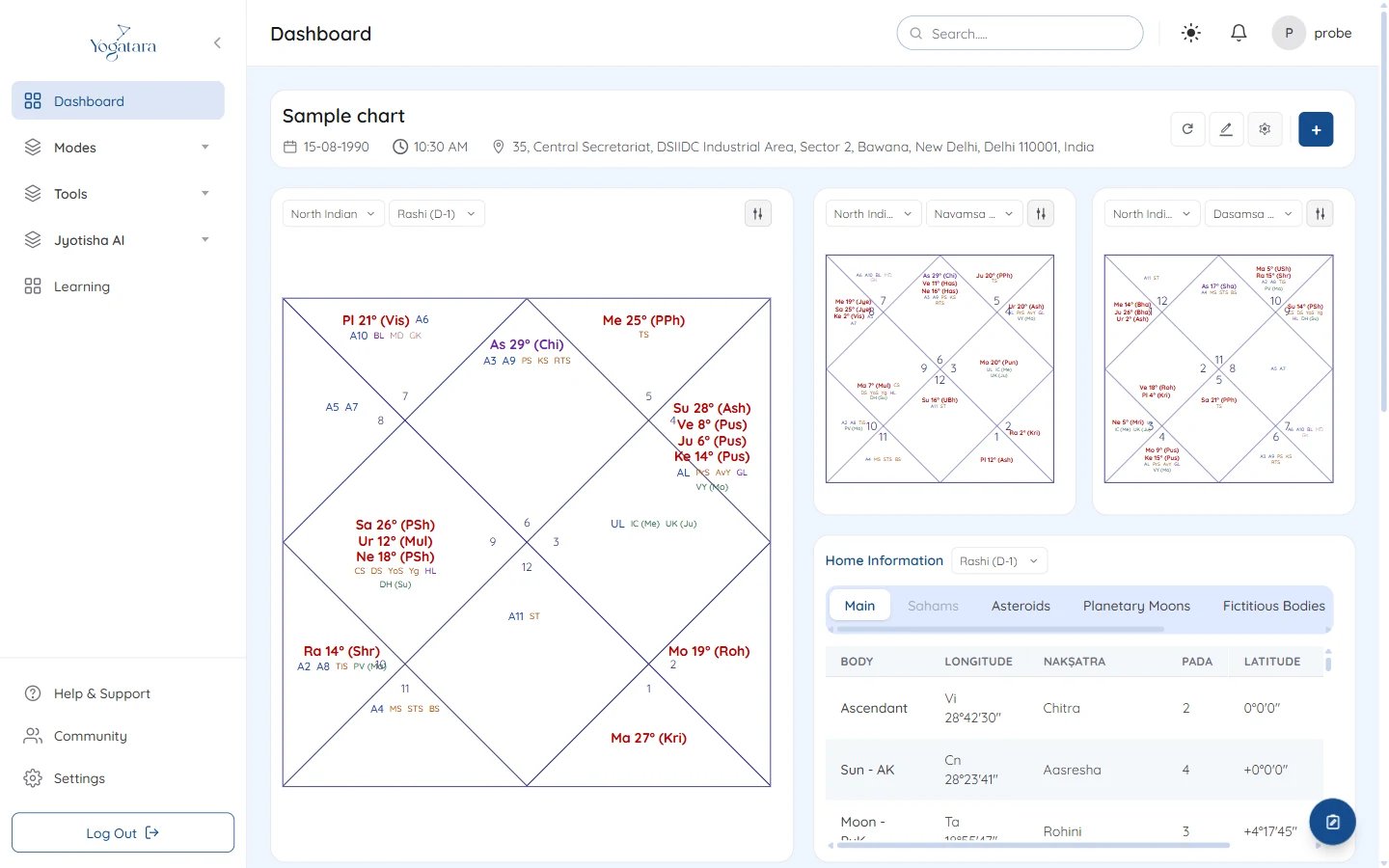
Read the dashboard
The main chart sits on the left, with menus for chart style and divisional chart. Two more divisional charts sit beside it, D9 and D10 unless you change them.
Below are the planet table (with tabs for Sahams, Asteroids, Planetary Moons, Fictitious Bodies, Special Nakshatra and Navtara), Strengths, Dasha, Panchang and Ashtakavarga.
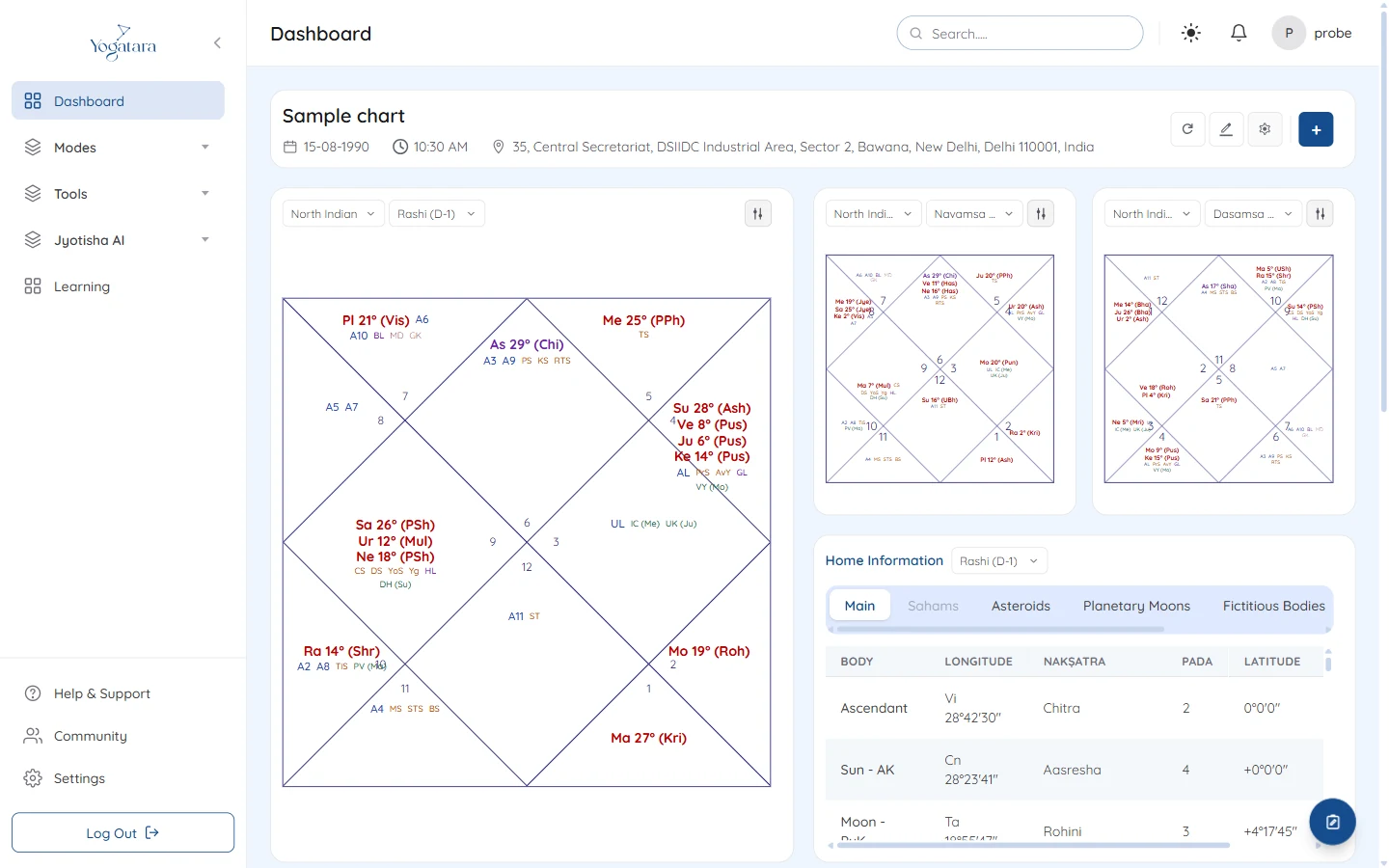
The dashboard with the rashi chart, Navamsa, Dasamsa and the planet table - 4
Adjust what you see
The sliders button on each chart turns degrees, arudhas, nakshatras, special lagnas, upagrahas and sphutas on or off. In the chart header, the pencil edits the birth details, the circular arrow recalculates and the gear opens your preferences.
Try it on your own chart
7 days free on any plan. Cancel before the trial ends and you pay nothing.