
Draw a Human Design bodygraph
Calculate the bodygraph from birth details and read the type, authority, profile, channels and gates.
2 min · 4 steps
- 1
Open Human Design
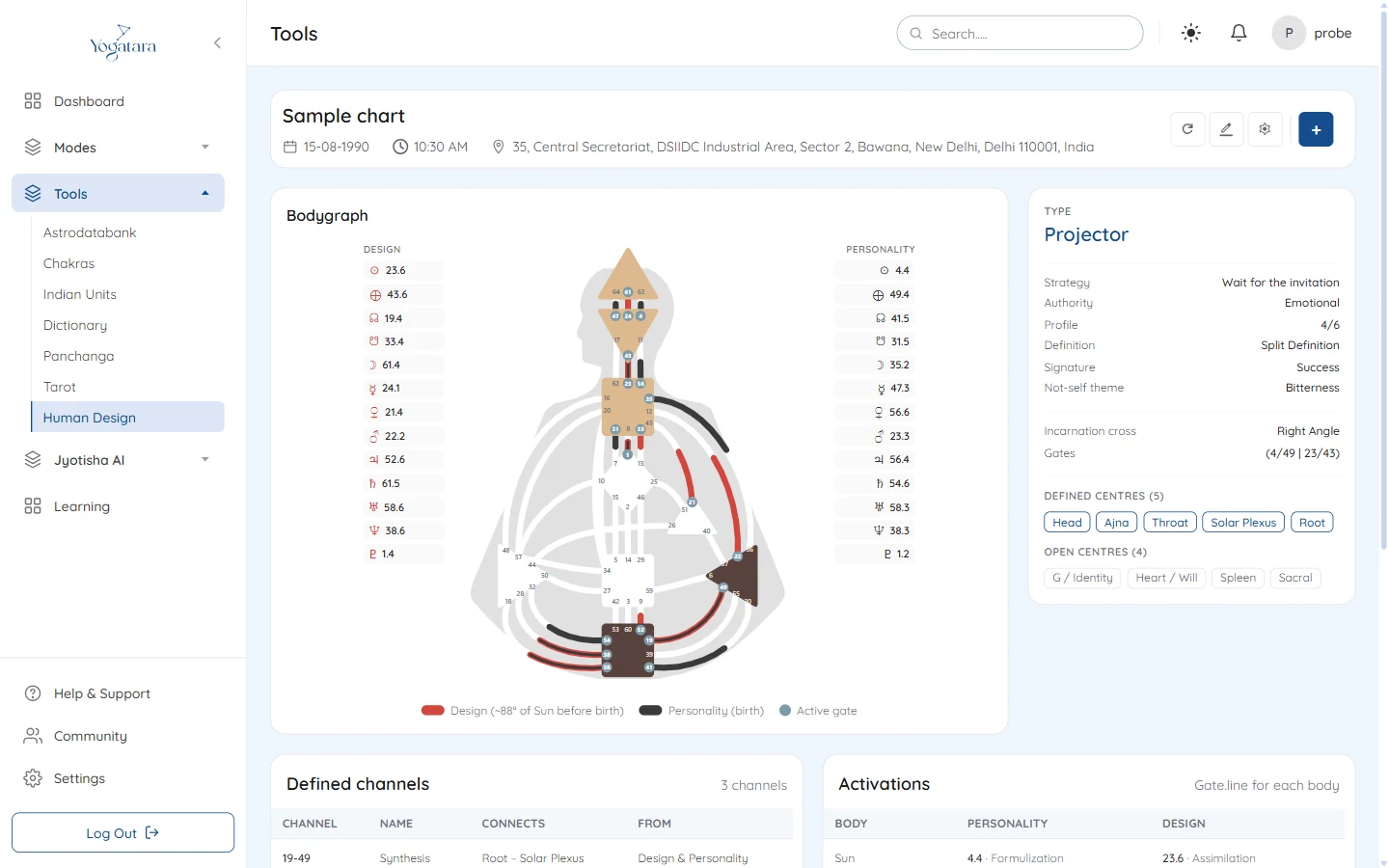
Go to Tools → Human Design. The bodygraph is calculated from the birth details in the header; select + → Open chart to use another saved chart.
- 2
Read the bodygraph
The Design activations run down the left in red and the Personality activations down the right in black. Hover over a planet for its gate, line and gate name.
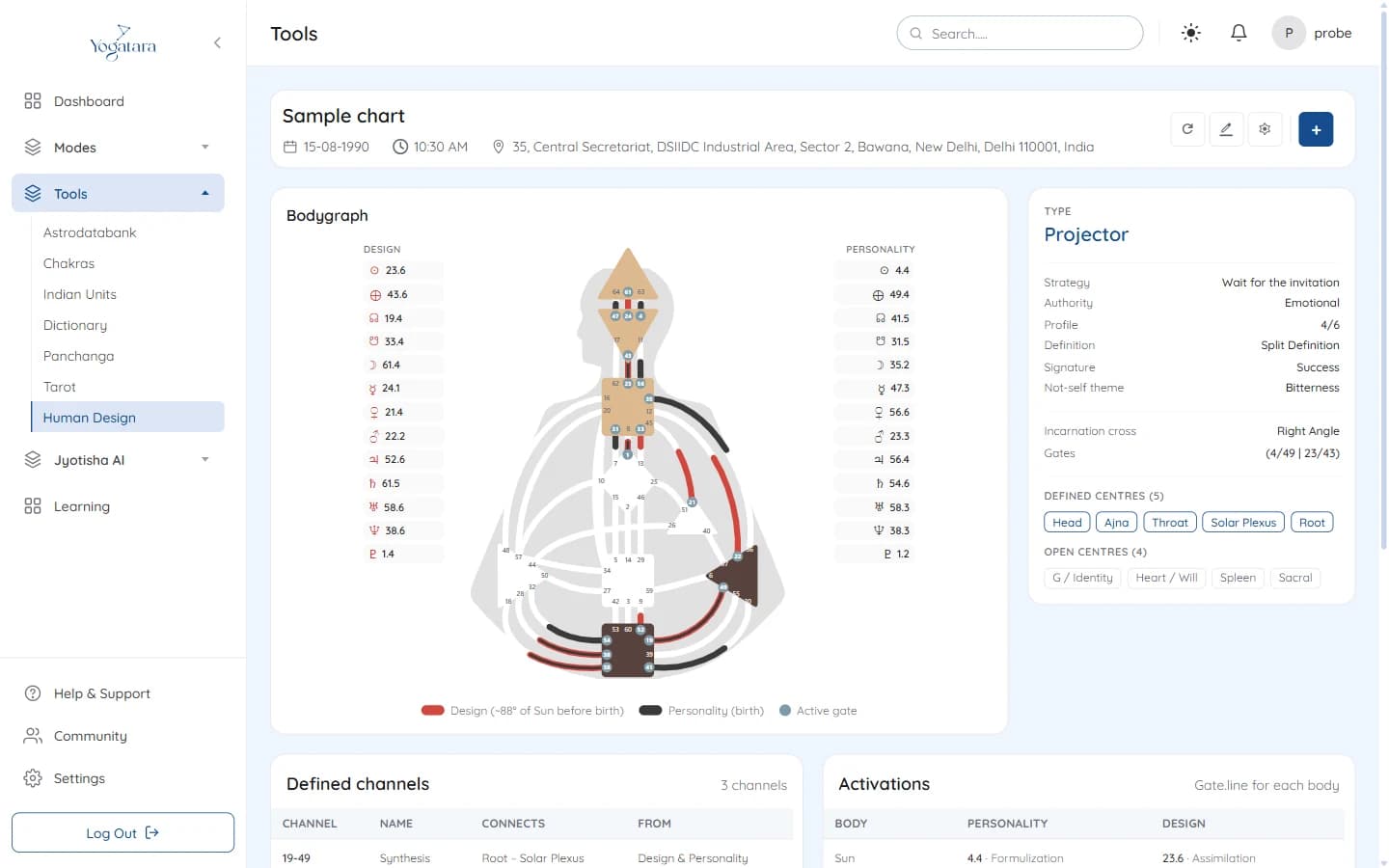
The Human Design bodygraph with Design and Personality activations - 3
Read the type
The card beside the bodygraph gives the type, then the strategy, authority, profile, definition, signature and not-self theme, the incarnation cross with its gates, and which centres are defined and which are open.
- 4
Check channels and gates
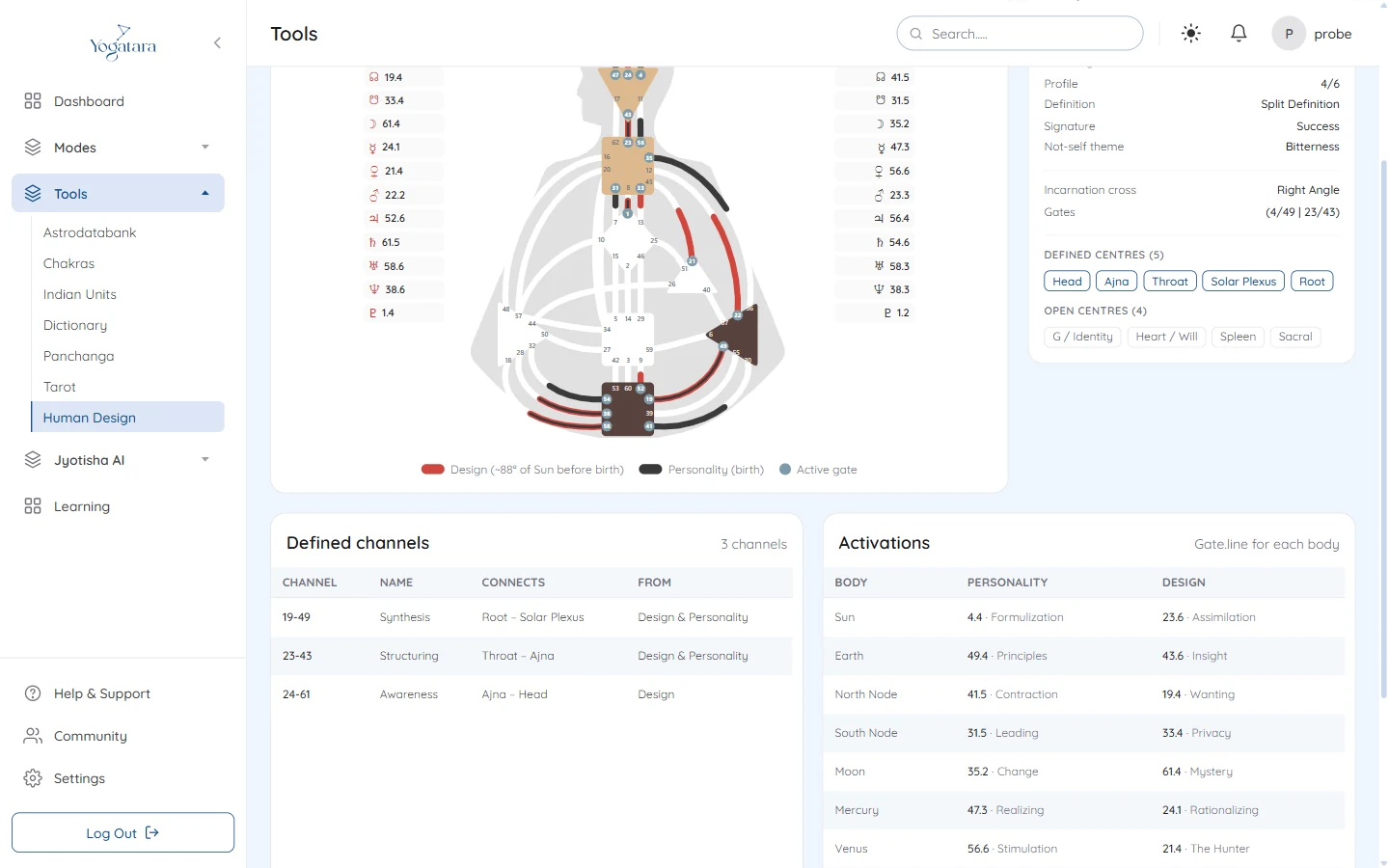
Defined channels lists each channel with its name, the centres it connects and whether it comes from Design, Personality or both. Activations gives the gate and line of every body for Personality and Design side by side.
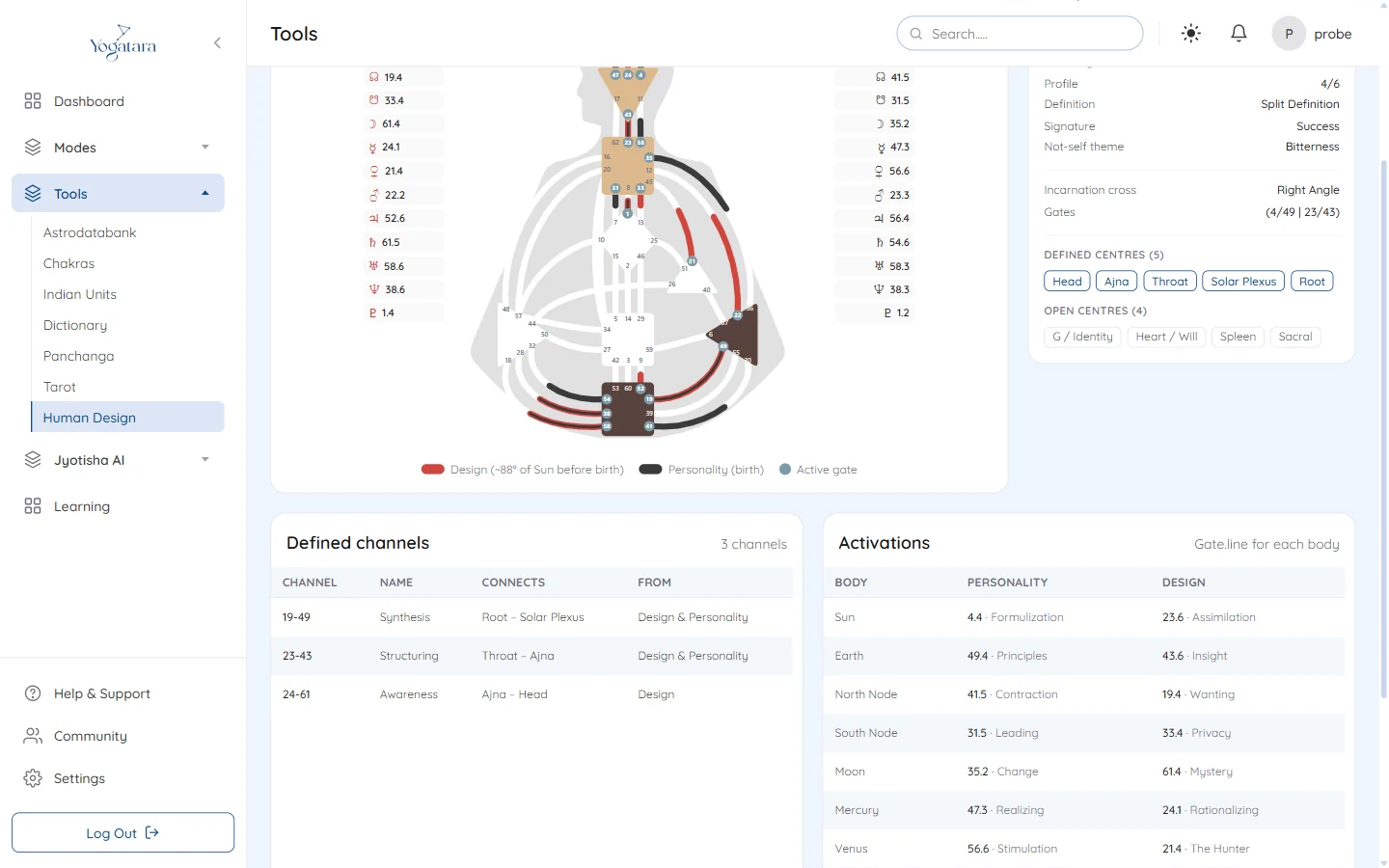
Defined channels and activations below the bodygraph
Try it on your own chart
7 days free on any plan. Cancel before the trial ends and you pay nothing.