
Read Jaimini karakas, argala and rashi dashas
See the chara karakas and padas, check argala on any house, and run six rashi dashas.
3 min · 5 steps
- 1
Open Jaimini
Go to Modes → Jaimini. It reads the chart in the header, across three tabs: Karakas & Padas, Argala & Drishti and Rashi Dashas.
- 2
Read the karakas and padas
The strip at the top gives the Atmakaraka, the Karakamsa (the Atmakaraka's navamsa sign), the Arudha Lagna and the Upapada.
Chara karakas ranks the eight karakas by degree within the sign and says what each signifies. Rahu is counted backwards from the end of its sign and Ketu is not used.
Arudha padas lists A1 to A12 with what each pada is read for. Special lagnas gives the Bhava, Hora, Ghati, Indu, Bhrigu and Sree lagnas with their sign, position and nakshatra.
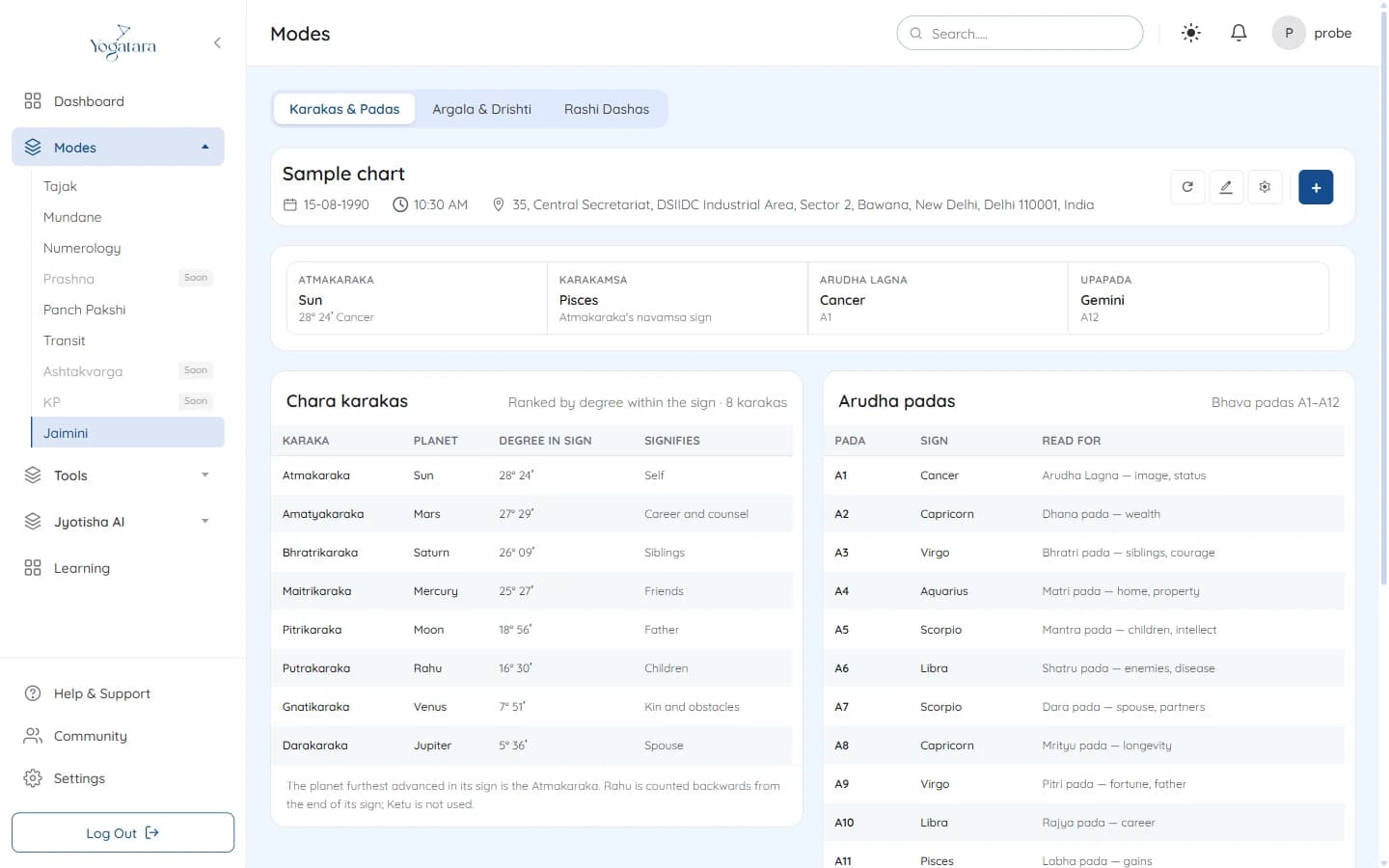
Jaimini Karakas & Padas with the chara karakas and arudha padas - 3
Check argala on a house
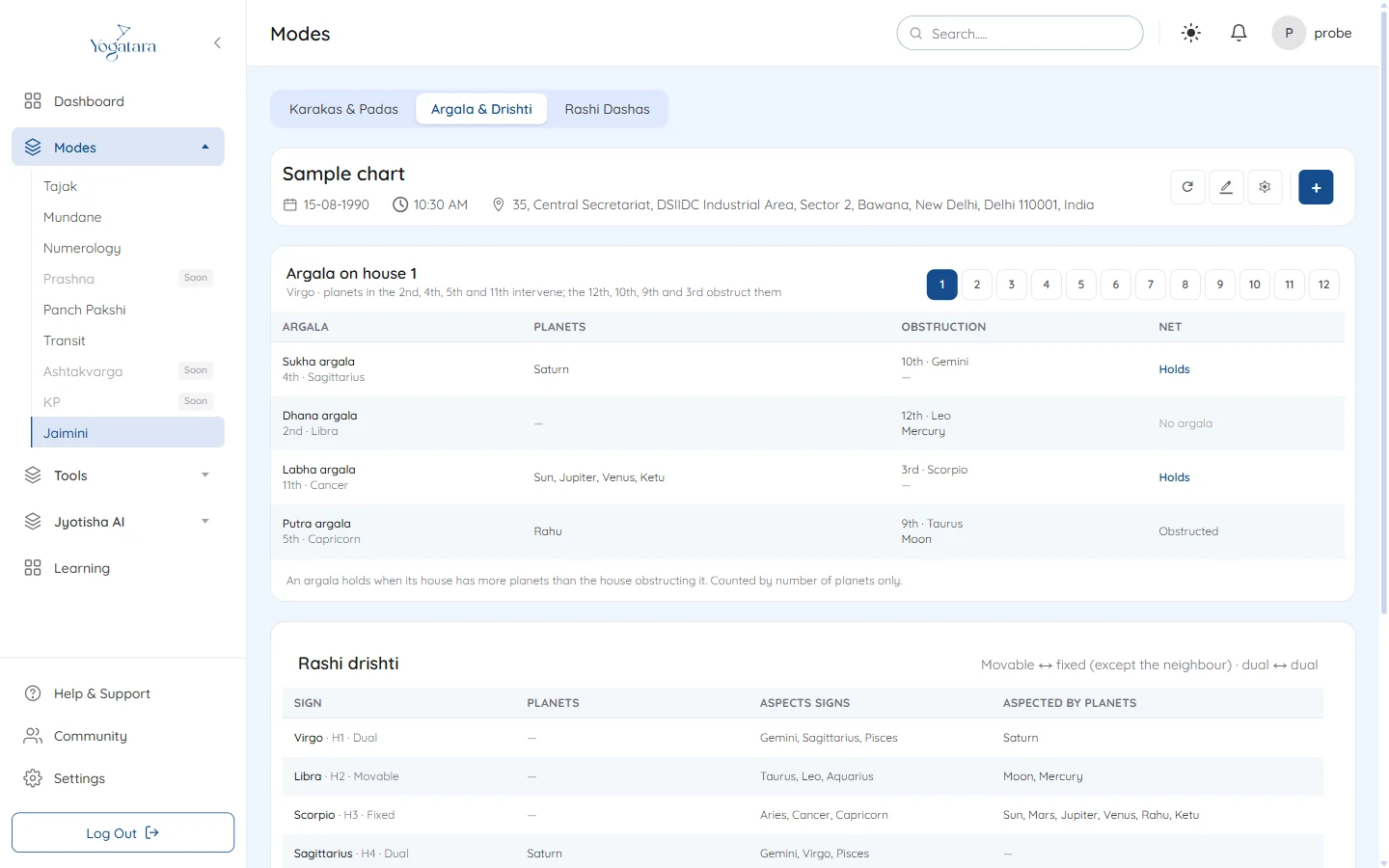
Open Argala & Drishti and pick a house with the buttons 1 to 12. The table shows the Sukha, Dhana, Labha and Putra argalas on that house, the planets causing each, the house and planets obstructing it, and whether it holds.
An argala holds when its house has more planets than the house obstructing it.
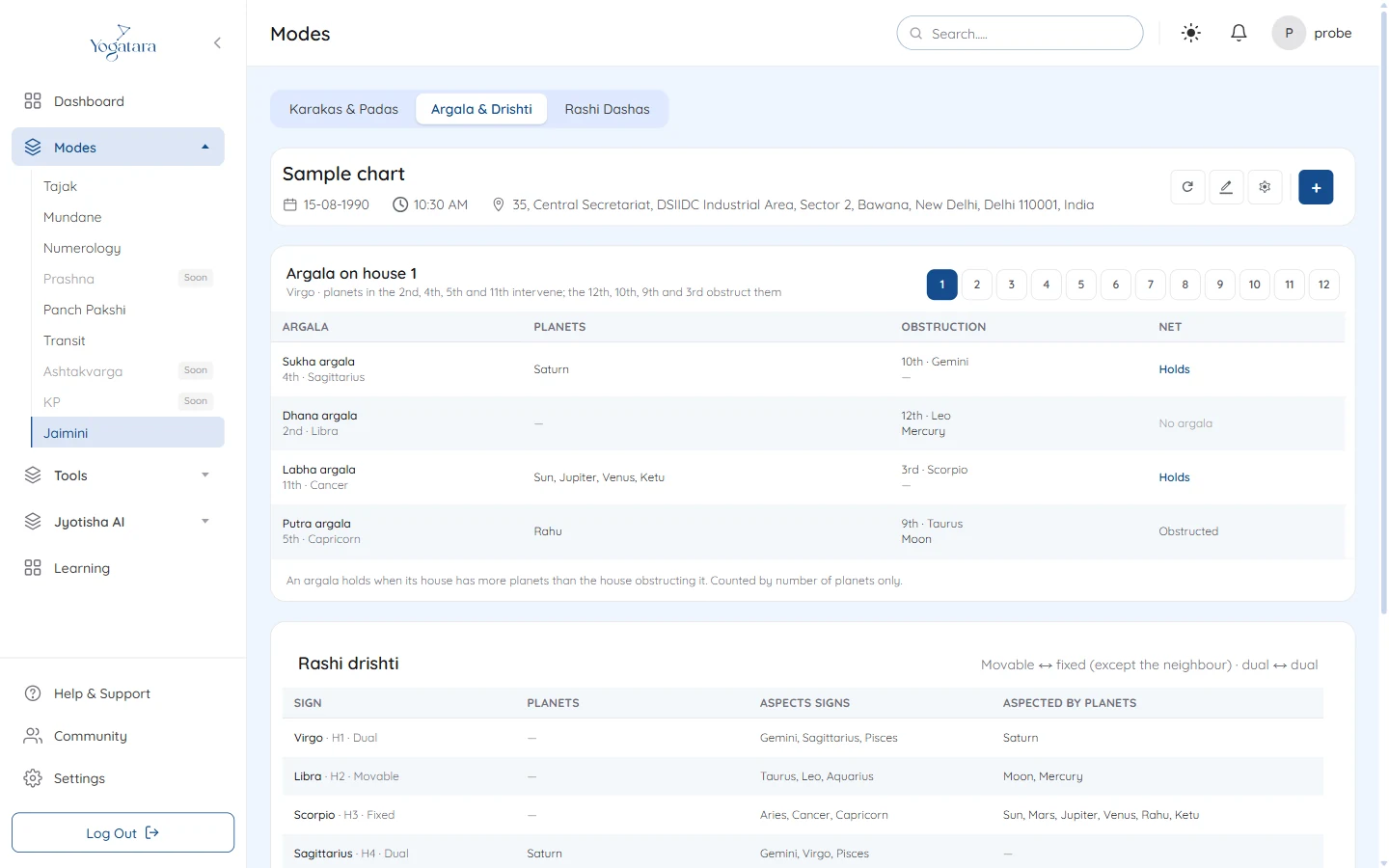
Argala on the first house, with rashi drishti below - 4
Read rashi drishti
Rashi drishti lists every sign from the lagna with the planets in it, the signs it aspects and the planets aspecting it.
- 5
Run a rashi dasha
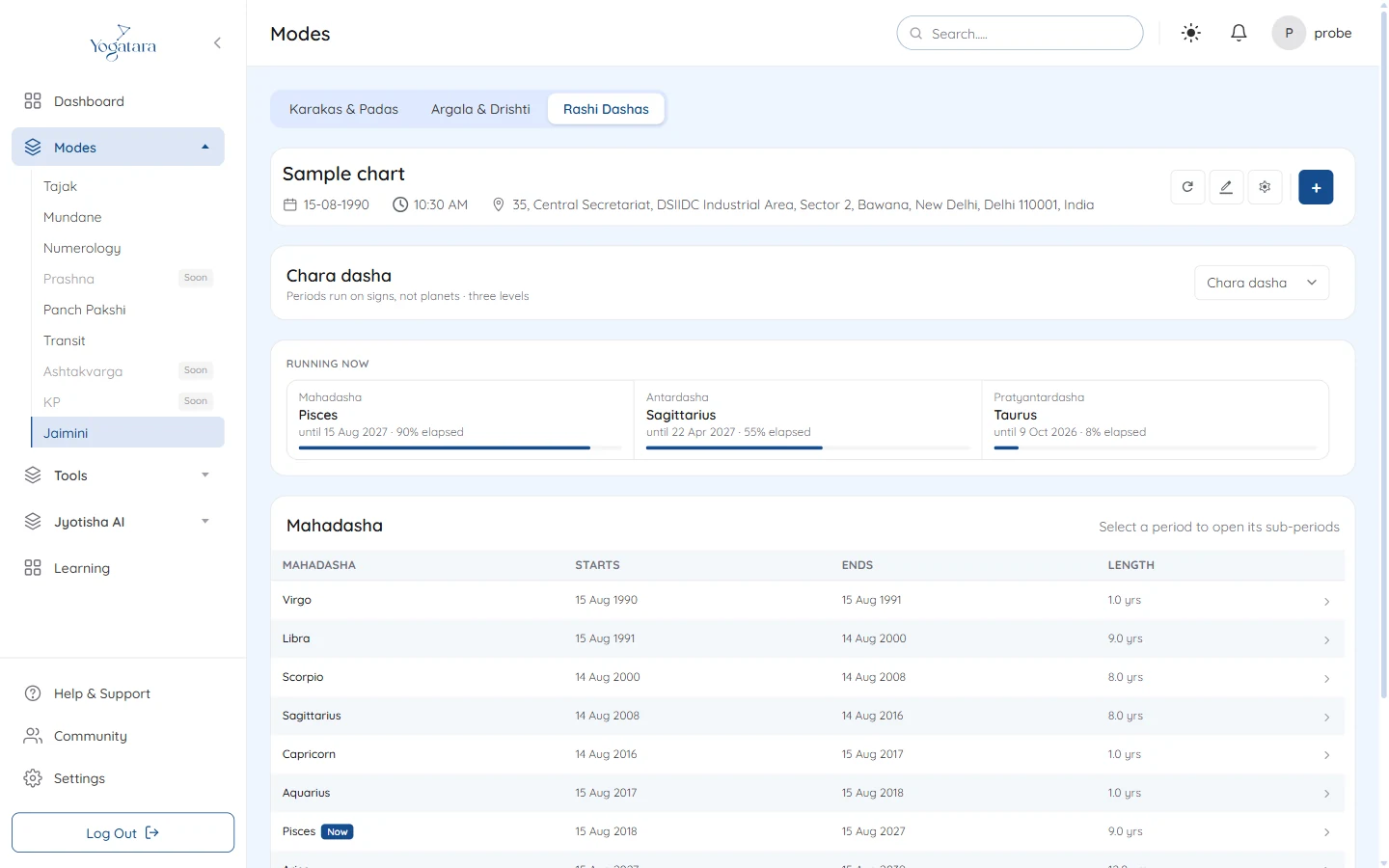
Open Rashi Dashas and choose the system from the menu: Chara, Narayana, Shoola, Trikona, Kendradhi rasi or Yogardha dasha.
Running now shows the mahadasha, antardasha and pratyantardasha in force today and how much of each has passed. Click a row to open its sub-periods, and All mahadashas in the breadcrumb to go back. Now marks the running period.
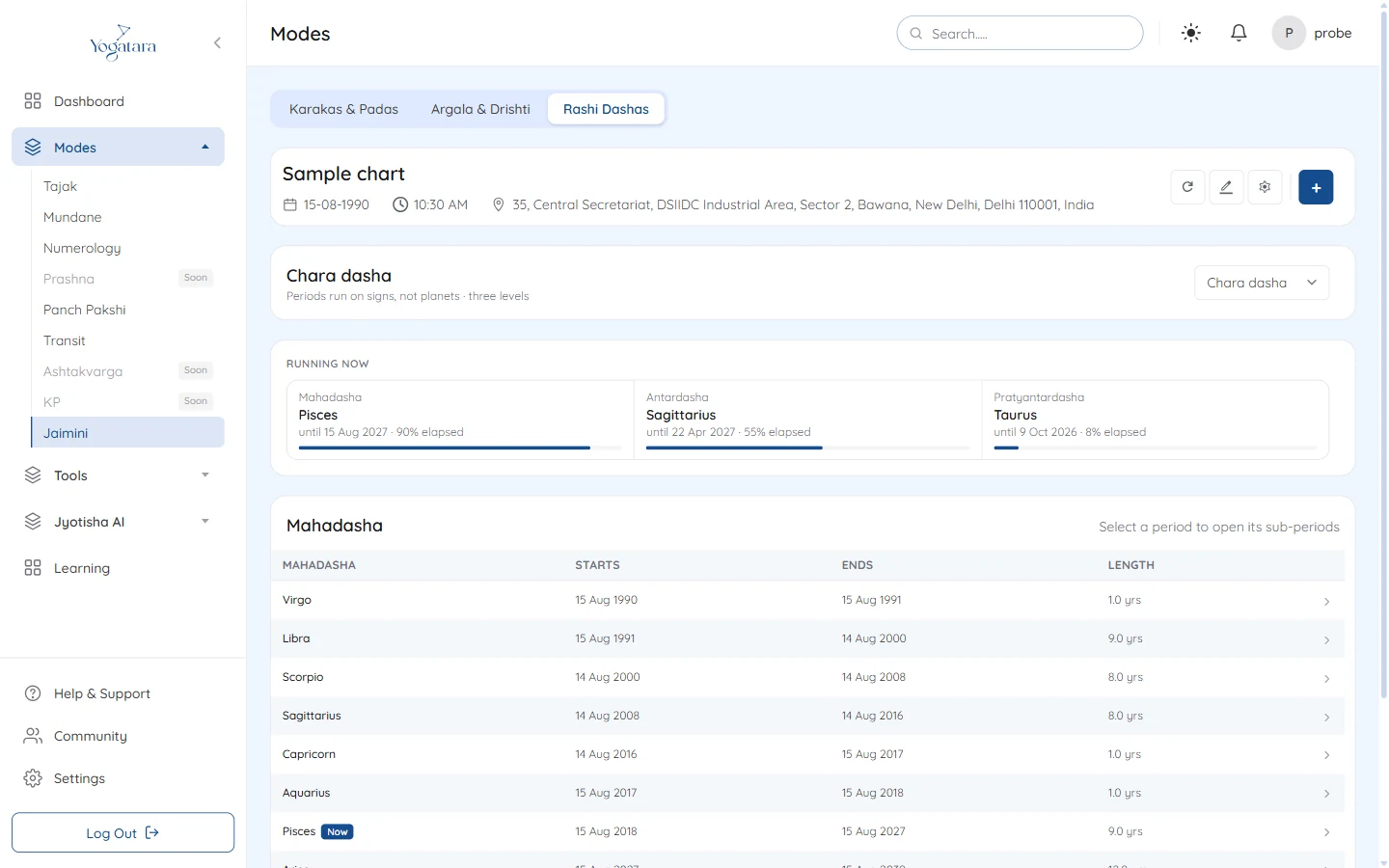
Chara dasha with the running periods and the mahadasha table
Try it on your own chart
7 days free on any plan. Cancel before the trial ends and you pay nothing.