
Cast the year's mundane charts and research events
See the ingress charts and yearly lords for a place, lay a chakra over a map, and chart earthquakes and other events.
4 min · 4 steps
- 1
Open Mundane
Go to Modes → Mundane. The General tab casts the year's charts for the place in the header. Change the year with the year picker at the top right.
- 2
Read the year's charts
The four cards show the Jagat Lagna, Sharatsasya, Greeshmasasya and Ardra Pravesh charts. Each card's menus switch it to another chart, including Chaitra Shukla Pratipada, and change the chart style and divisional chart.
Das Adhikari lists the yearly lords and the planet holding each office. Chart Data gives positions, latitude and declination for the chart chosen in its menu, and Equinoxes and Solstices give each one in UTC and local time.
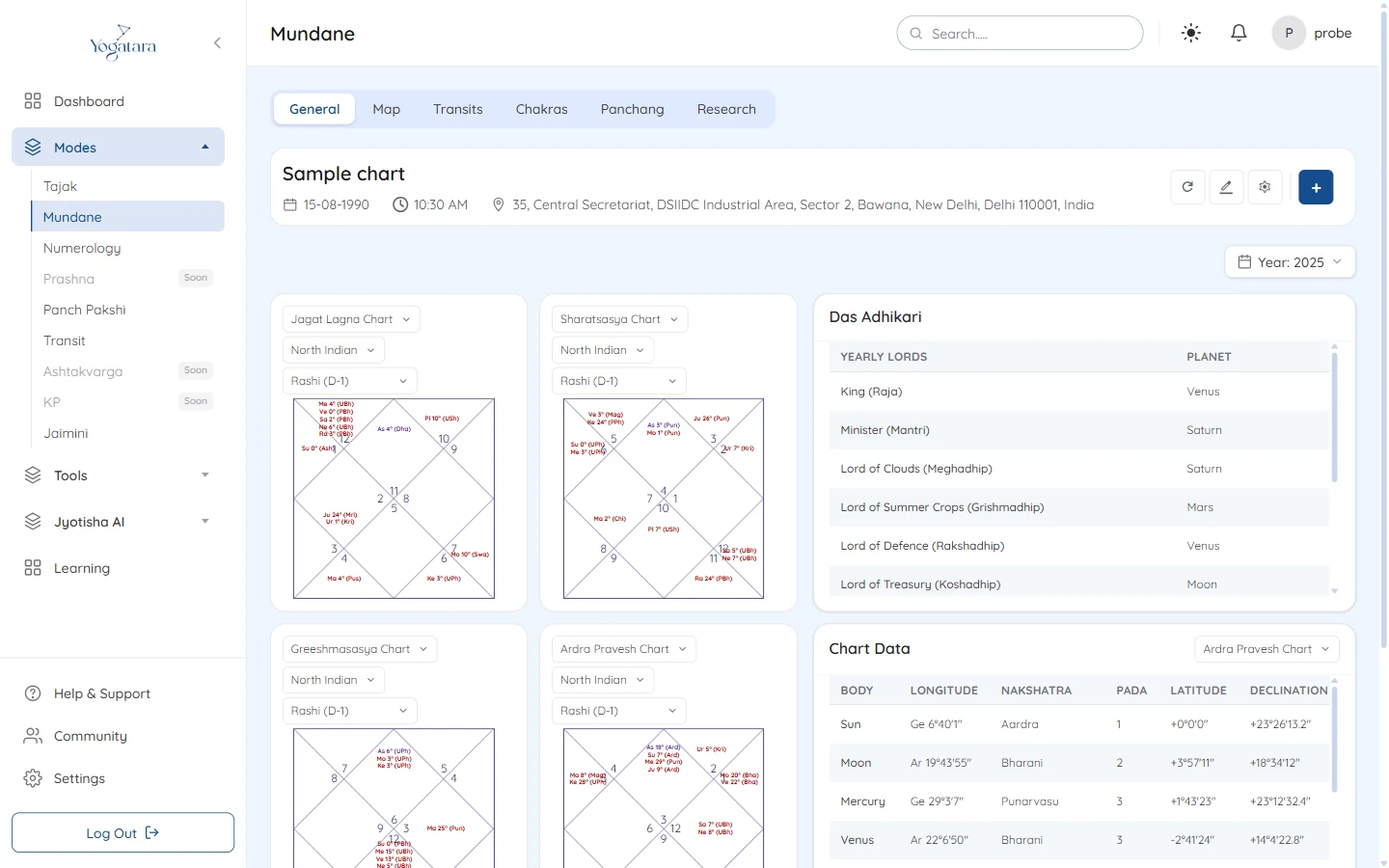
Mundane General with the ingress charts and Das Adhikari - 3
Lay a chakra over the map
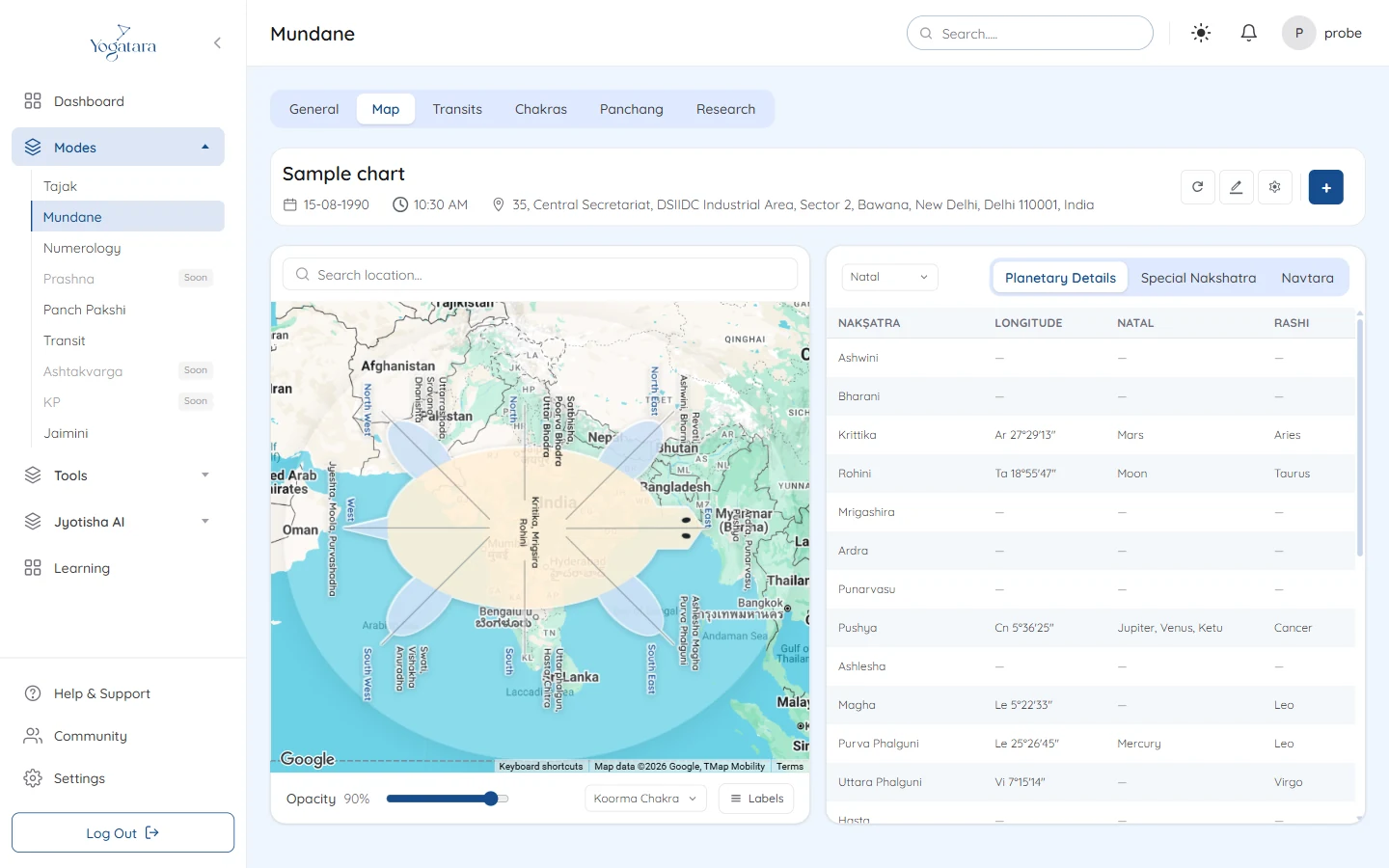
Open Map and search for a place. Koorma Chakra or Padma Chakra is drawn over the map; set its Opacity with the slider and use Labels to show or hide place names.
The table beside the map shows natal, transit or both, with tabs for Planetary Details, Special Nakshatra and Navtara.
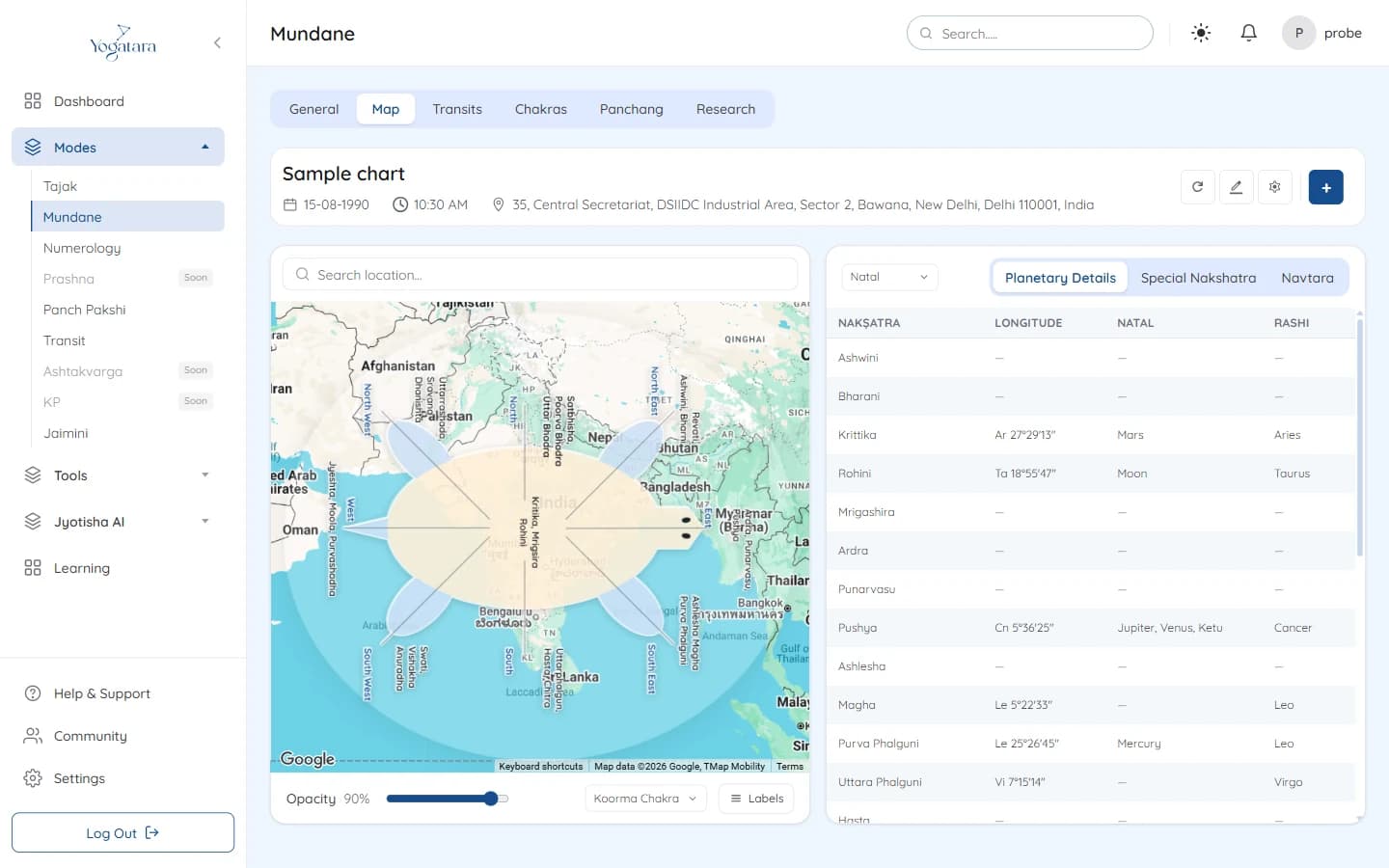
Koorma Chakra over the map with the planetary details table - 4
Research an event
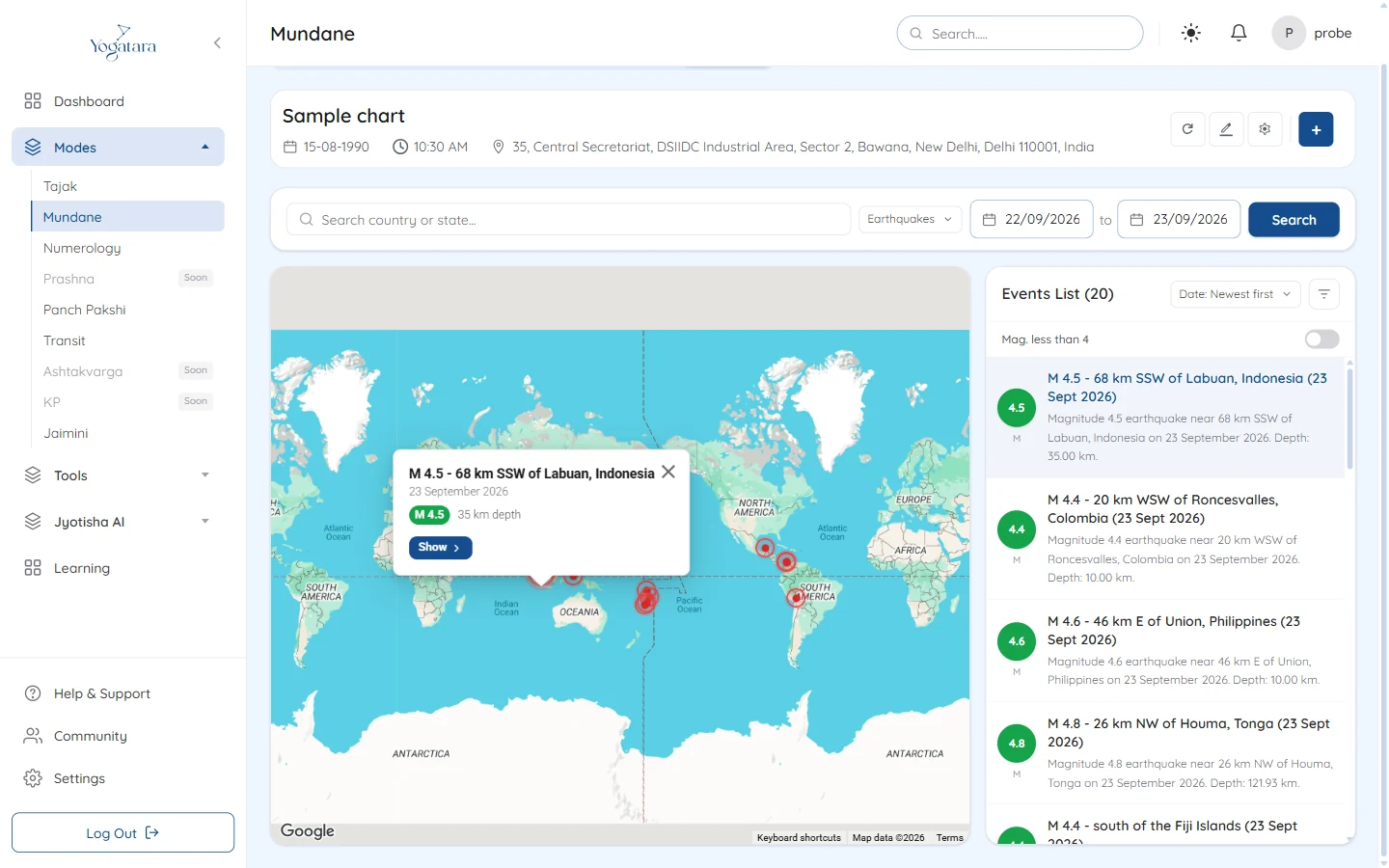
Open Research and choose the event type: Earthquakes, Tsunamis, Forest Fires, Plane Crashes or Suicide Attacks. Set the date range, type a place if you want one area, and select Search.
Events appear on the map and in the Events List, which you can sort and filter. Select an event, then Show in its pop-up to see the chart for that moment and place, with the rashi, ascendant and their nakshatras.
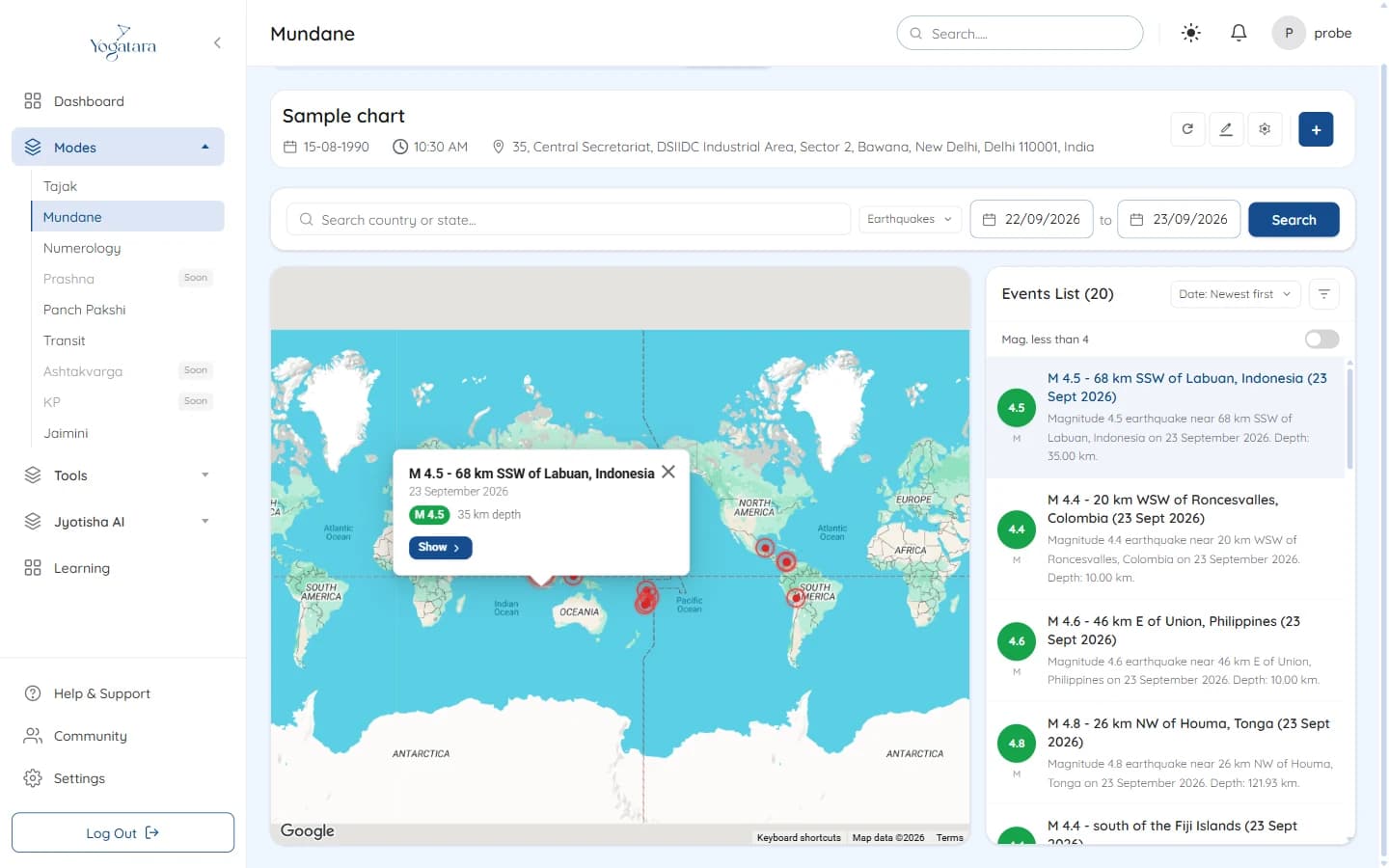
Earthquakes on the map with the events list
Try it on your own chart
7 days free on any plan. Cancel before the trial ends and you pay nothing.