
Read the numerology dashboard and Loshu grid
Switch between four numerology systems, read the core numbers and personal year, and draw the Loshu grid.
3 min · 4 steps
- 1
Choose the system
Go to Modes → Numerology. The numbers come from the name and birth date of the chart in the header.
On the Dashboard and Personal Data tabs, the menu in the header chooses the system: Chaldean, Pythagorean, Chinese or Vedic/Nadi Numeroscope.
- 2
Read the dashboard
The two cards at the top give the primary and destiny numbers with their ruling planets. The table menu switches between Important Numerological Constants and Numerological Particulars; each row gives the value and what it means.
With Chinese selected, a Lo Shu grid of the birth date sits above the table. Quick Insights sums up the dominant vibration, current focus and inner balance.
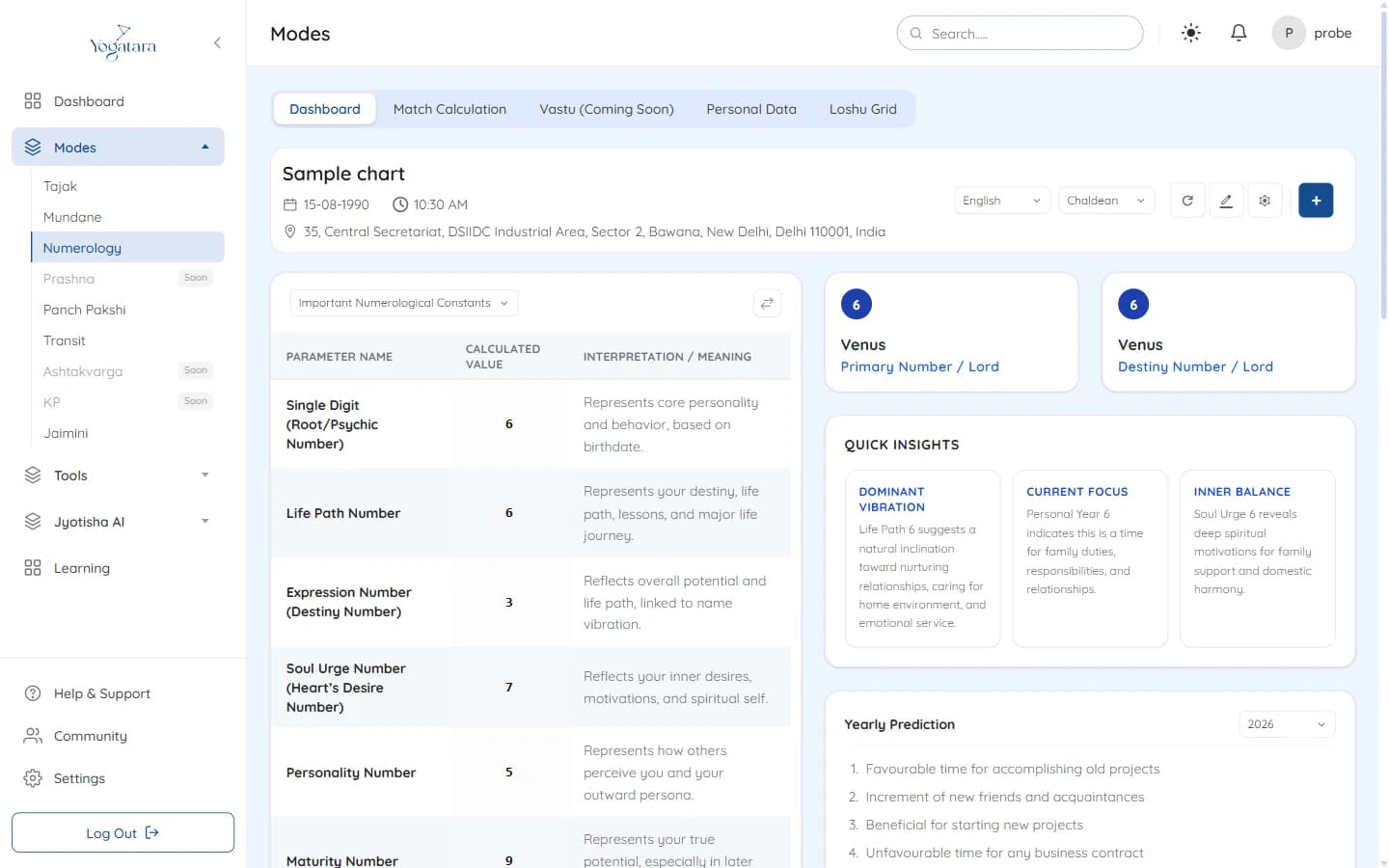
The numerology dashboard with the core numbers and Quick Insights - 3
Check the personal year
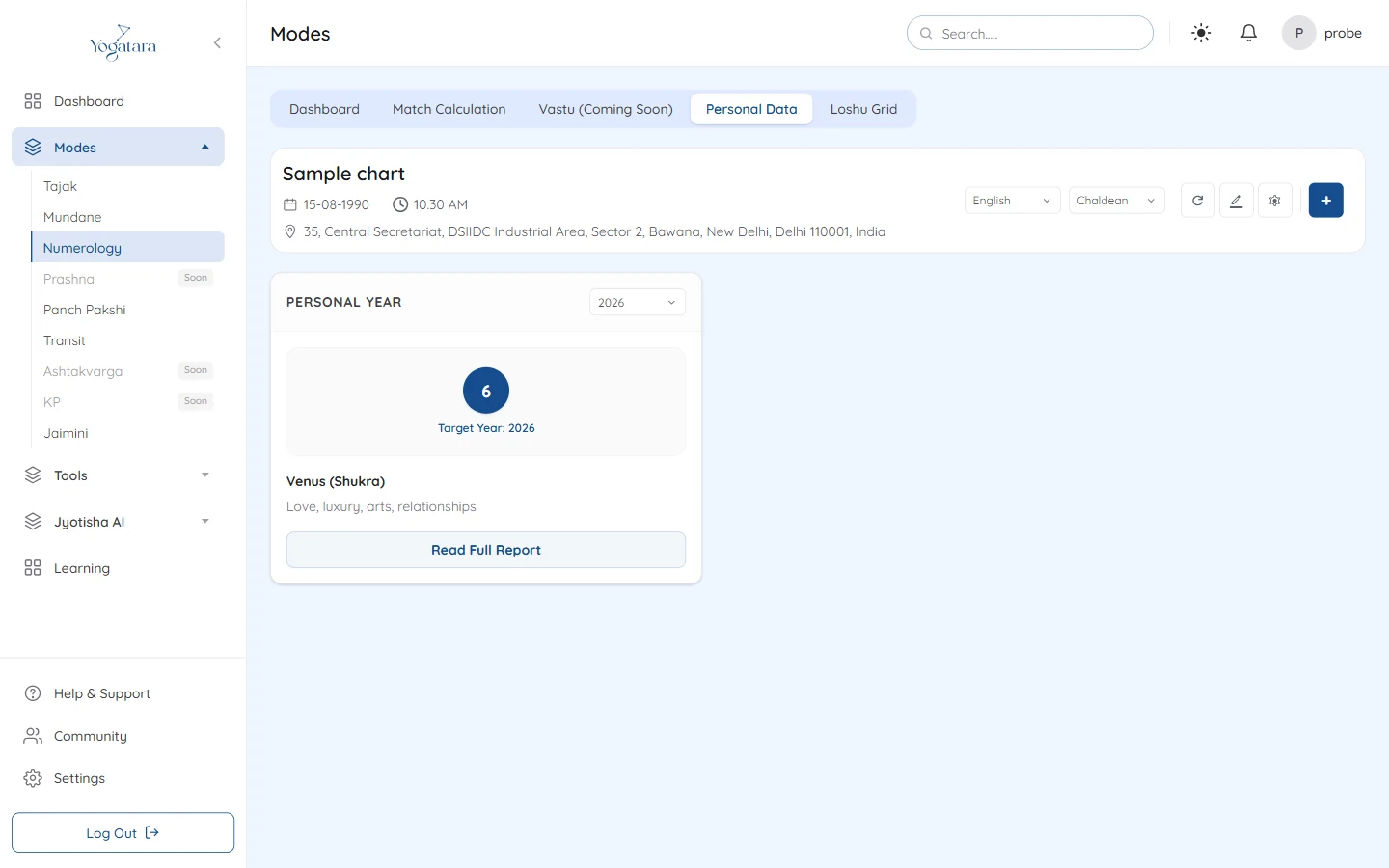
Personal Data gives the personal year for the year you choose; select Read Full Report for more. With Vedic selected, personal month and personal day cards appear beside it.
With Chinese selected, enter a house or flat number, or a mobile number, and select Calculate to see its number and what it means.
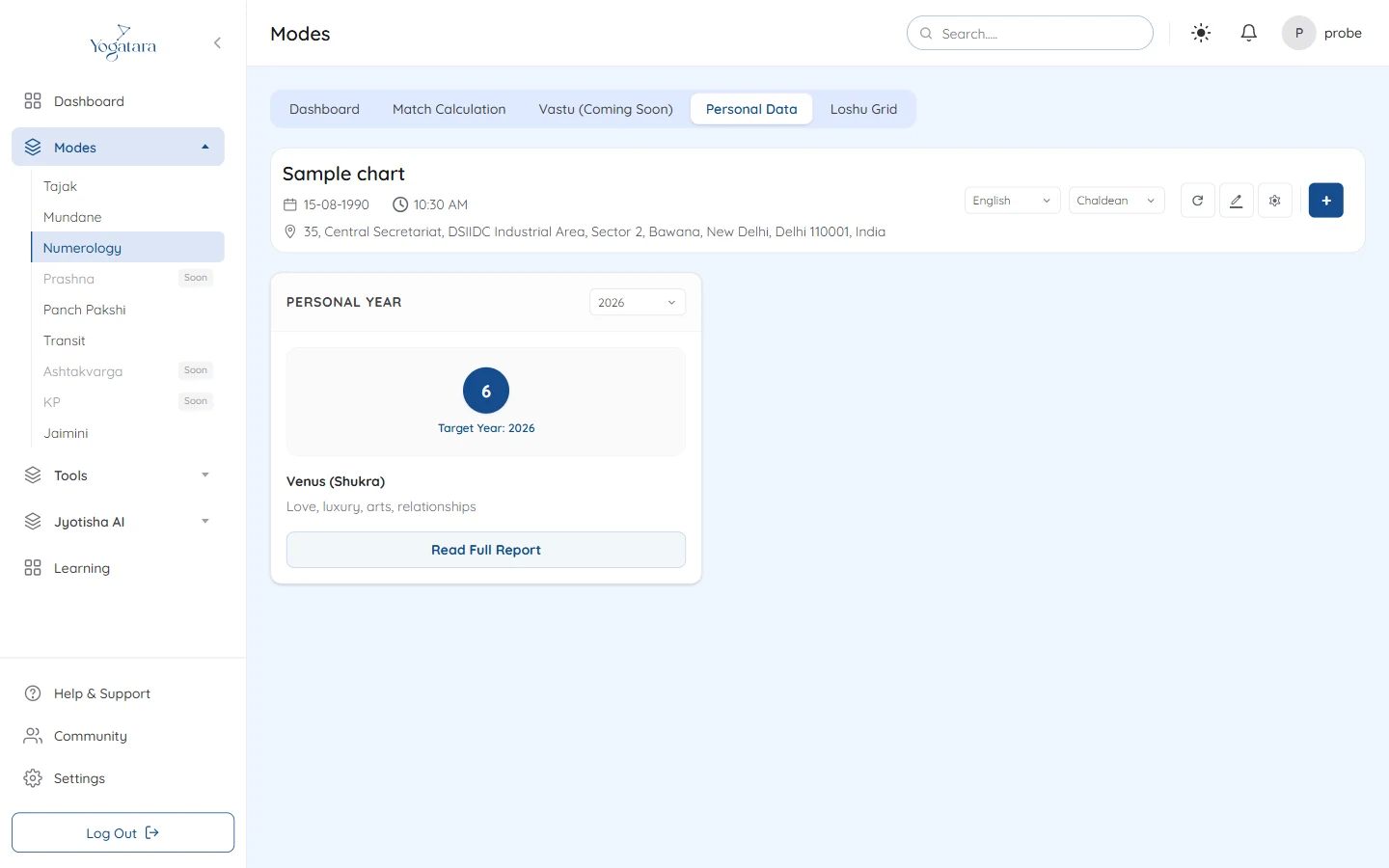
Personal Data with the personal year card - 4
Draw the Loshu grid
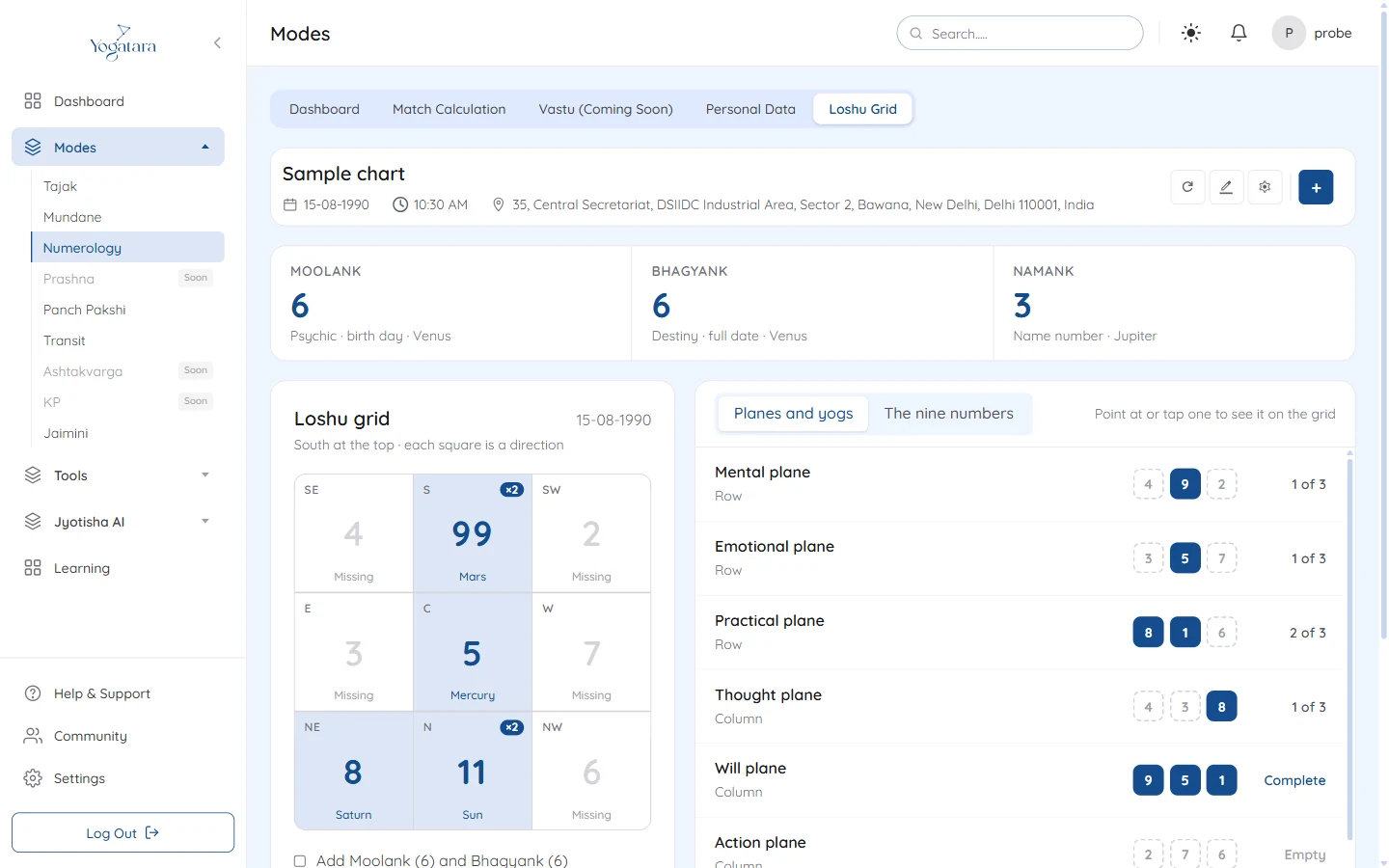
Open Loshu Grid. Each digit of the birth date is placed in its square, marked with its direction and planet; zeros are left out. Tick Add Moolank and Bhagyank to include the core numbers, as many practitioners do.
The Moolank, Bhagyank and Namank sit above the grid. Beside it, Planes and yogs checks the three rows, three columns and two diagonals, and The nine numbers gives each number's planet, direction and count; point at or tap one to light its squares on the grid. The missing and repeated numbers and any complete lines are listed below.
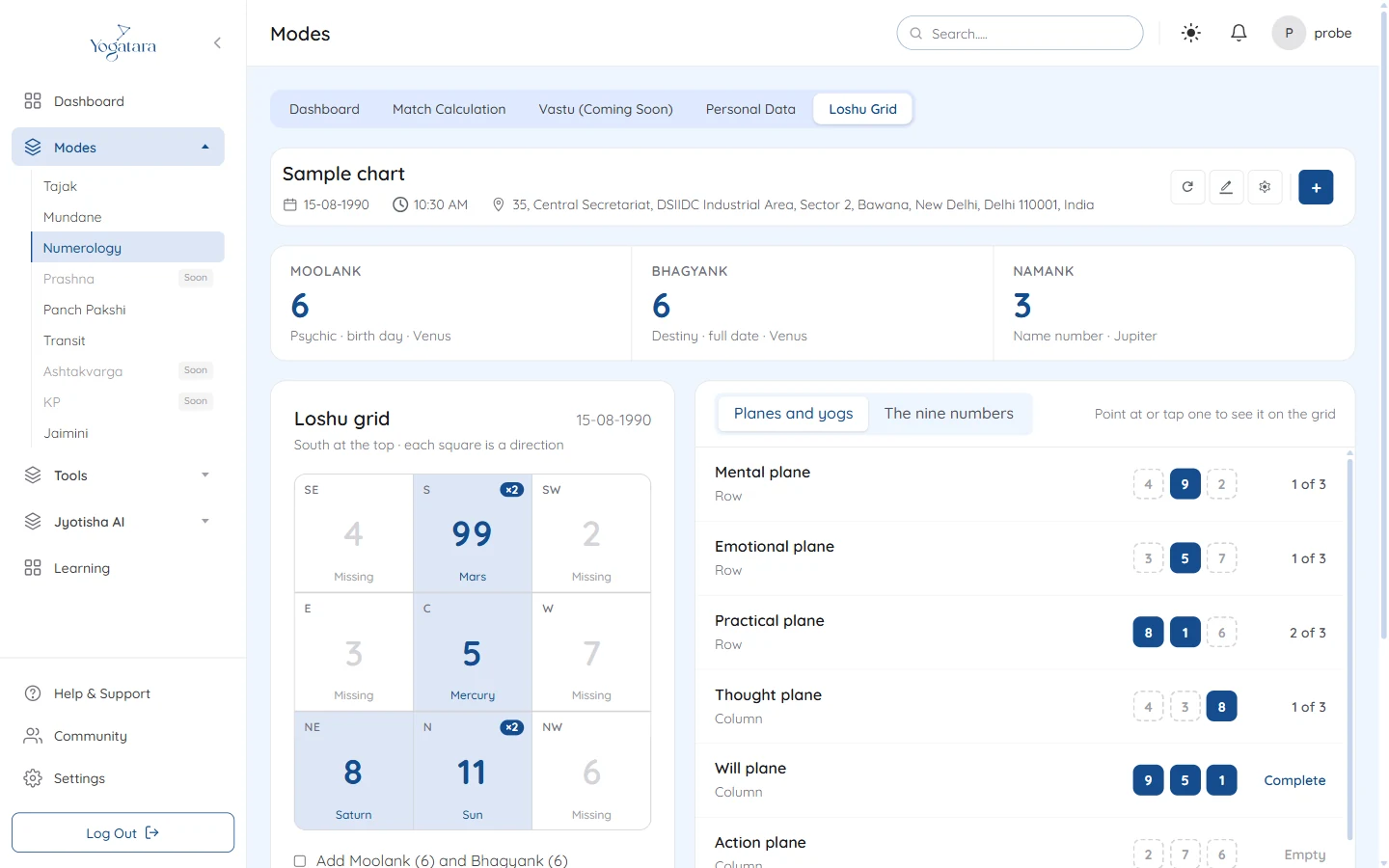
The Loshu grid beside its planes and yogs
Try it on your own chart
7 days free on any plan. Cancel before the trial ends and you pay nothing.