
All tutorials
Save client charts and keep notes
Find any client's chart in seconds and keep your consultation notes on it.
2 min · 2 steps
- 1
Open a saved chart
Every chart you create is saved. Select + → Open chart to see them, search by name or place, and open one. The icons on each row edit it, show its note or delete it.
The chart you open is used everywhere: the dashboard, Tajak, chakras and the panchang.
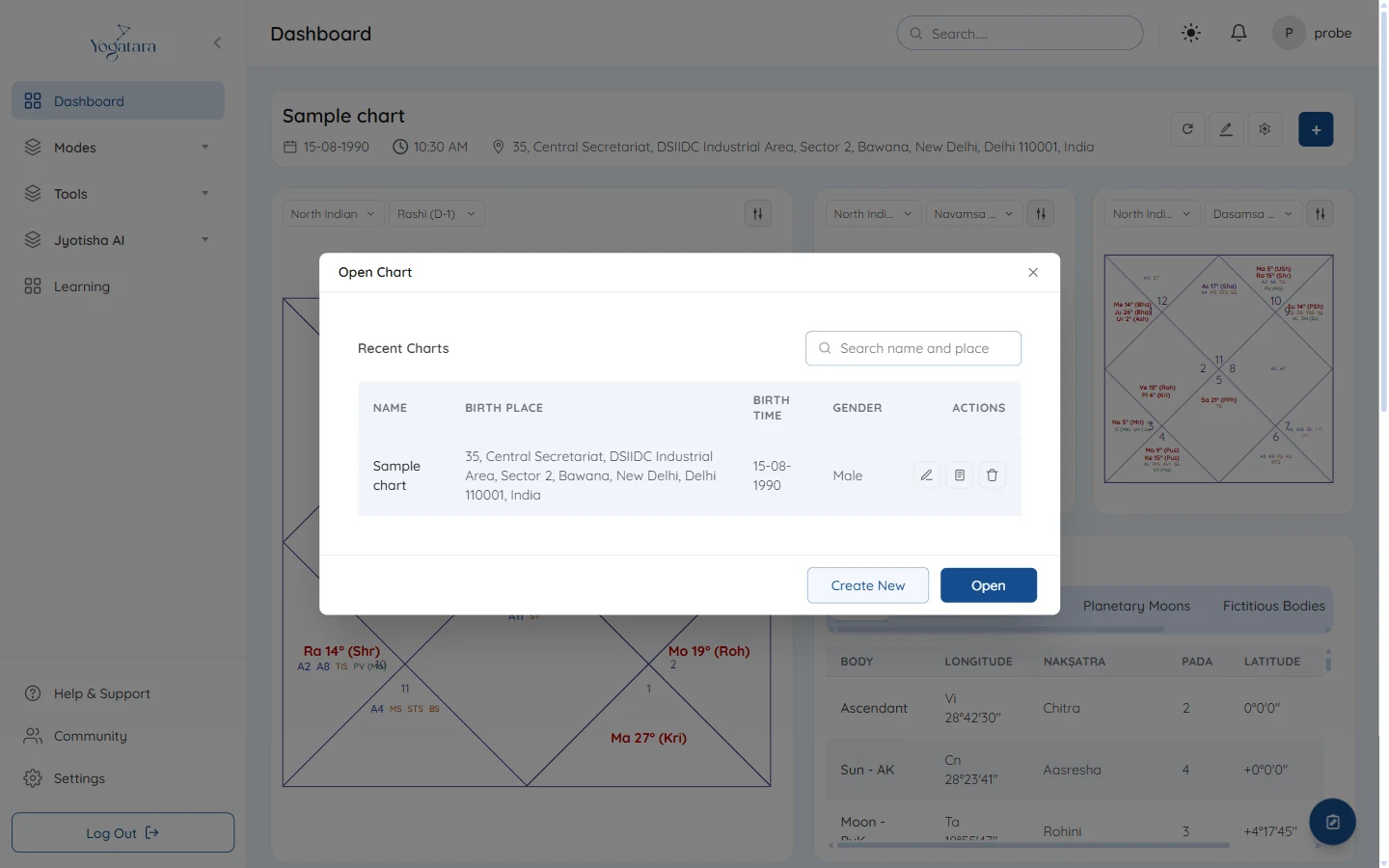
The Open Chart list with search and row actions - 2
Write a note
On any chart page, the round note button at the bottom right opens a note for the chart that is open. Format it with headings, bold, lists and colours, then select Save Note.
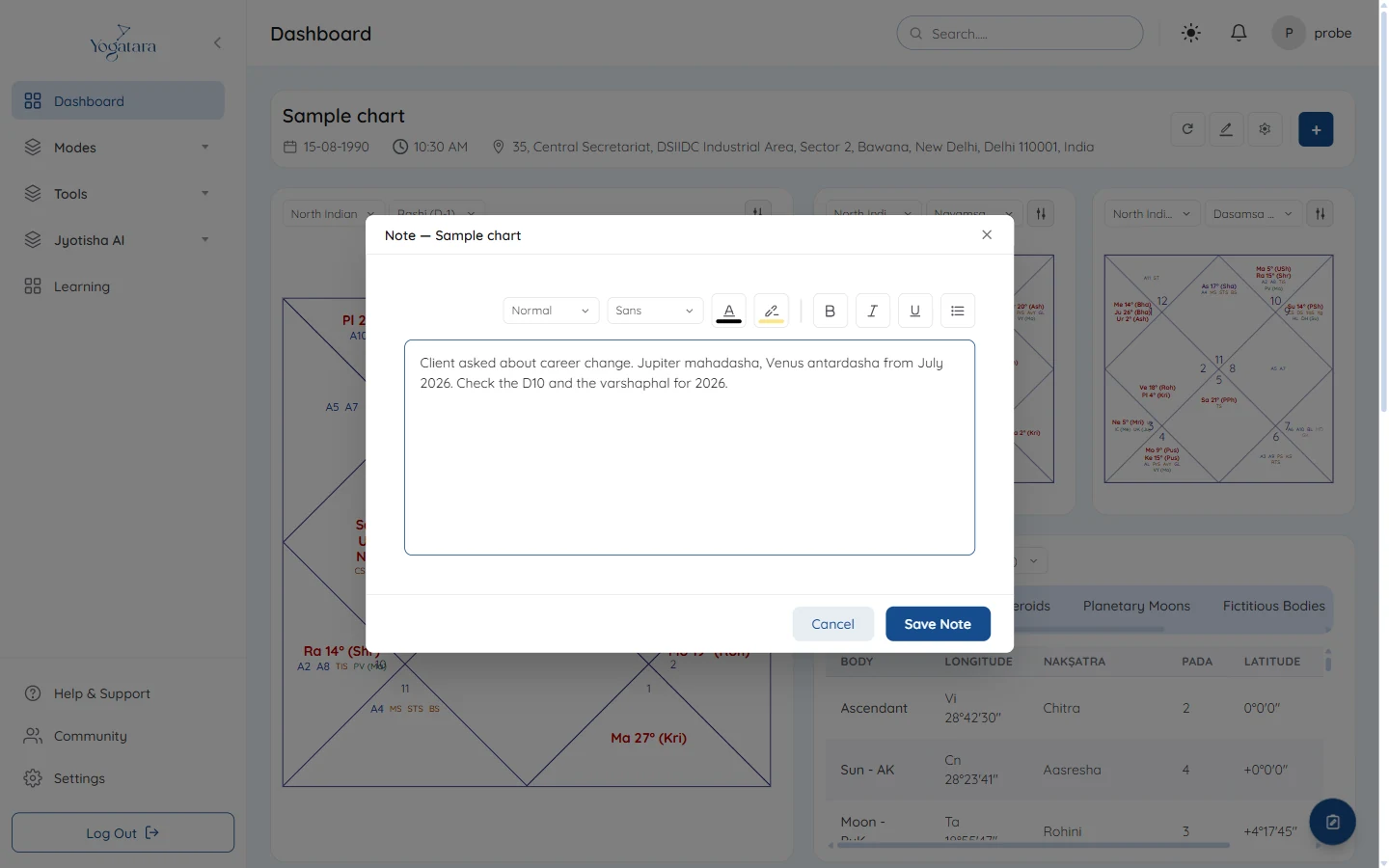
A consultation note on the sample chart
Try it on your own chart
7 days free on any plan. Cancel before the trial ends and you pay nothing.