
Plan the year with the Sky Calendar
See the year's ingresses, stations, New and Full Moons, retrogrades with their shadows, and eclipses, in your own houses if you like.
3 min · 5 steps
- 1
Open the calendar
Go to Western → Sky Calendar and choose the Year. Events are worked out in the tropical zodiac, and times are in the chart's time zone, or your own when no chart is open.
The tabs are Annual calendar, Full & New Moons, Retrogrades and Eclipses.
- 2
Filter the year's events
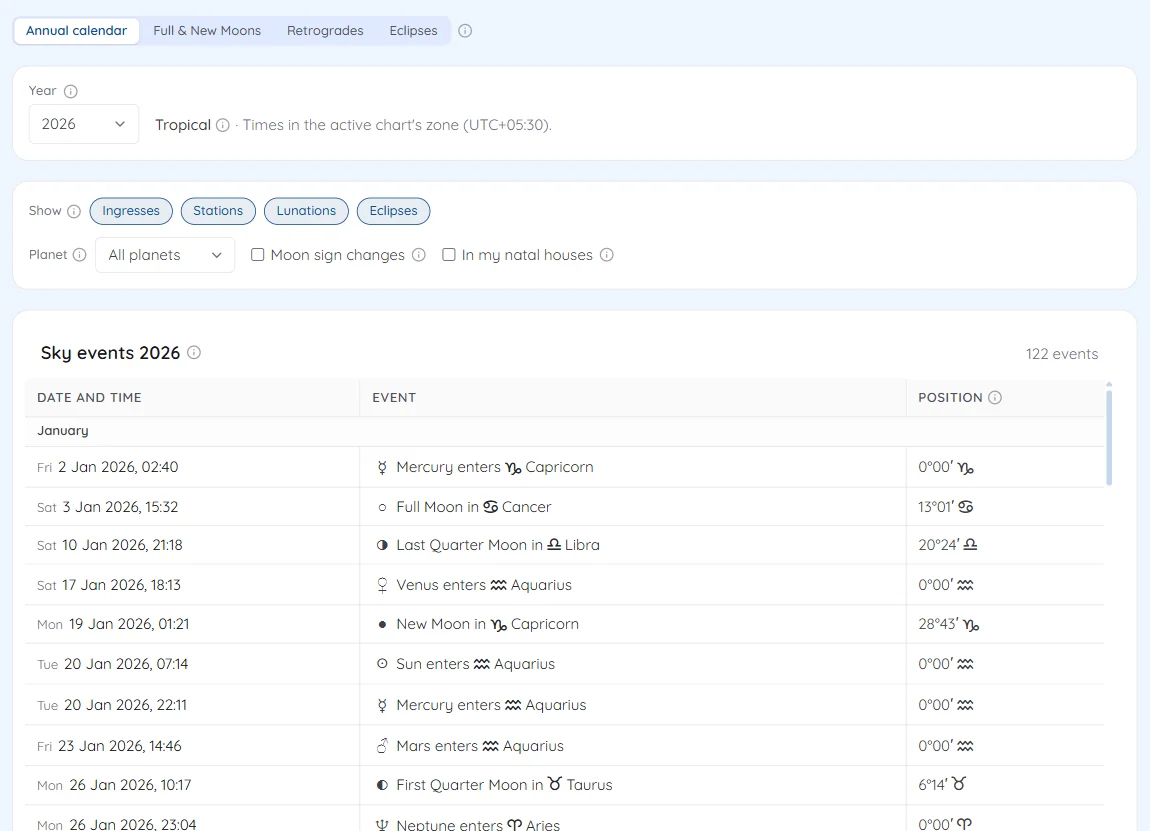
Annual calendar lists the year's events in date order. The buttons after Show choose Ingresses, Stations, Lunations (the quarter Moons included) and Eclipses, and Planet shows one planet's events only. Tick Moon sign changes to add the Moon's ingresses, about 160 a year.
Tick In my natal houses to add the house of the chart in the header that each event falls in.
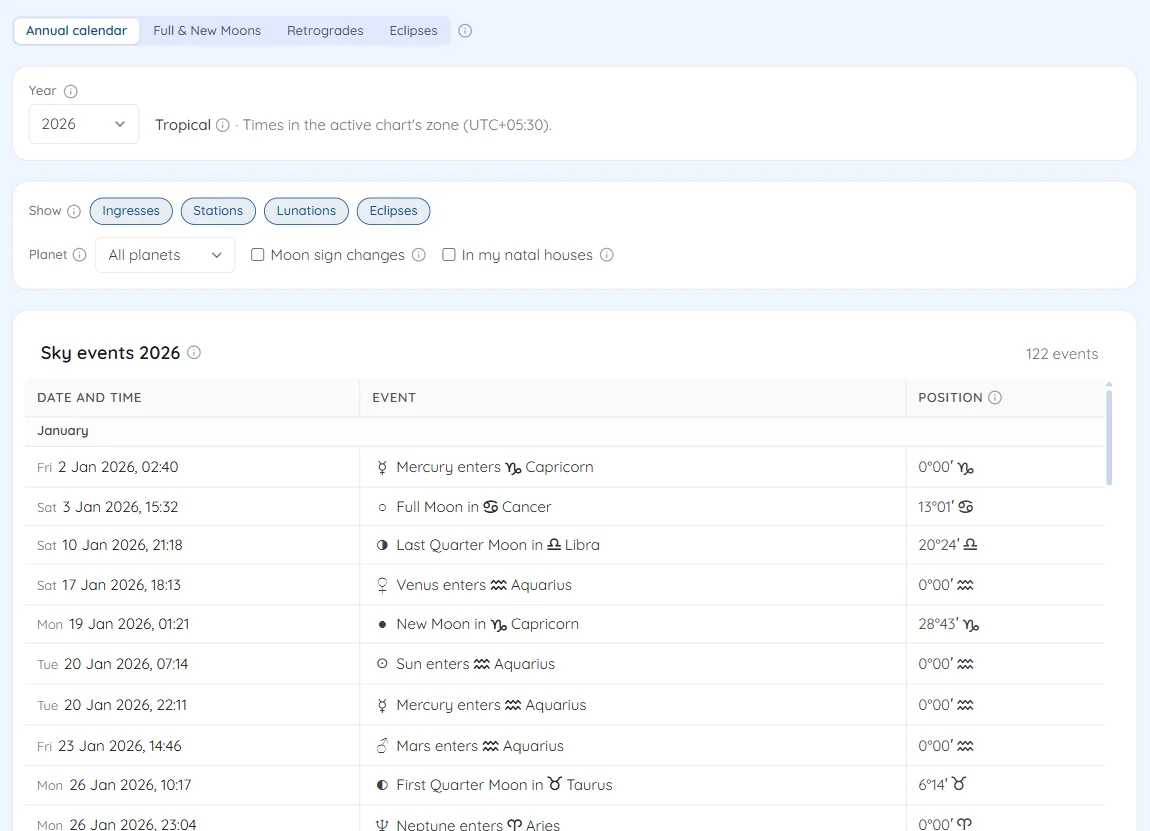
The annual calendar with its event filters - 3
List the New and Full Moons
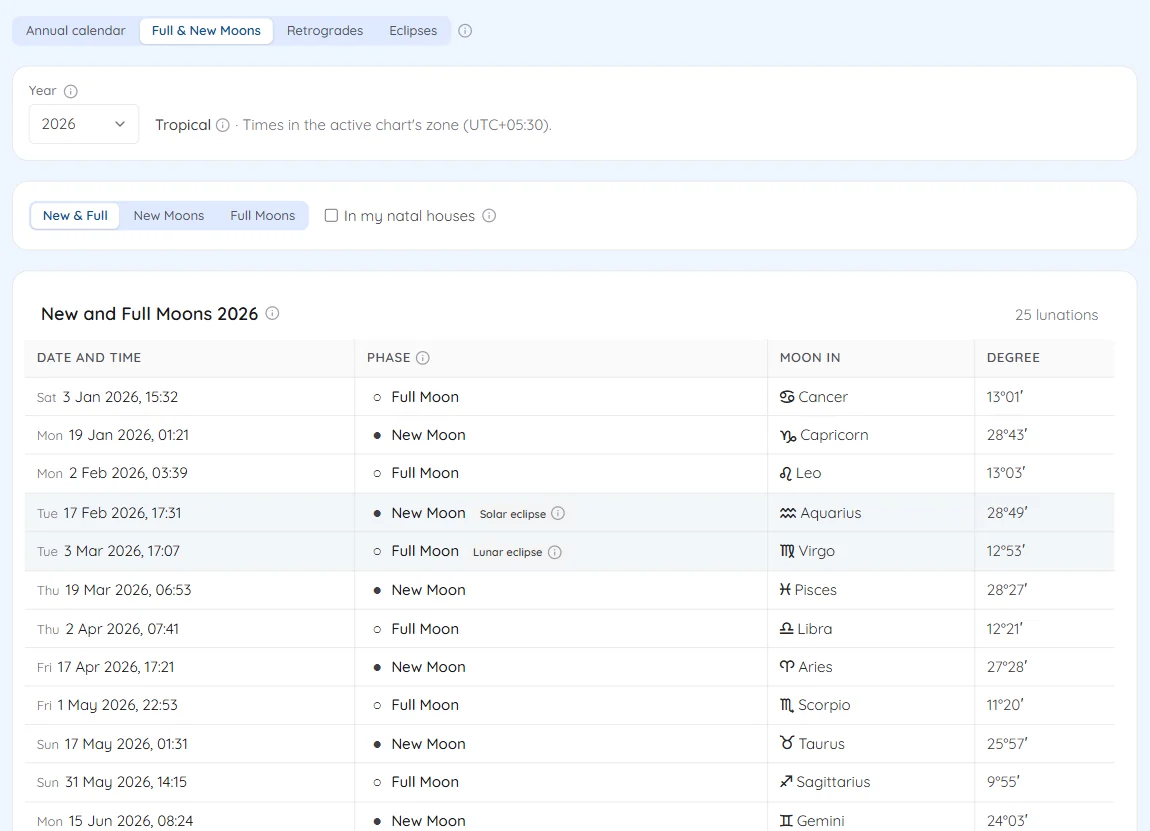
Full & New Moons lists the year's New and Full Moons, without the quarter Moons, with the Moon's sign and degree. Show New & Full, New Moons or Full Moons; a lunation with an eclipse is marked Solar eclipse or Lunar eclipse.
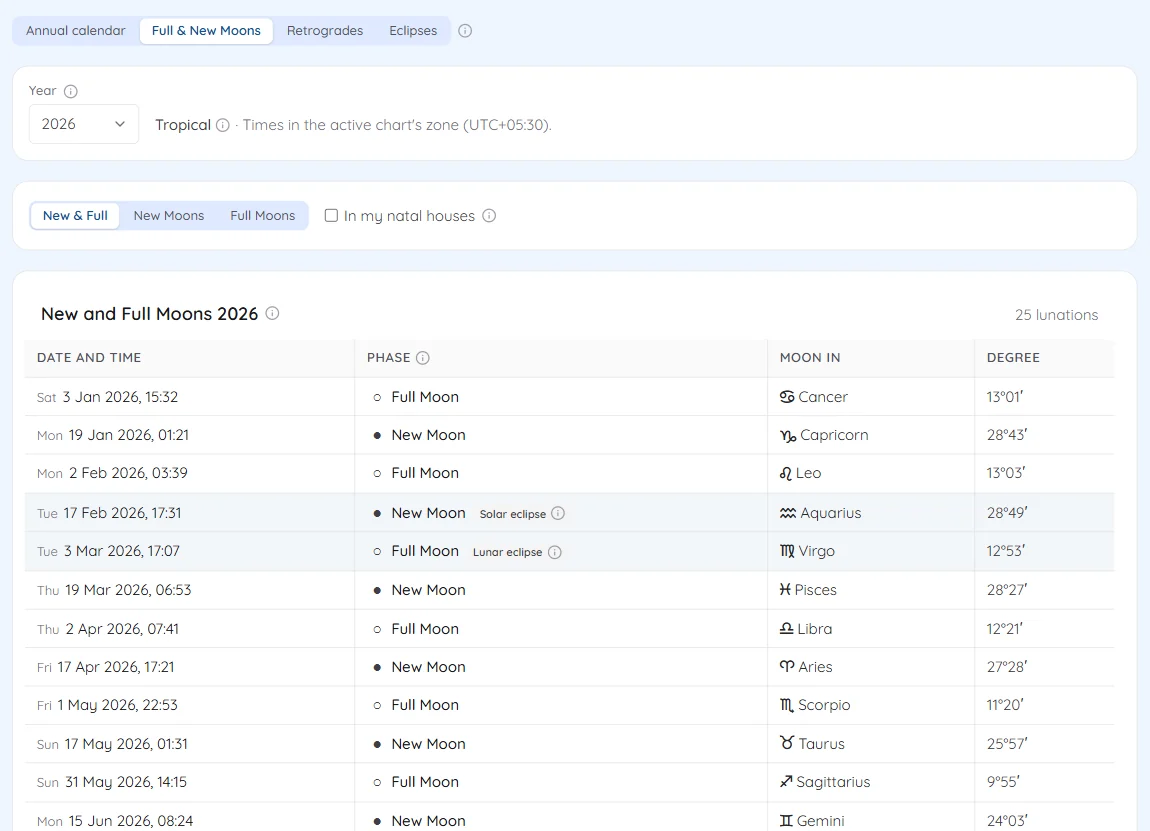
New and Full Moons with the eclipse lunations marked - 4
Follow the retrogrades
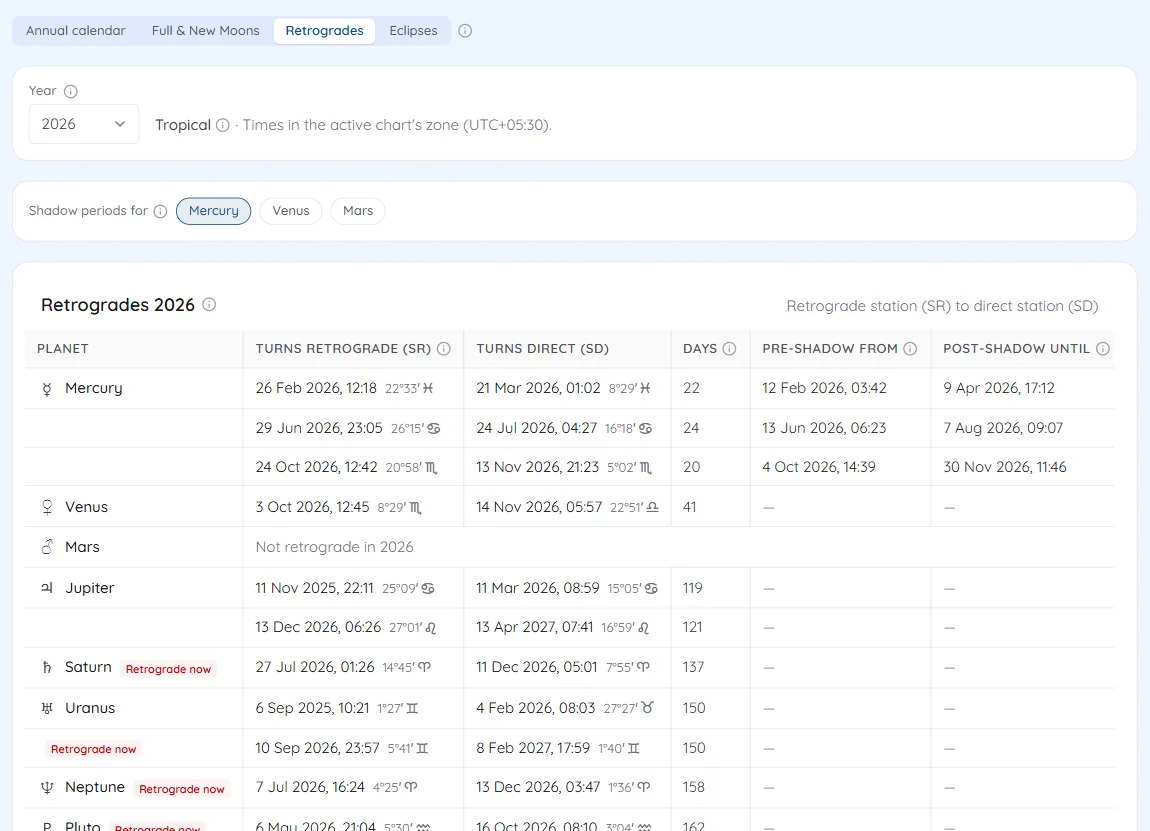
Retrogrades gives each planet's retrograde station (SR), direct station (SD) and the days between. Shadow periods for adds the pre-shadow and post-shadow dates for Mercury, Venus or Mars; Mercury's are on to start.
A label beside the planet marks the period you are in today: Retrograde now, Pre-shadow now or Post-shadow now.
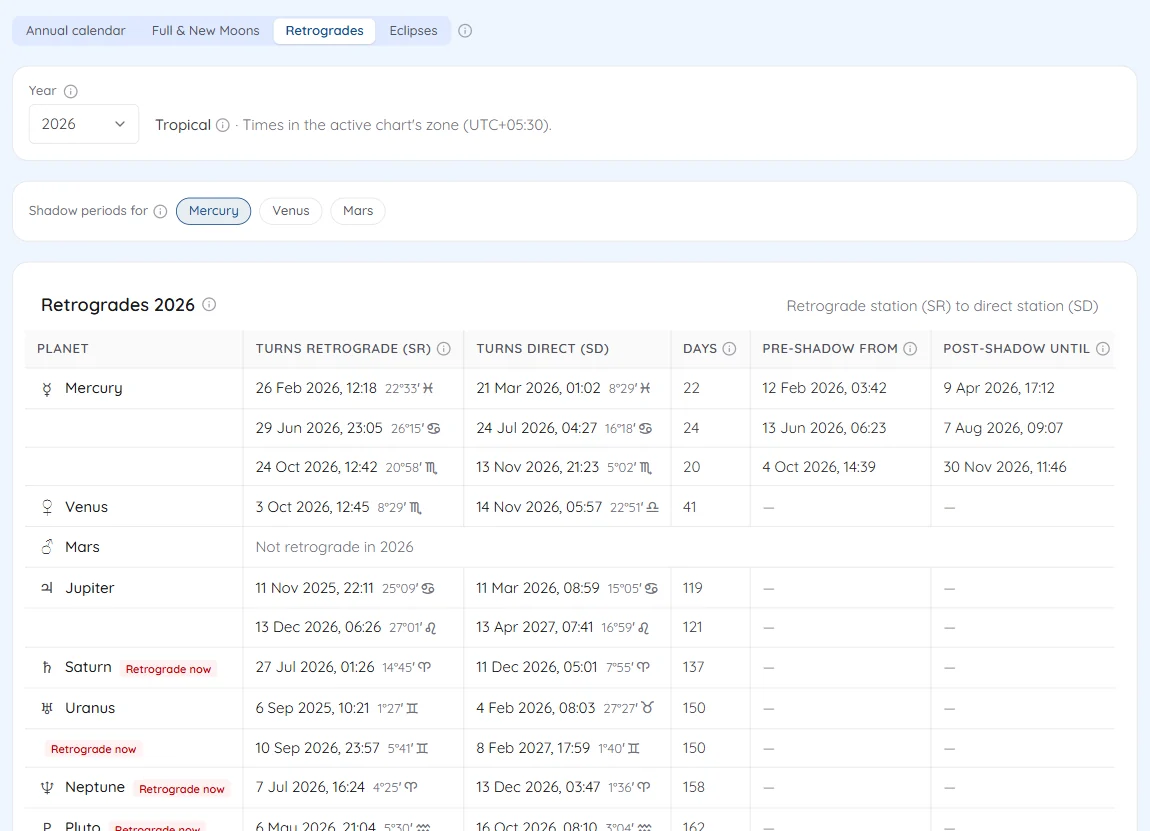
Retrogrades with Mercury's shadow periods - 5
Check the eclipses
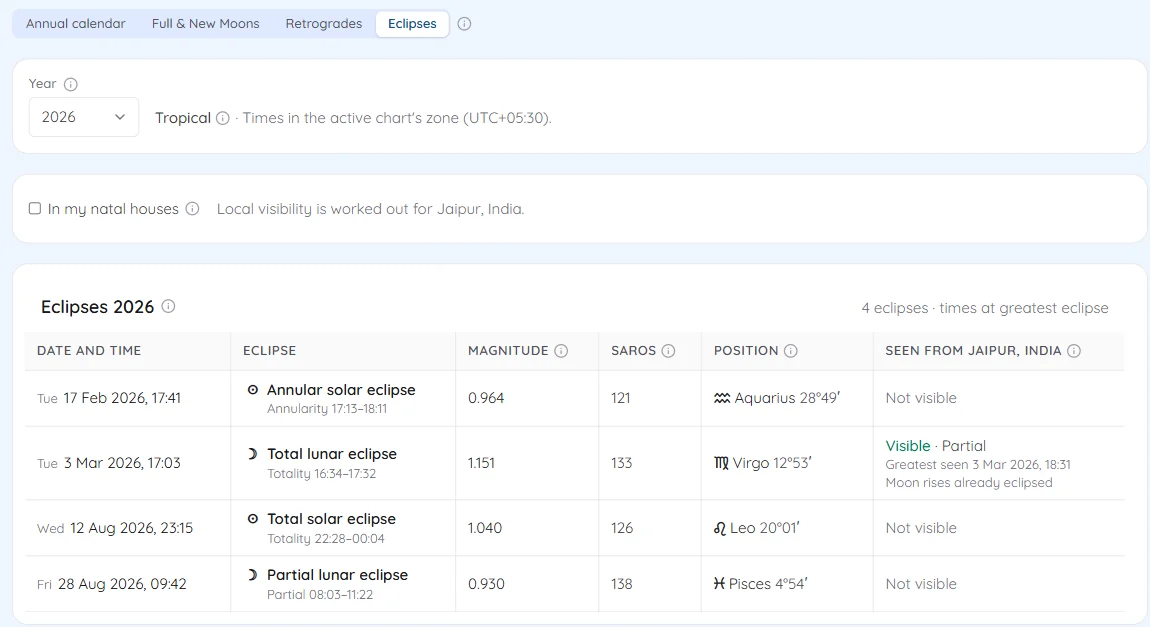
Eclipses lists the year's solar and lunar eclipses with their type, magnitude, Saros series and degree. With a chart open, the last column says whether each one can be seen from the chart's place and when it is greatest there.
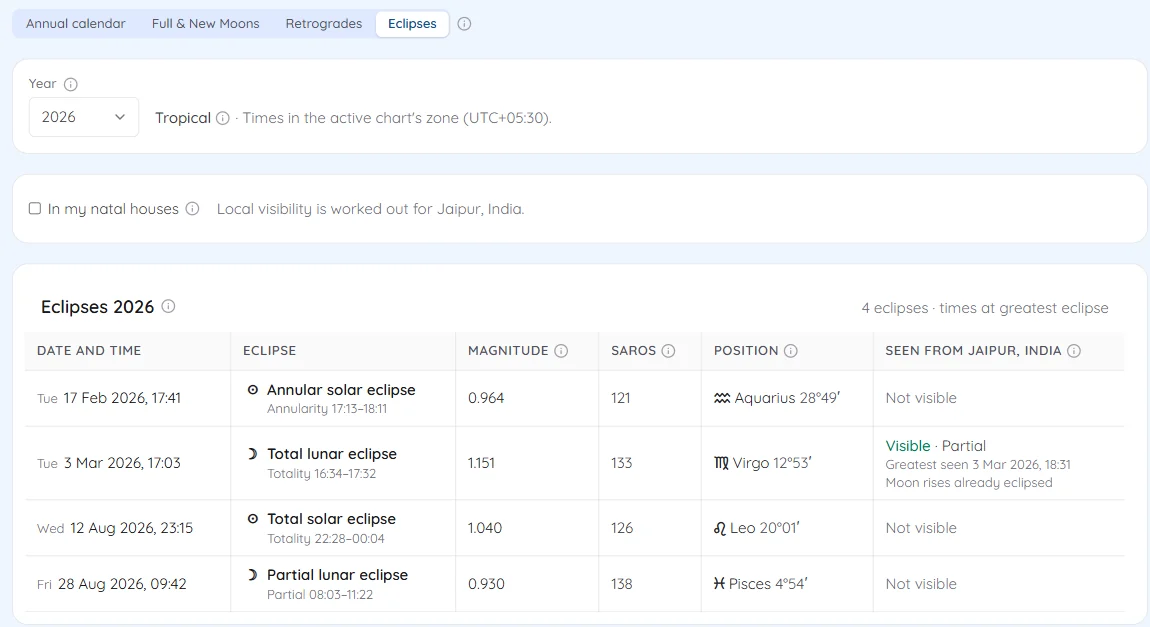
The year's eclipses with local visibility
Try it on your own chart
7 days free on any plan. Cancel before the trial ends and you pay nothing.