
Create your account and set up Yogatara
Start the free trial, then choose your chart style, ayanamsa and plan in three short steps.
3 min · 4 steps
- 1
Start your free trial
Choose Start free trial on any page and sign up with your email or your Google account.
If you signed up with email, enter the code we send you to verify your address, then sign in. Setup starts the first time you sign in.
- 2
Tell us about you
Enter your name as it should appear on your work, and choose what brings you to Yogatara: consulting, studying, teaching, research or personal use.
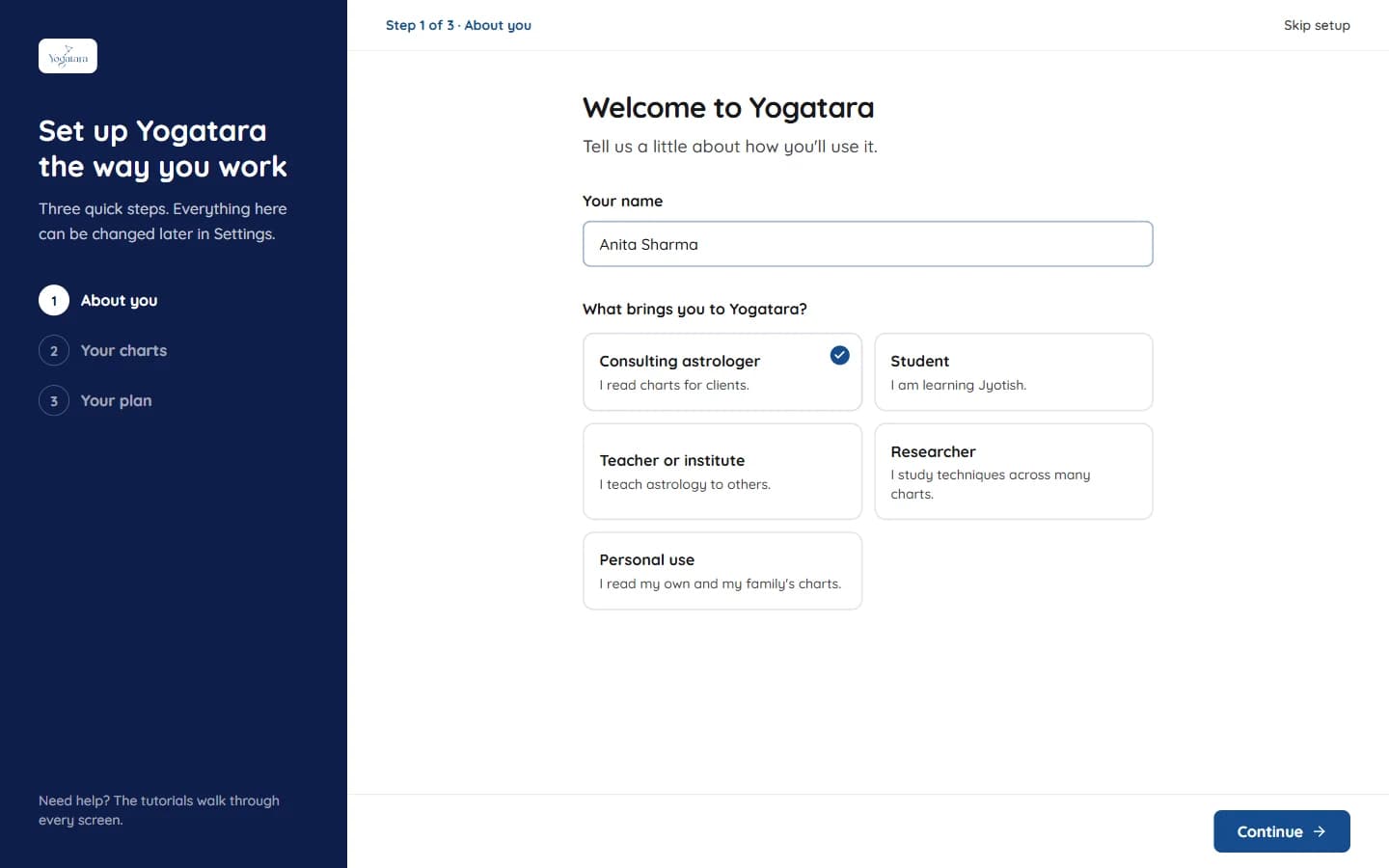
Setup step 1: your name and what brings you to Yogatara - 3
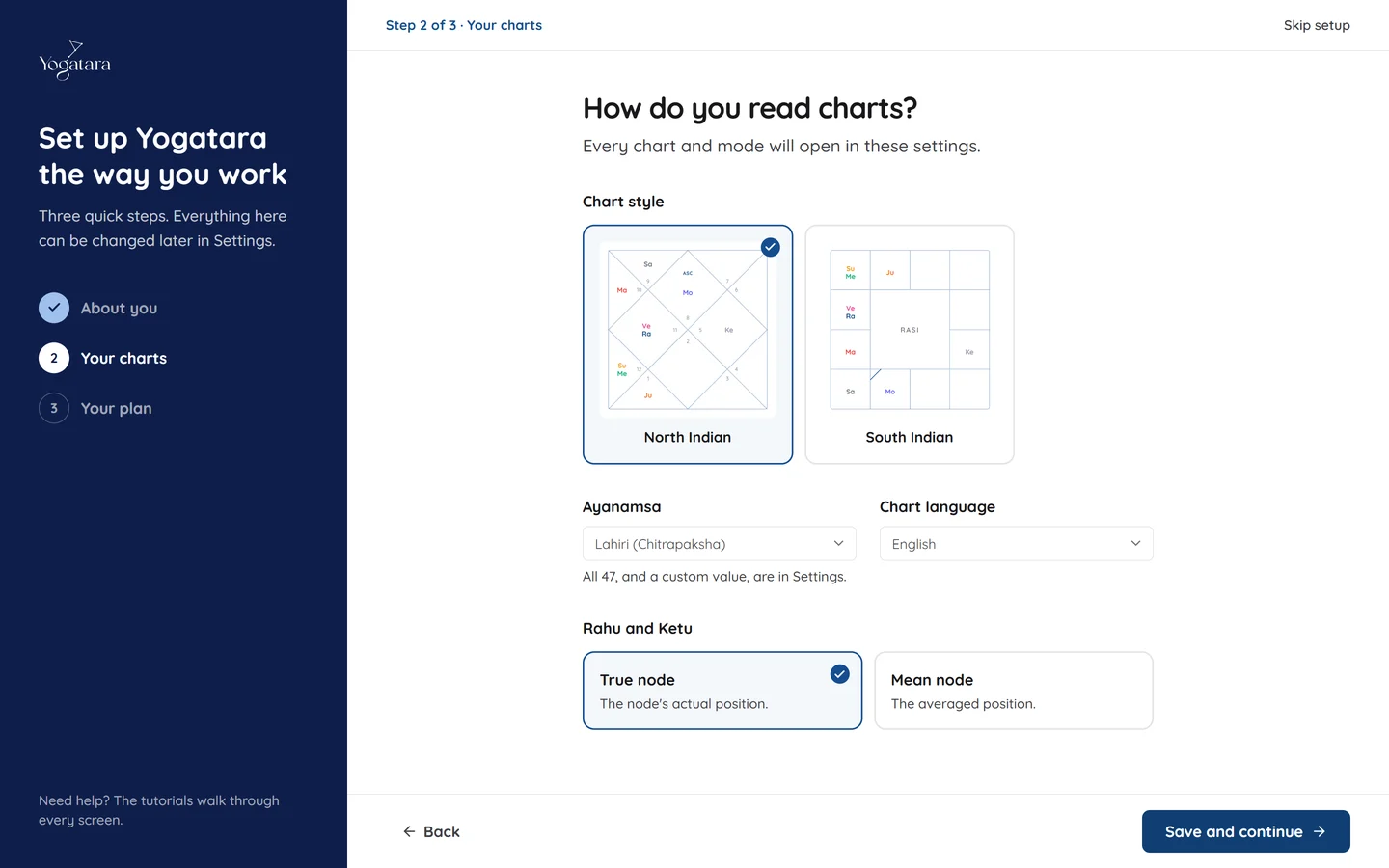
Choose how you read charts
Pick North Indian or South Indian charts, your ayanamsa, the chart language and true or mean node. Every chart and mode opens in these settings.
Only the most used ayanamsas are listed here. All 47, a correction offset and every other preference are under the gear button on any chart.
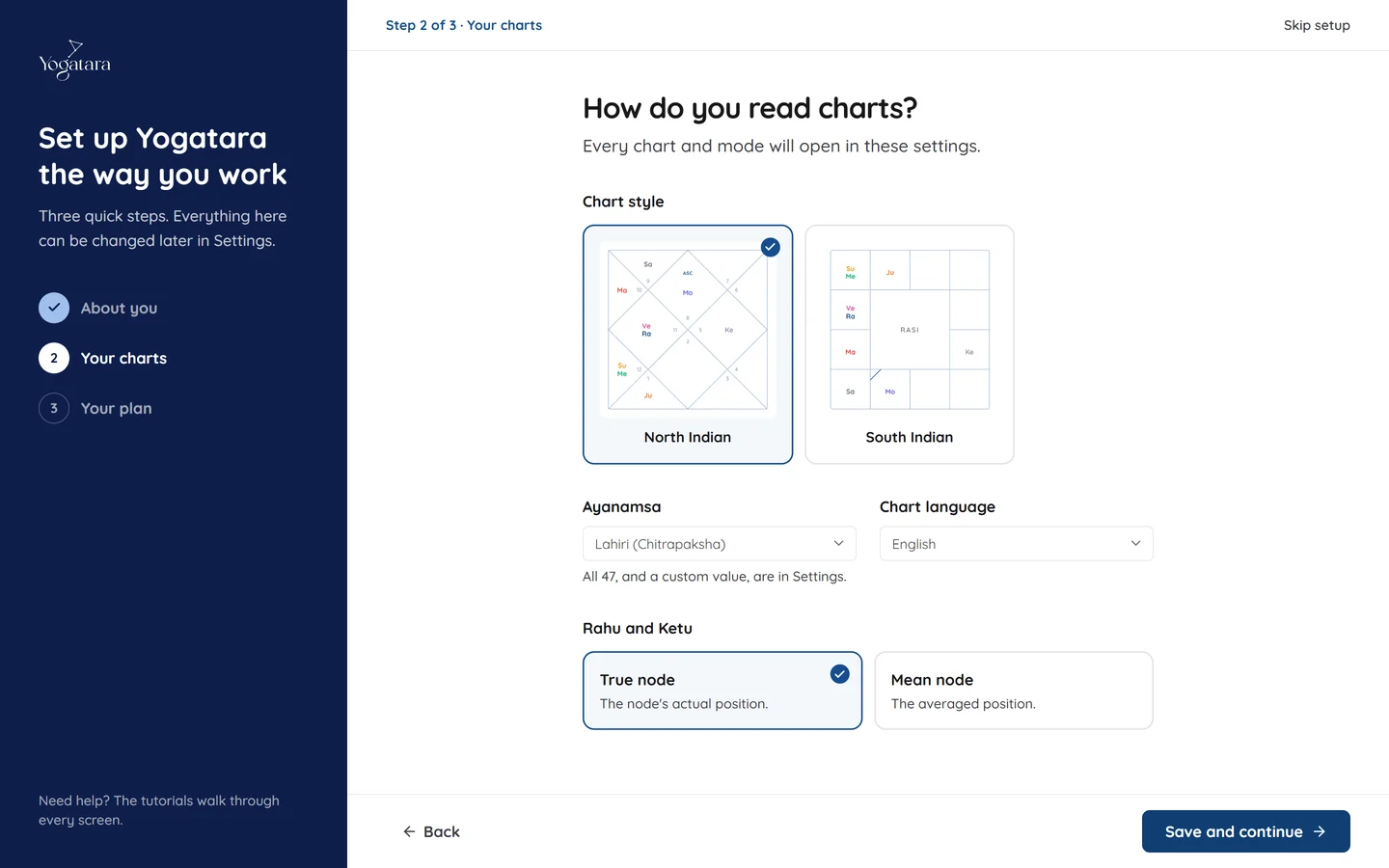
Setup step 2: chart style, ayanamsa, chart language and node - 4
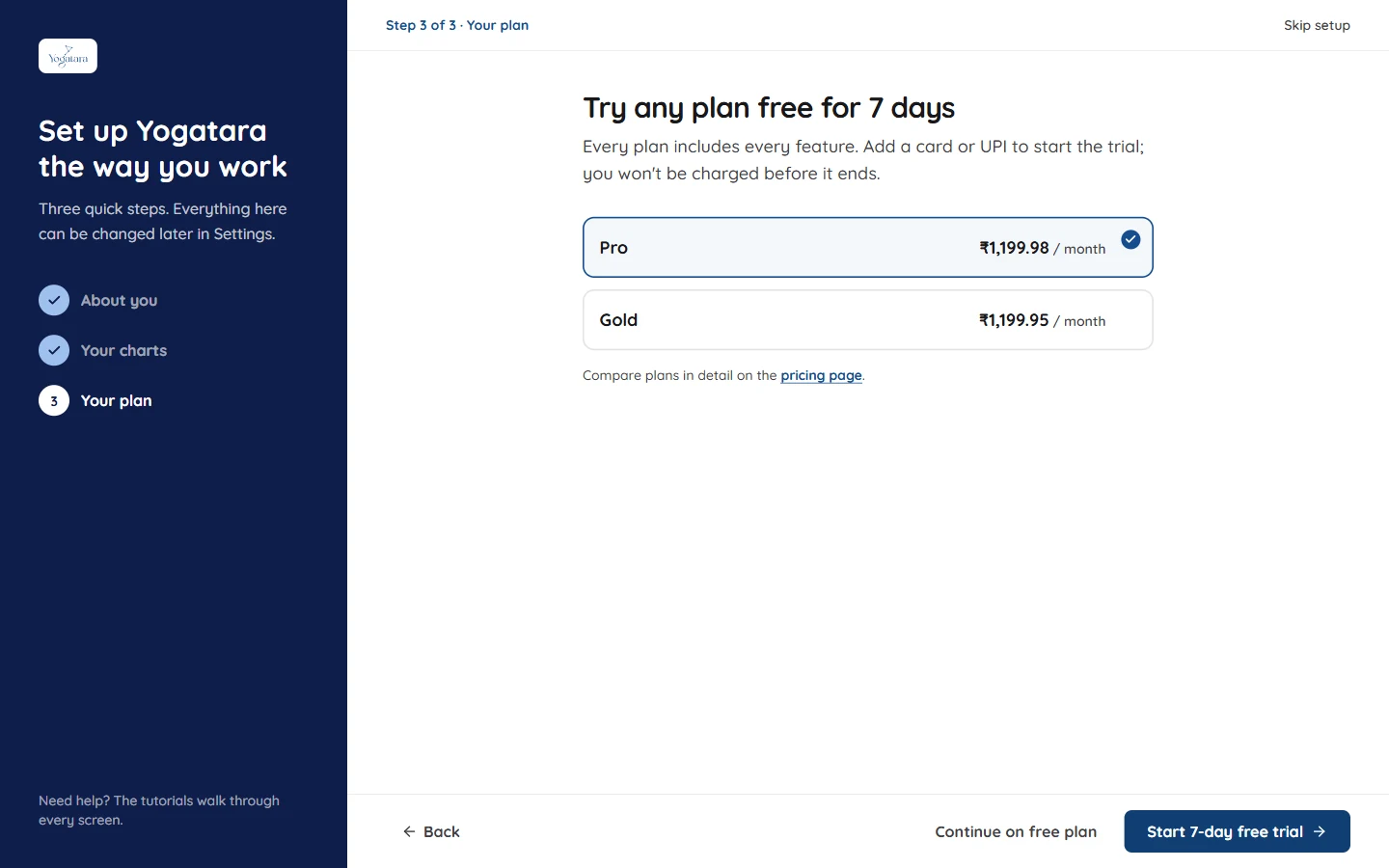
Pick a plan
Every plan includes every feature. Choose one and select Start 7-day free trial, or continue on the free plan and upgrade later from Settings → Subscription & Billing.
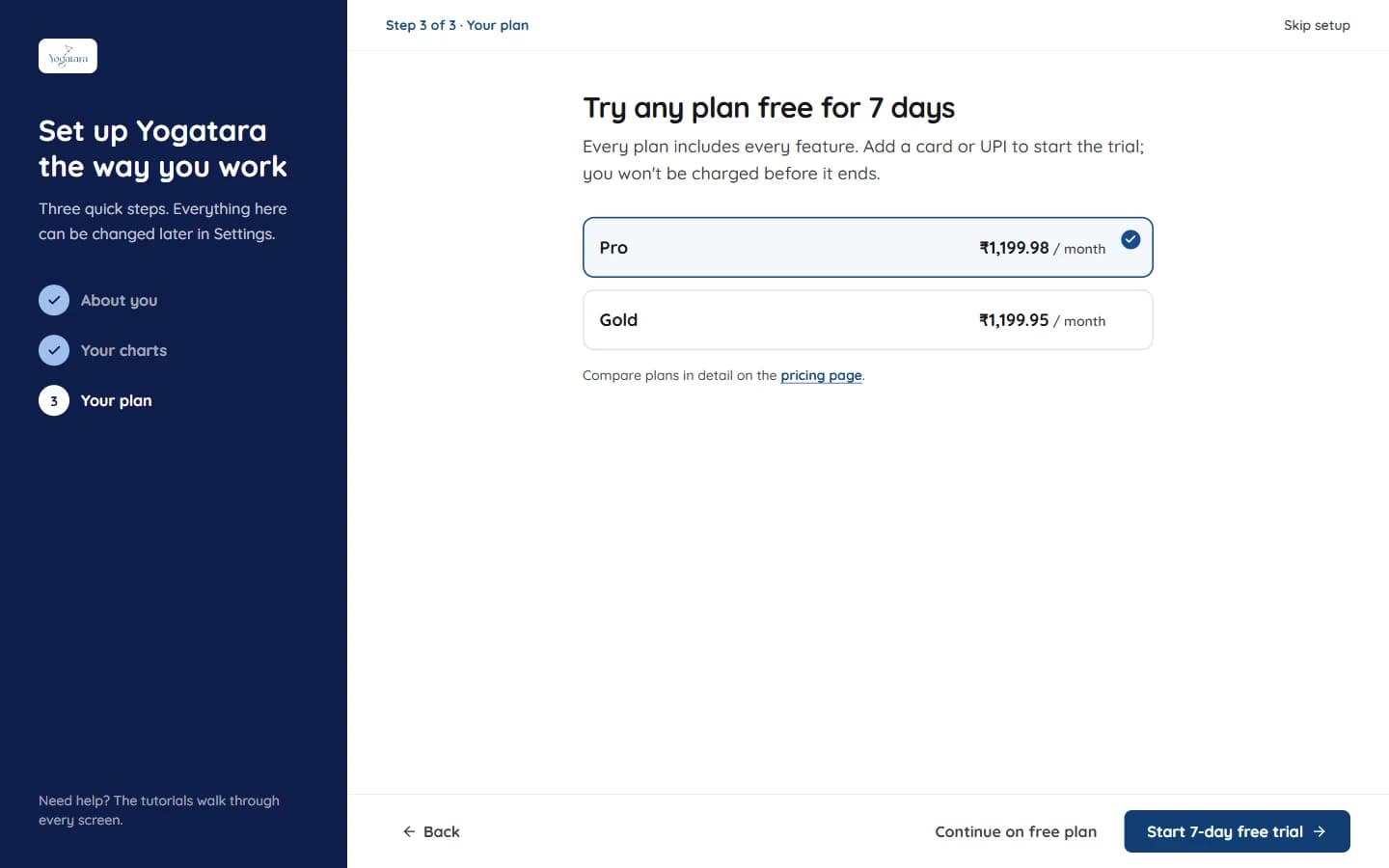
Setup step 3: choose a plan for the 7-day free trial
Try it on your own chart
7 days free on any plan. Cancel before the trial ends and you pay nothing.