
Step through the Mudda and Patyayini dashas
Open any varshaphal year and read its two annual dashas, down to the sub-periods.
3 min · 5 steps
- 1
Open the Dashas tab
Go to Modes → Tajak and open Dashas. It opens on the running year, counted from the latest birthday on or before today.
- 2
Choose the year
The buttons at the top right move to the previous or next year, and This year brings you back to the running one. The earliest year is the first birthday, as the birth year has no solar return.
Above the dashas, Solar return, Age completed, Annual ascendant (with the natal ascendant beneath it) and Muntha (with its house in the annual chart) describe the year you are on.
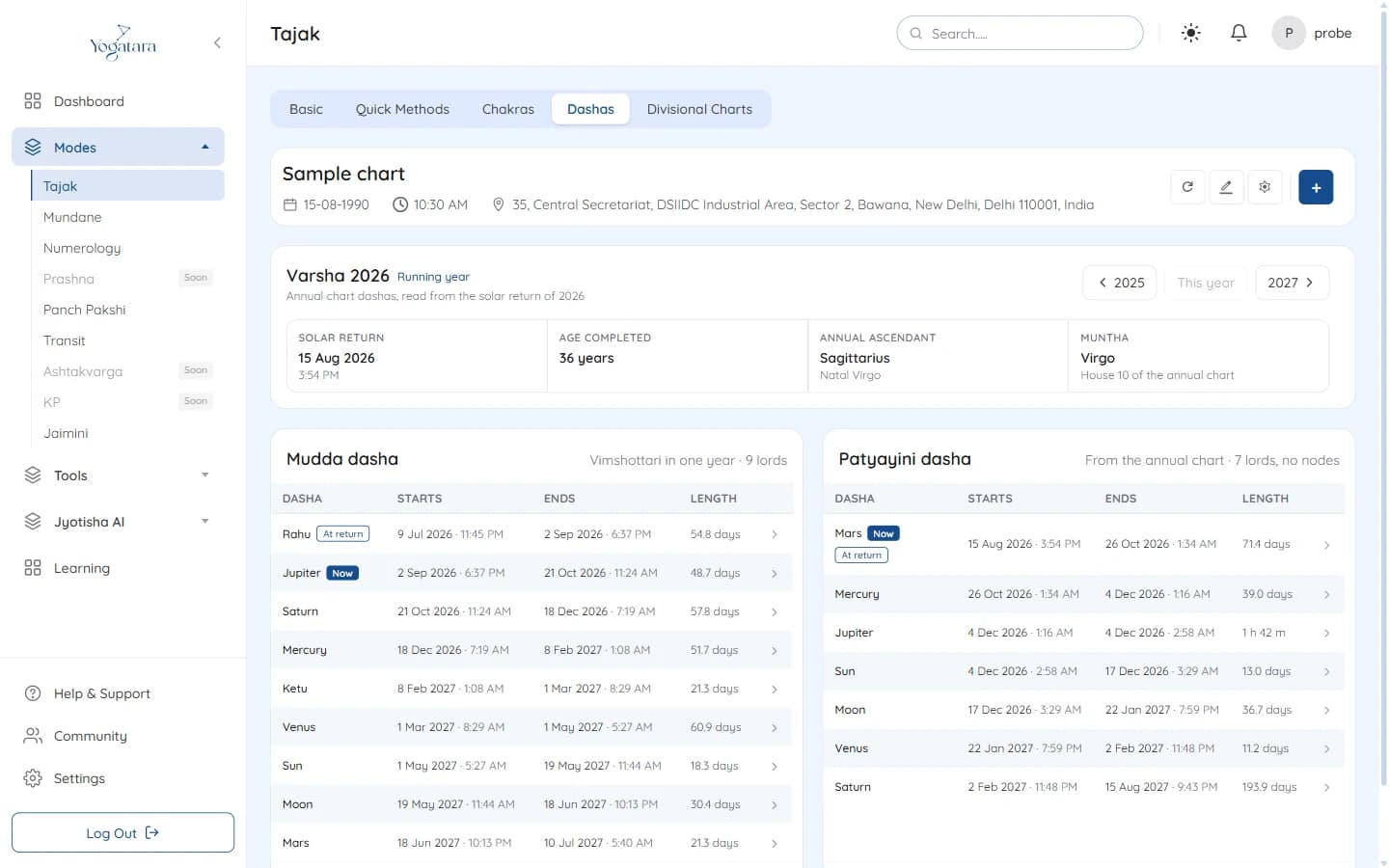
The Tajak Dashas tab with the year summary and the Mudda and Patyayini tables - 3
Read the Mudda dasha
Mudda dasha is Vimshottari fitted into one year, with nine lords. It is counted from the natal Moon's nakshatra, so the year usually opens part-way through a period; the note under the table says how far.
Periods that ended before the solar return are listed in lighter text for completeness.
- 4
Read the Patyayini dasha
Patyayini dasha is drawn from the annual chart and uses seven lords, without the nodes. Each lord's share depends on how far its degree has advanced past the one before it, so a period can last only hours.
- 5
Open the sub-periods
Click a dasha in either table to see its sub-periods with their start and end dates and times. Select All dashas above the table to go back.
Now marks the period running today, and At return the one running when the year began.
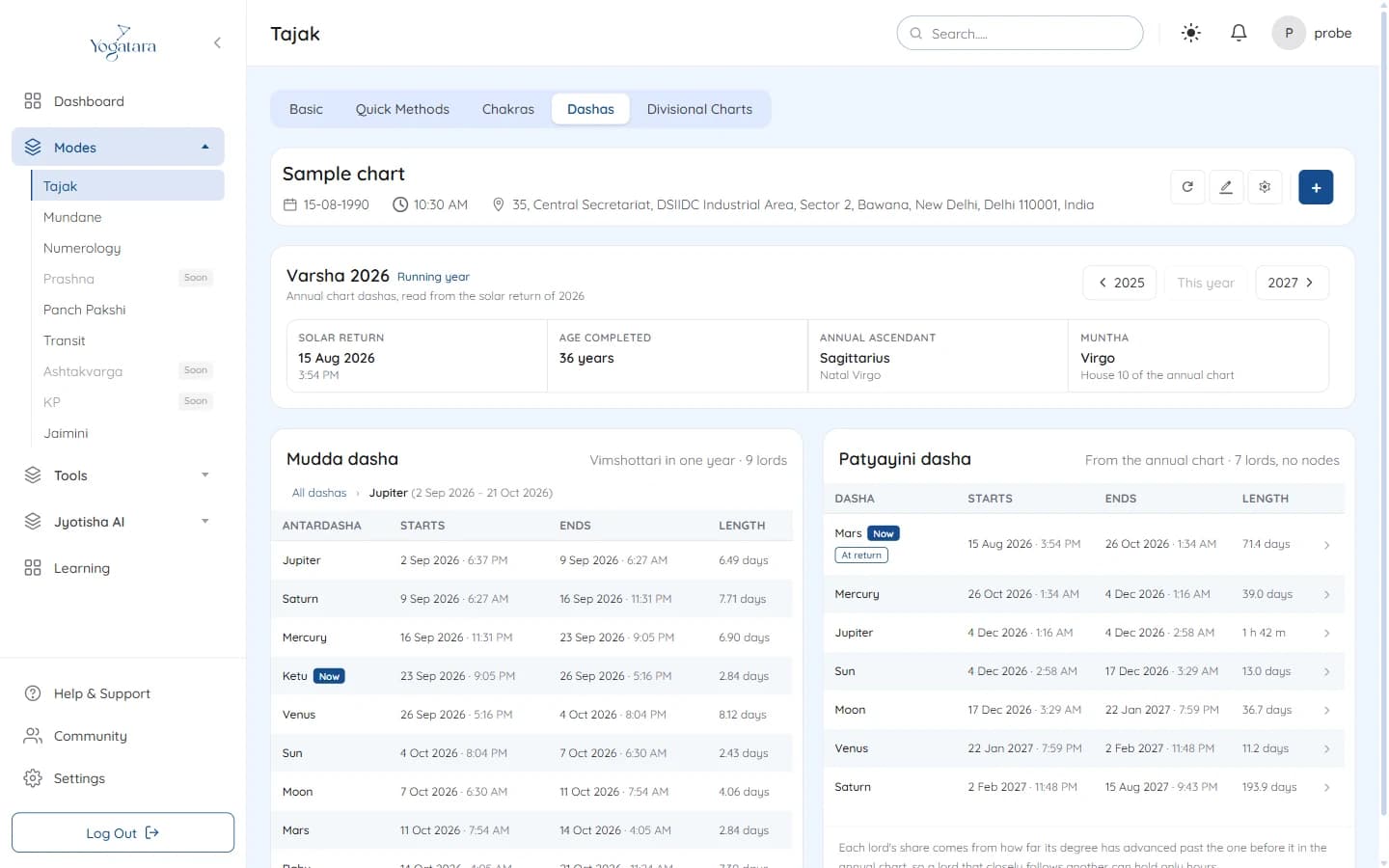
Sub-periods inside the Jupiter Mudda dasha, with the breadcrumb
Try it on your own chart
7 days free on any plan. Cancel before the trial ends and you pay nothing.