
Find and open charts in Astrodatabank
Search public birth data by name, category or chart factors, and open any chart on your dashboard.
3 min · 4 steps
- 1
Browse the profiles
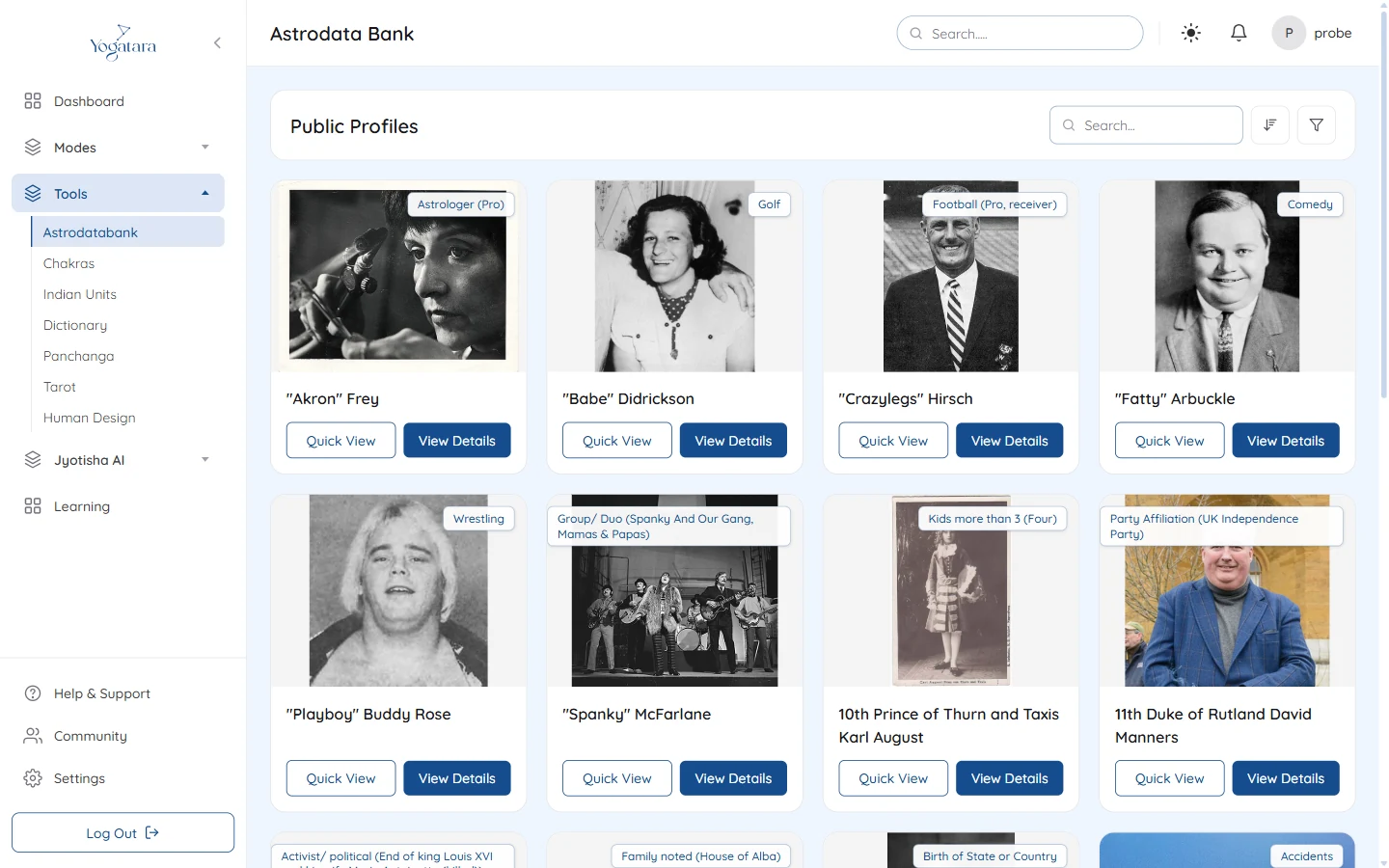
Go to Tools → Astrodatabank. Public Profiles lists people with published birth data. Type in Search to find a name, and use the sort button to order the list by popularity, name or birth date.
Click the category badge on a profile to see everyone in that category.
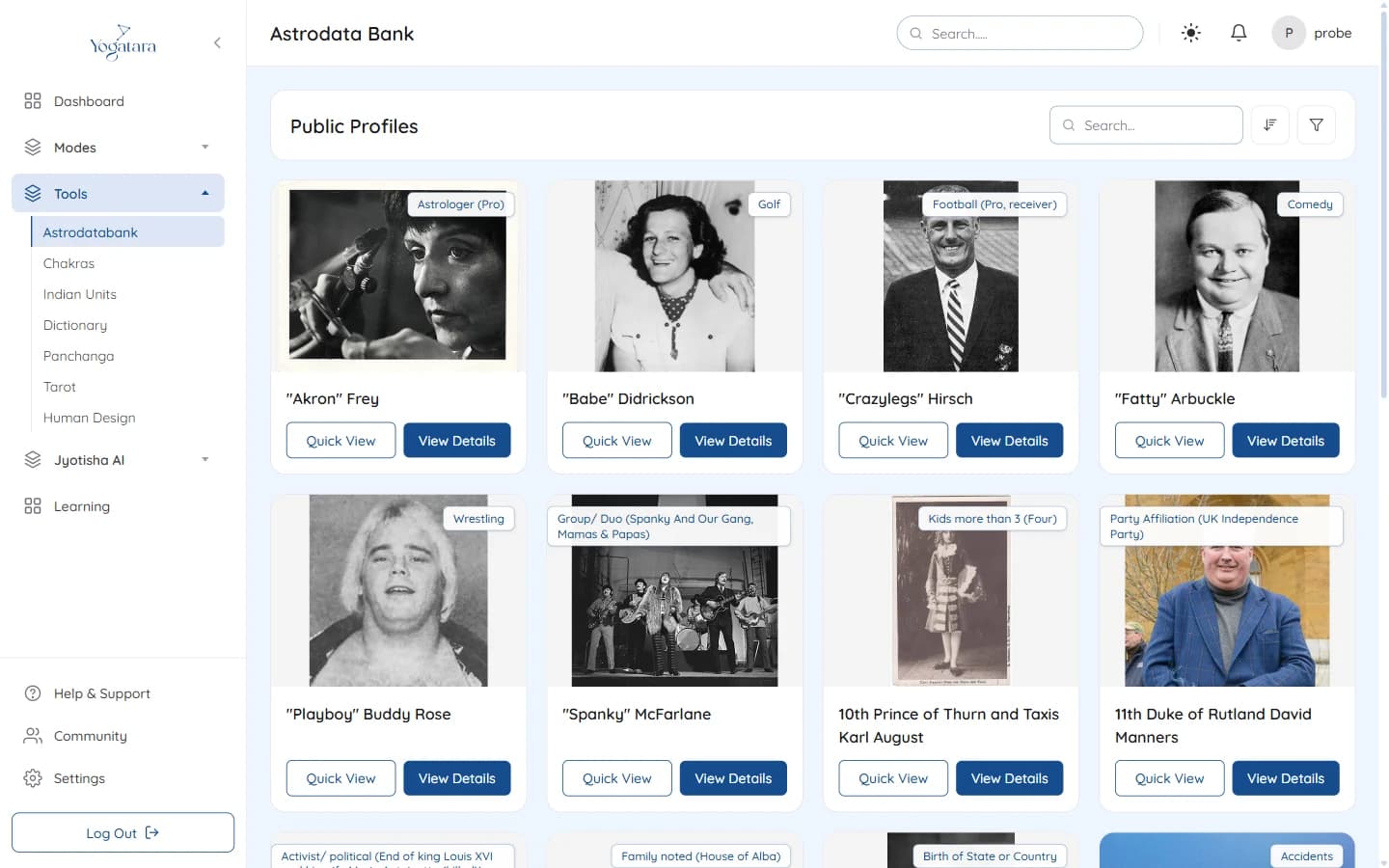
Public Profiles in Astrodatabank - 2
Filter by chart factors
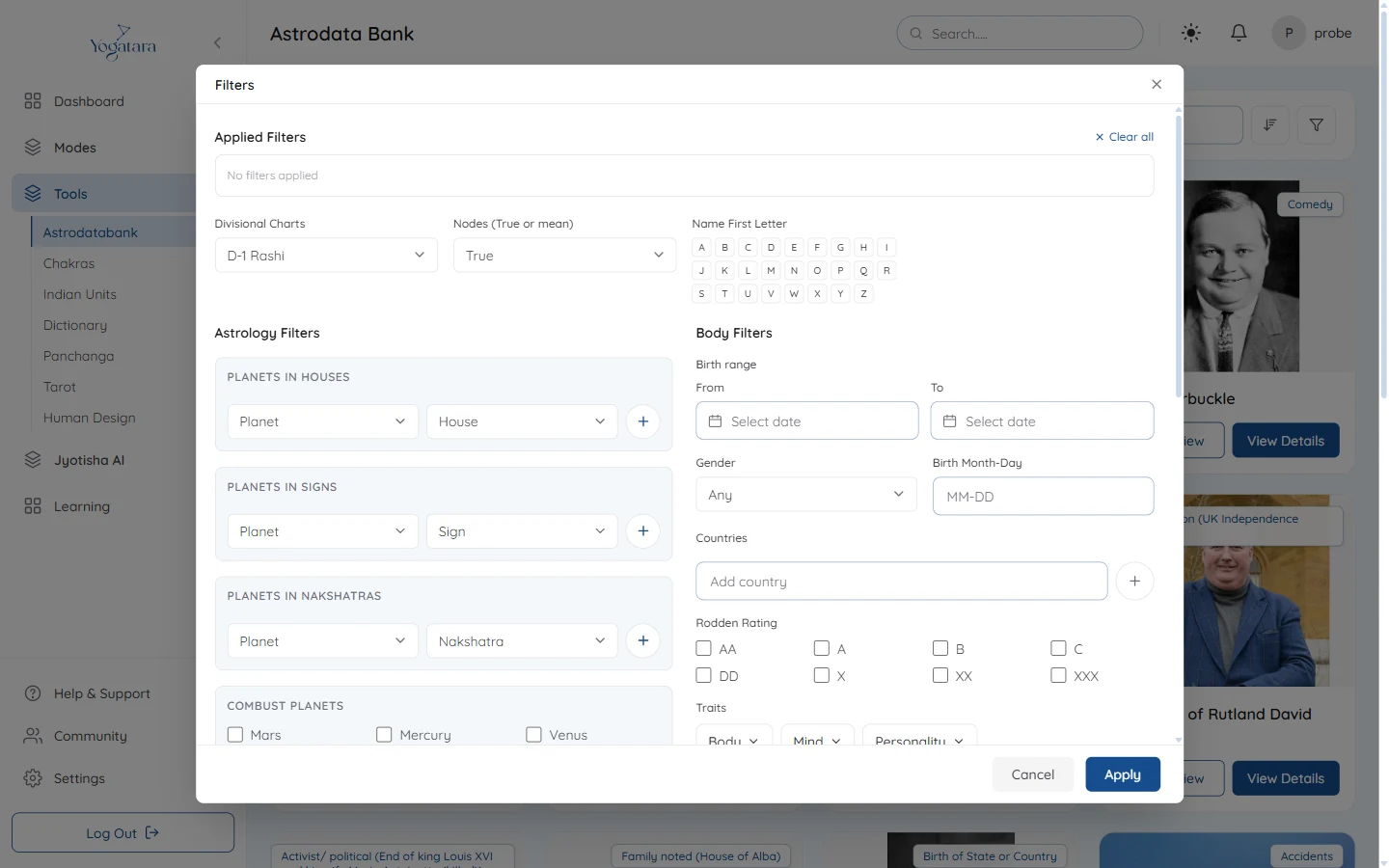
The filter button opens Filters. Narrow the list by birth range, gender, country, Rodden rating or category, or by chart factors: planets in houses, signs or nakshatras, combust and retrograde planets, aspects, conjunctions and bhava arudhas.
Select Apply to filter the list. Clear all removes every filter.
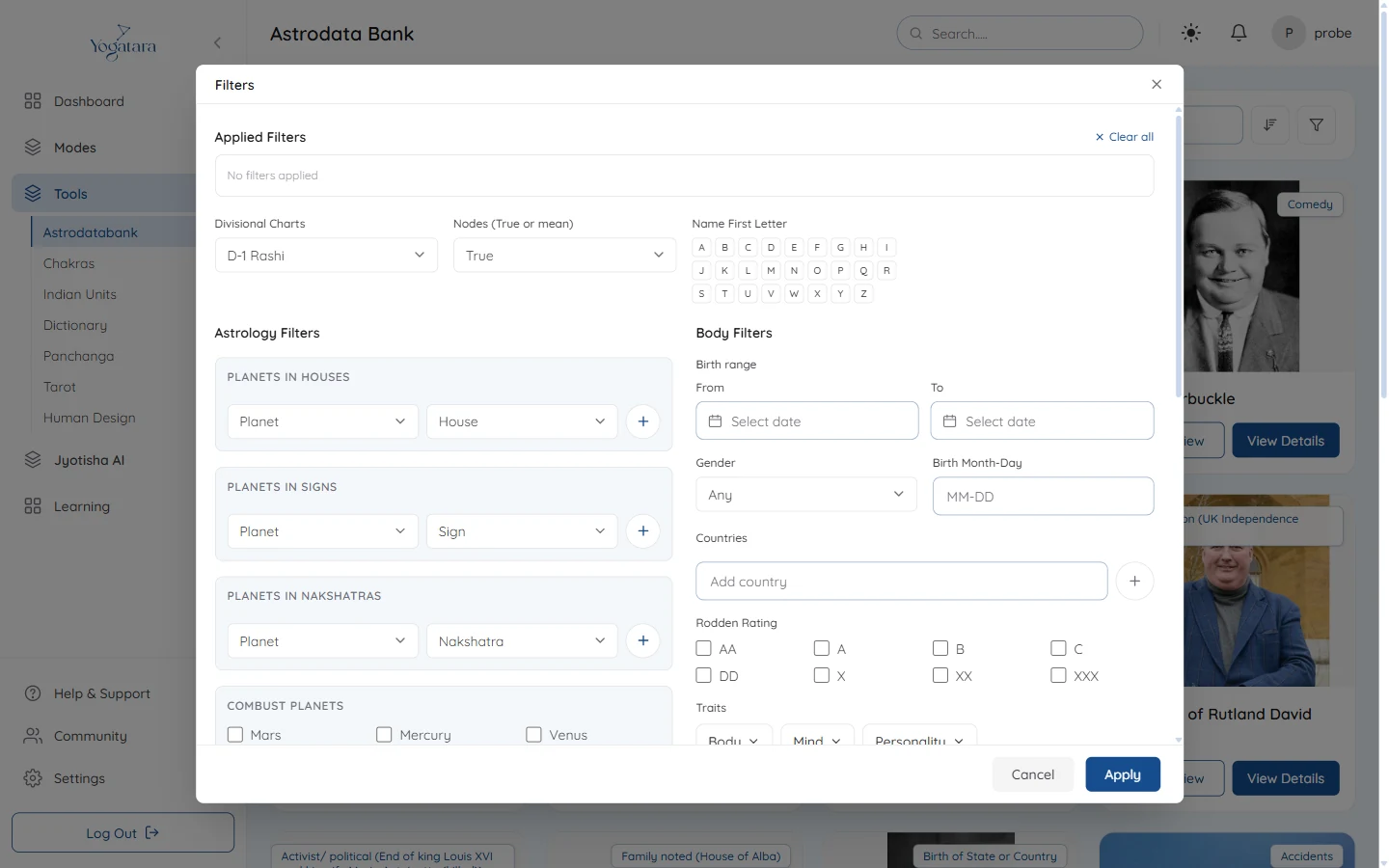
The Astrodatabank Filters panel - 3
Take a quick look
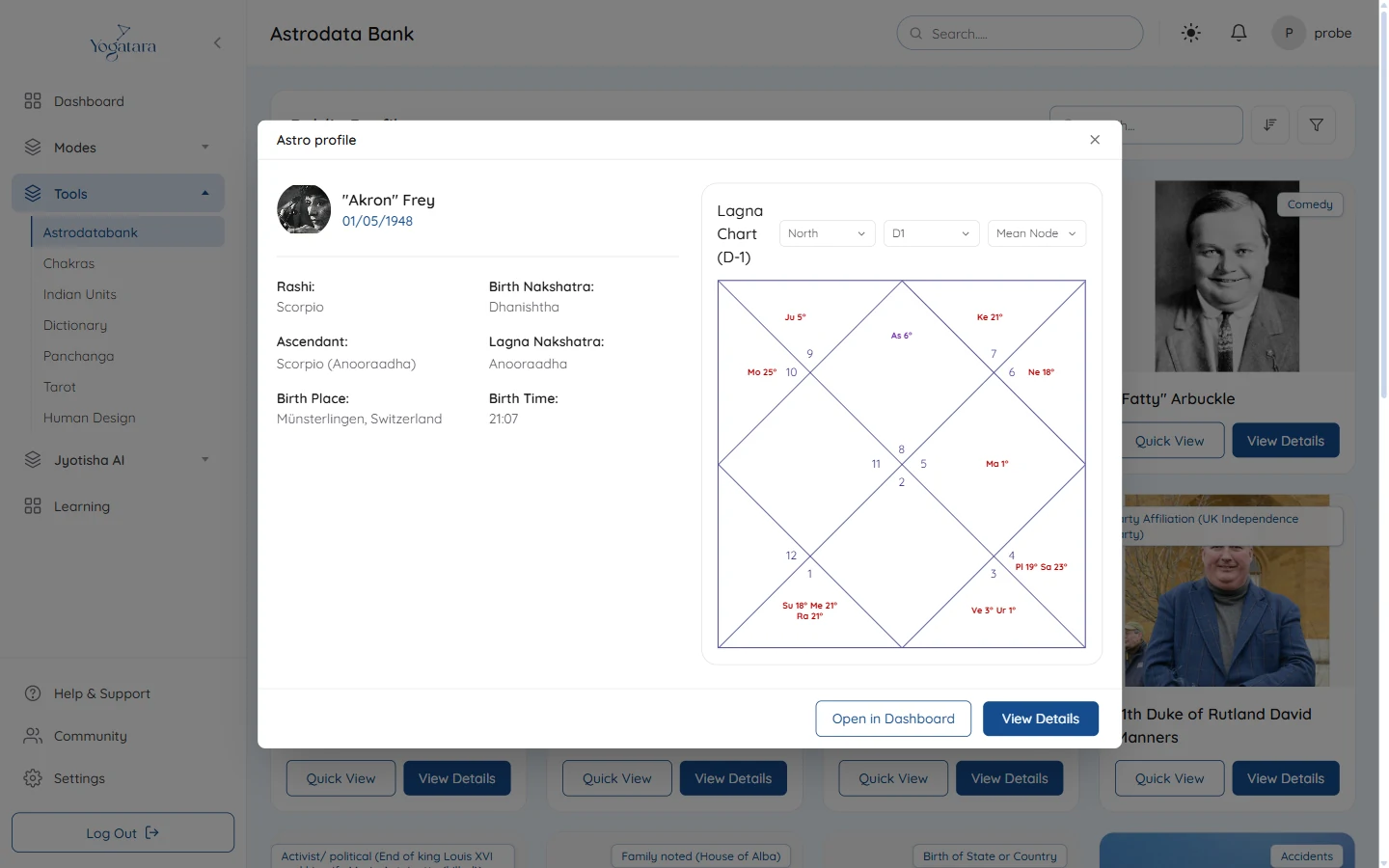
Quick View shows the rashi, birth and lagna nakshatras, ascendant, and place and time of birth beside the chart, with menus for chart style, D1, D9 or D10, and mean or true node.
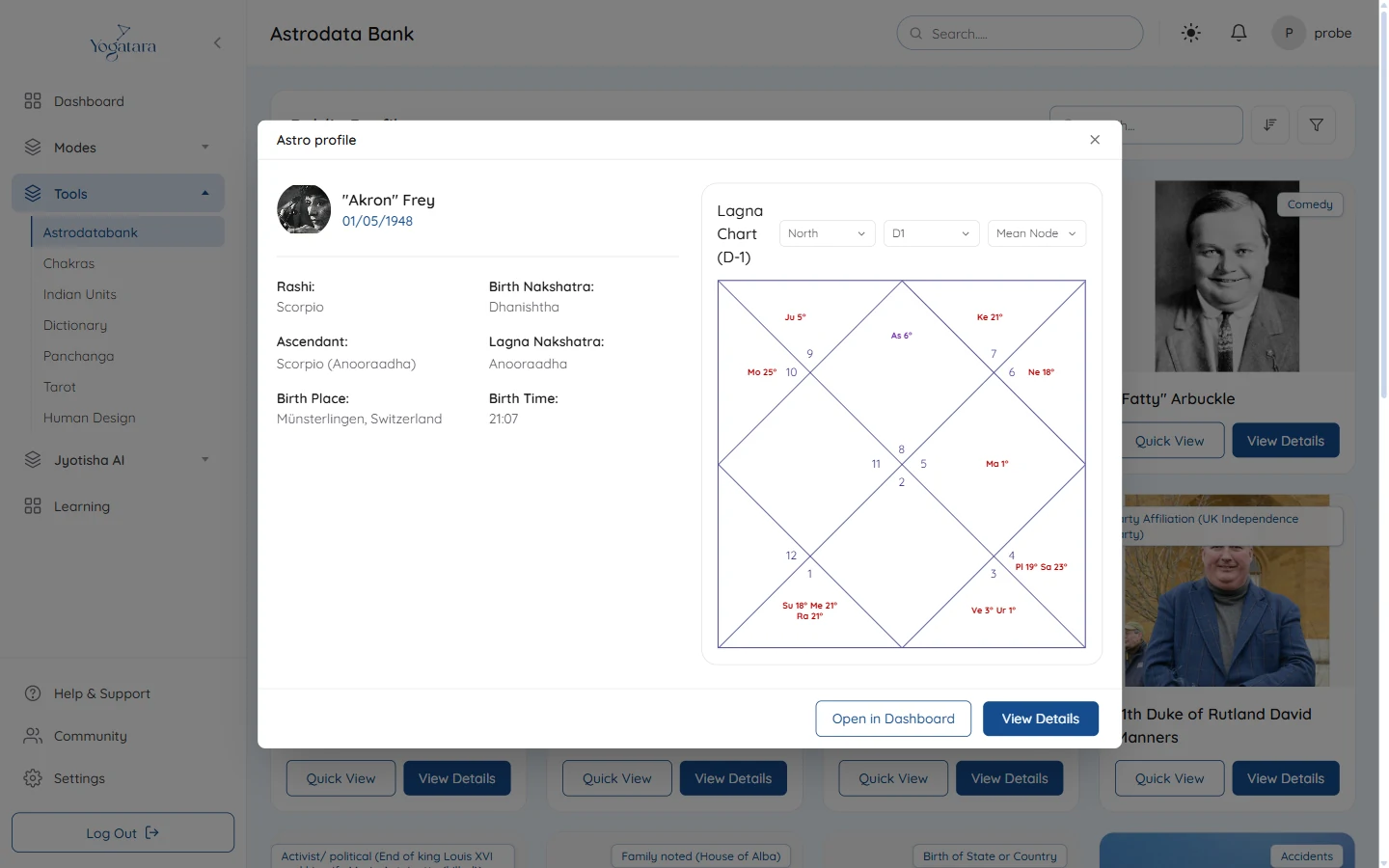
Quick View with the chart and birth details - 4
Open the full profile
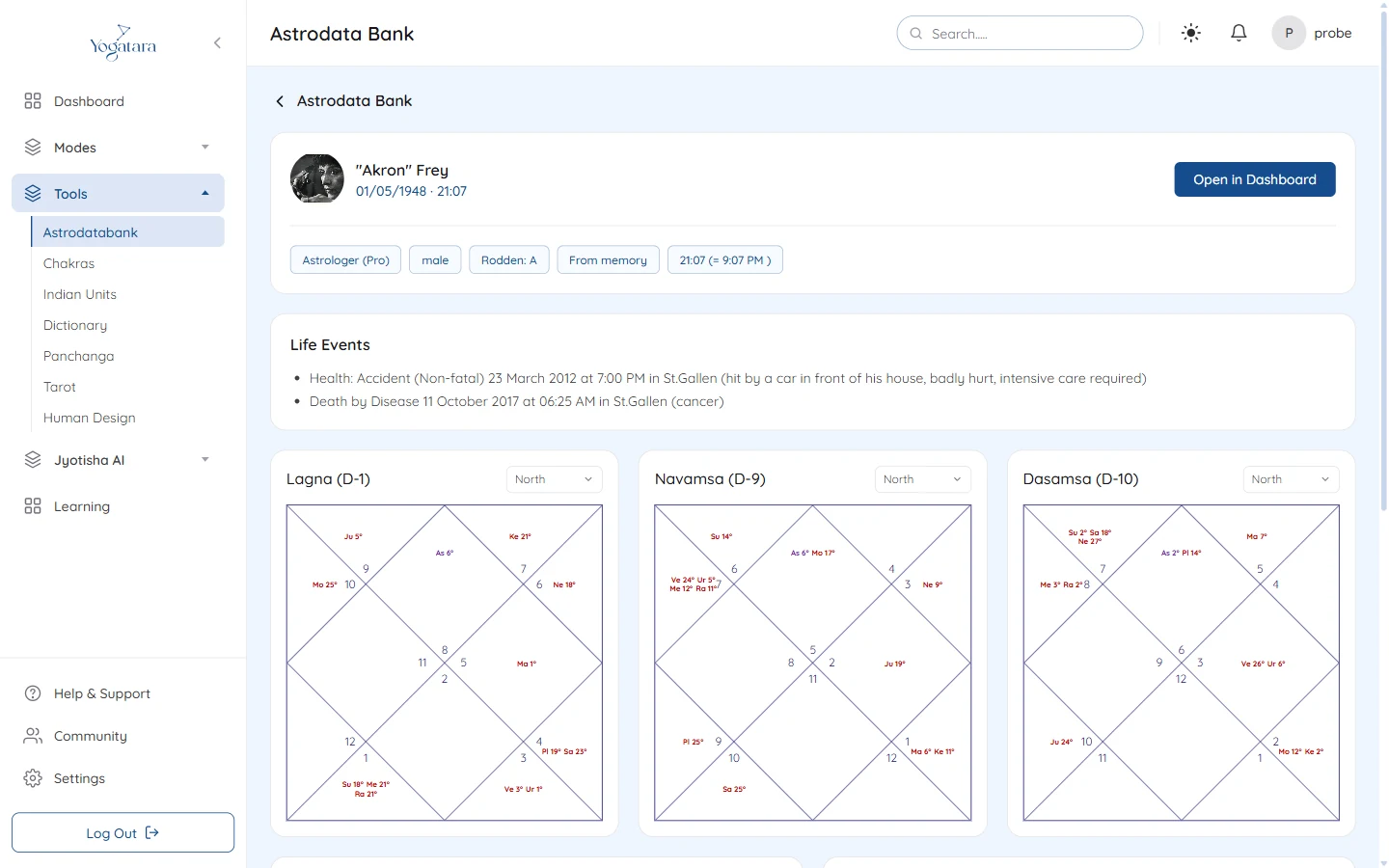
View Details opens the full profile: category, gender, Rodden rating and source, any recorded life events, the Rashi, Navamsa and Dasamsa charts, the panchang at birth and the categories it belongs to.
Open in Dashboard loads the chart on the dashboard, so you can read it with every other part of Yogatara.
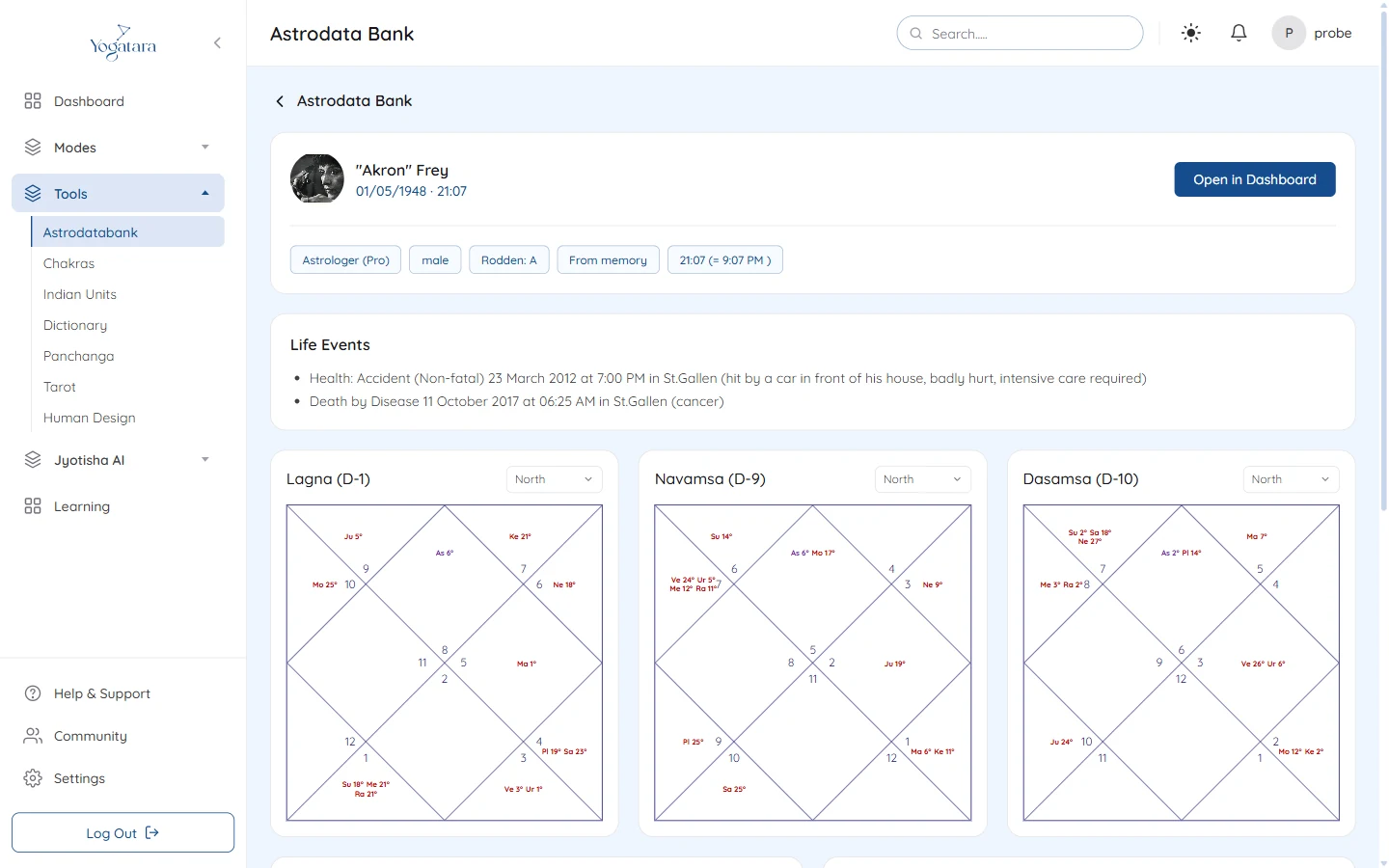
A full profile with life events and the D1, D9 and D10 charts
Try it on your own chart
7 days free on any plan. Cancel before the trial ends and you pay nothing.