
All features
AI & Practice
Teaching Studio
A whiteboard for classes and consultations, with live charts from your saved charts.
What you get
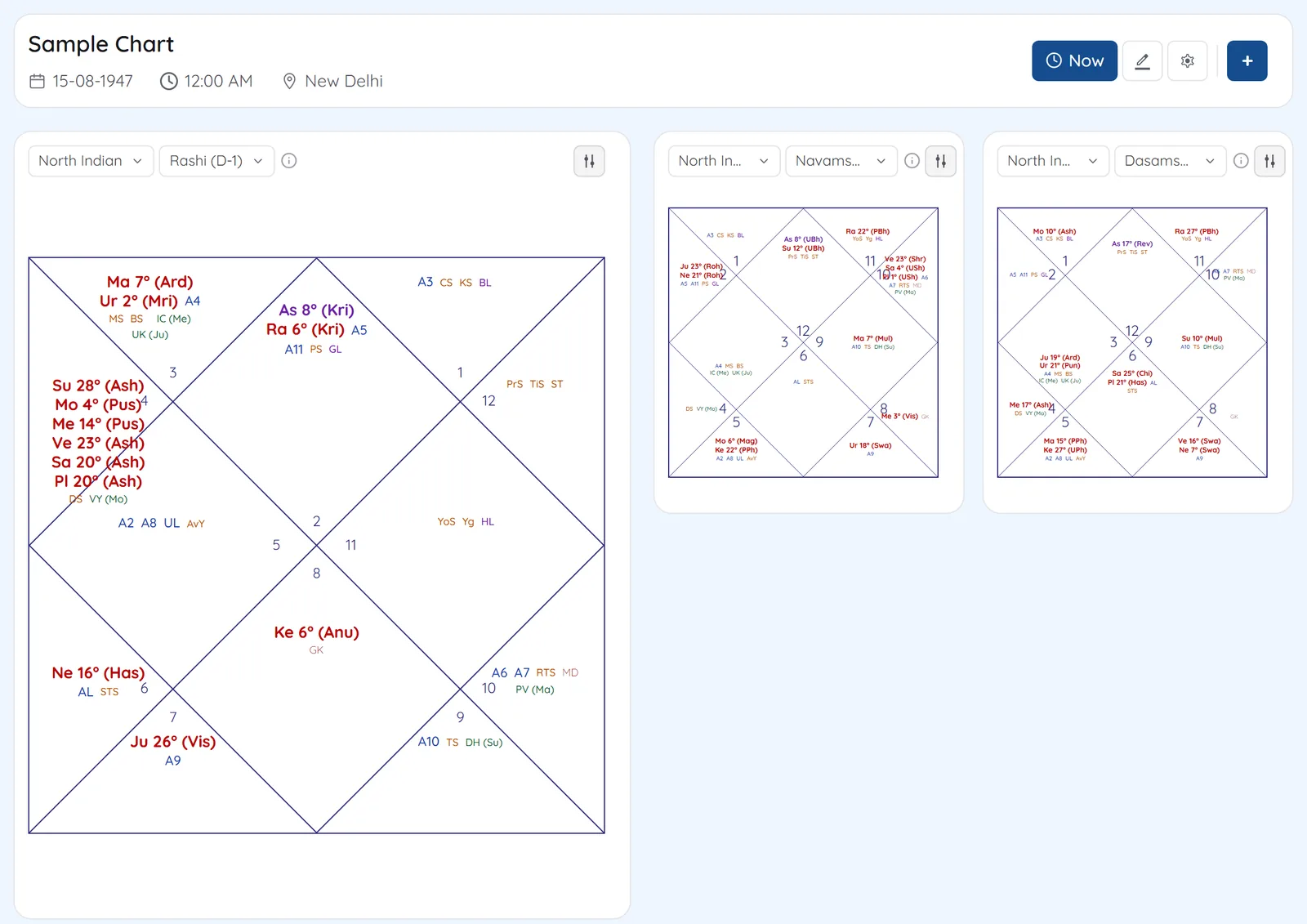
Make a board for a lesson or a client. Put any saved chart on it in the vargas and style you want, add dasha, KP, Jaimini or Ashtakavarga tables beside it, and draw, write and point around them. The board saves itself as you work.
- Live charts from your saved charts, in any varga, in North, South, East Indian or circular style
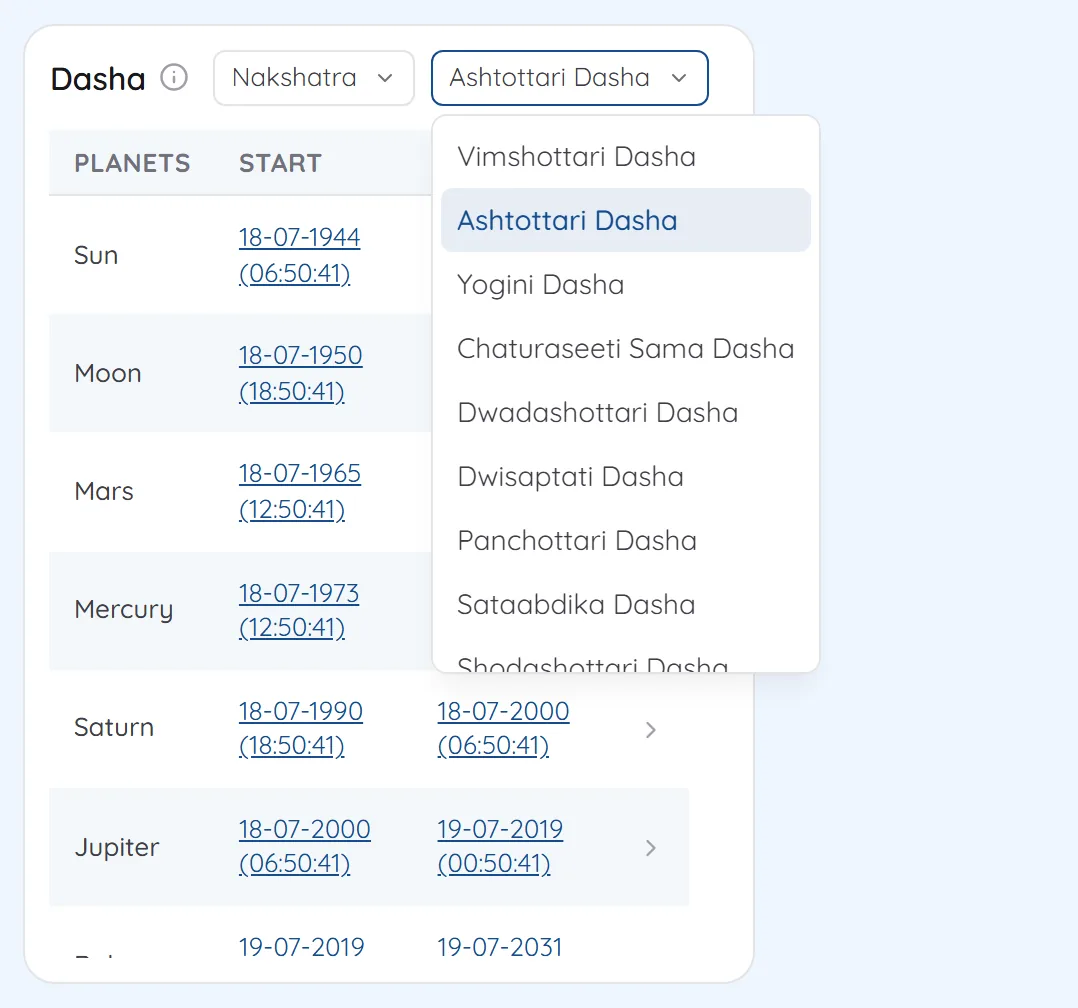
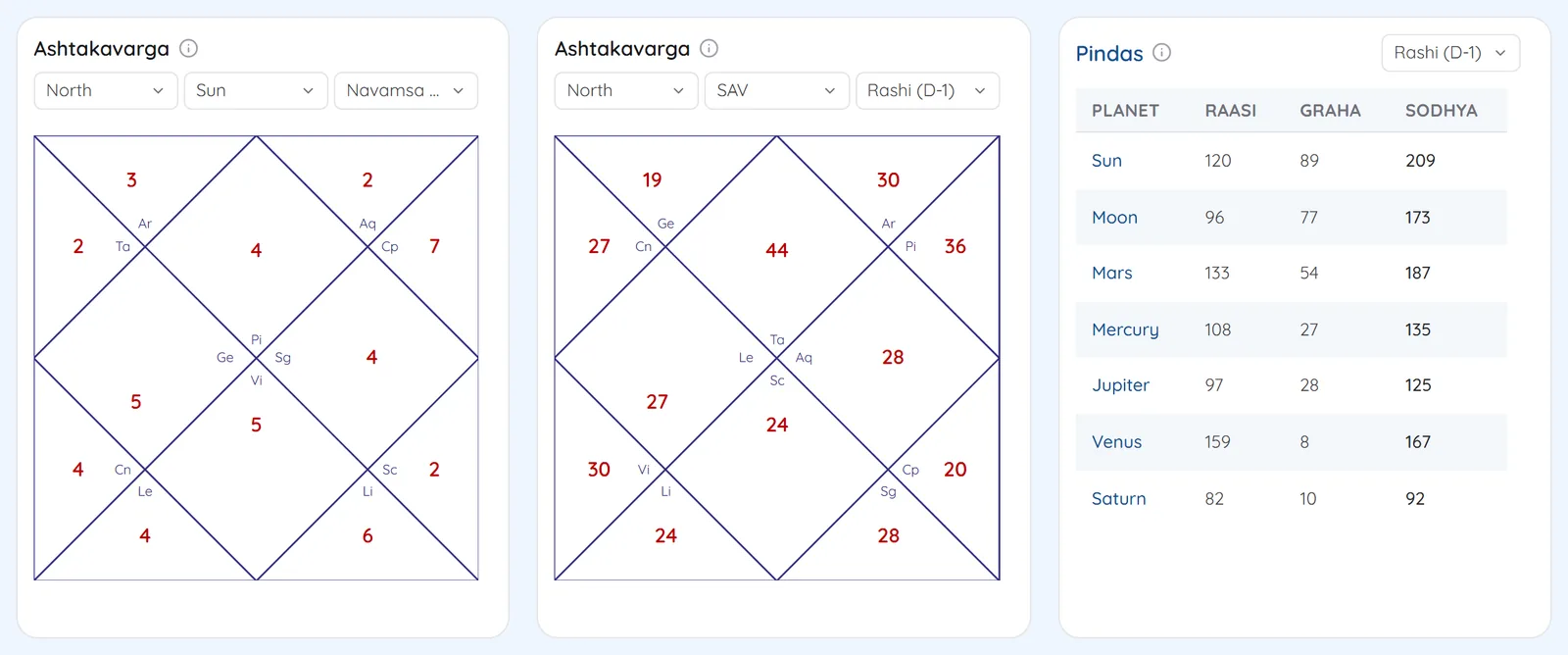
- Astrology cards: the Vimshottari dasha timeline, KP cusps and significators, chara karakas, Ashtakavarga (SAV), Shadbala, yogas and the birth panchang
- Blank North and South Indian charts, with planet, sign, house, lagna, arudha, upagraha and nakshatra labels you place by hand
- Shapes, arrows, pen, highlighter, text, sticky notes, images and a laser pointer
- Layers, groups, locking and alignment, and a full-screen view for classes and screen recordings
- Works with a pen or fingers on touch screens and smart boards
- Saves as you work, with named versions, export as an image and board files to keep
Screens
1A board for one lessonThe rashi and navamsa as live charts, a dasha timeline card, and notes drawn around them. 2Add a saved chartPick the chart, tick the vargas and choose the style, ayanamsa and node. Each varga becomes a live chart. 3Blank charts and labelsDrag planet and sign labels into the houses of a blank North or South Indian chart. 4Astrology cardsShadbala, Ashtakavarga and panchang tables for the chart, kept beside it on the board. 5Full screen for classesOnly the board and its tools, for classes and screen recordings.
See Teaching Studio on your own chart
7 days free on any plan. Cancel before the trial ends and you pay nothing.